

You’ve verified an invoice and sent it off for approval. But then… silence. What should’ve taken minutes ends up taking days (or even longer) as you play detective to track down approvers.
But it doesn’t have to be this way. Invoice approval software is designed to automate your workflows and use AI to increase accuracy and speed. However, choosing the right platform means researching dozens of options, and you’ve got invoices piling up now.
Here we put together a list of the best invoice approval software. We break down their key features and use cases to help you find a solution that fits your workflows.
These are:
- Rillion – Accurate, AI-powered invoice approvals at the speed your AP team needs
- Tipalti – End-to-end payables built for global companies
- BILL – AP automation that connects seamlessly with your vendor network
- Xero – Cloud accounting that small businesses can set up in minutes
- Concur Invoice – Complete spend visibility designed for enterprises
- Basware – AI-powered invoice automation with compliance baked in
- Coupa – Total spend management visibility for scaling companies
- Sage Intacct – Robust cloud accounting and financial management
8 best invoice approval software at a glance
Here’s a look at the best invoice approval software, including who they’re designed for and their standout features:
| Invoice approval software | Best for |
Standout feature |
|
1. Rillion – Accurate, AI-powered invoice approvals at the speed your AP team needs |
|
Multi-entity management with AI-powered automation that predicts approvers, codes invoices with ~90% accuracy, and runs 3-way PO matching automatically to cut approval times and prevent errors. |
| 2. Tipalti – End-to-end payables built for global companies |
|
Global payments to 200+ countries and territories in 120 currencies. |
| 3. BILL – AP automation that connects seamlessly with your vendor network |
|
An extensive vendor network that facilitates payments and reduces fraud. |
| 4. Xero – Cloud accounting that small businesses can set up in minutes |
|
Bank feed integrations speed up reconciliation and reduce manual data entry. |
| 5. Concur Invoice – Complete spend visibility designed for enterprises |
|
Unified spend management provides full visibility of spend management in a single platform. |
| 6. Basware – AI-powered invoice automation with compliance baked in |
|
E-invoicing network that facilitates communication with suppliers and eliminates paper invoices. |
| 7. Coupa – Total spend management visibility for scaling companies |
|
Users can tap into “community intelligence” and benchmark performance against industry peers. |
| 8. Sage Intacct – Robust cloud accounting and financial management |
|
Project costing enables companies to place smarter project bids based on historical data. |
Here’s a full breakdown of the best invoice approval software, starting with our top pick.
1. Rillion – Accurate, AI-powered invoice approvals at the speed your AP team needs

Rillion is an accounts payable (AP) solution that uses AI to make invoice processing touchless, simplify approvals, and reconcile payments for you.
But just because the process is touchless, doesn’t mean finance teams lose control. If anything, they have more. Centralized dashboards give full visibility into where an invoice stands in the approval process. They can track progress in real time and quickly address bottlenecks to keep payments moving along.
Another way Rillion saves finance teams time is how the AI and machine learning powering it learns and adapts over time. It predicts invoice codes and suggests workflows based on previous actions. The result is a highly flexible invoice approval solution that adapts to your team’s needs.
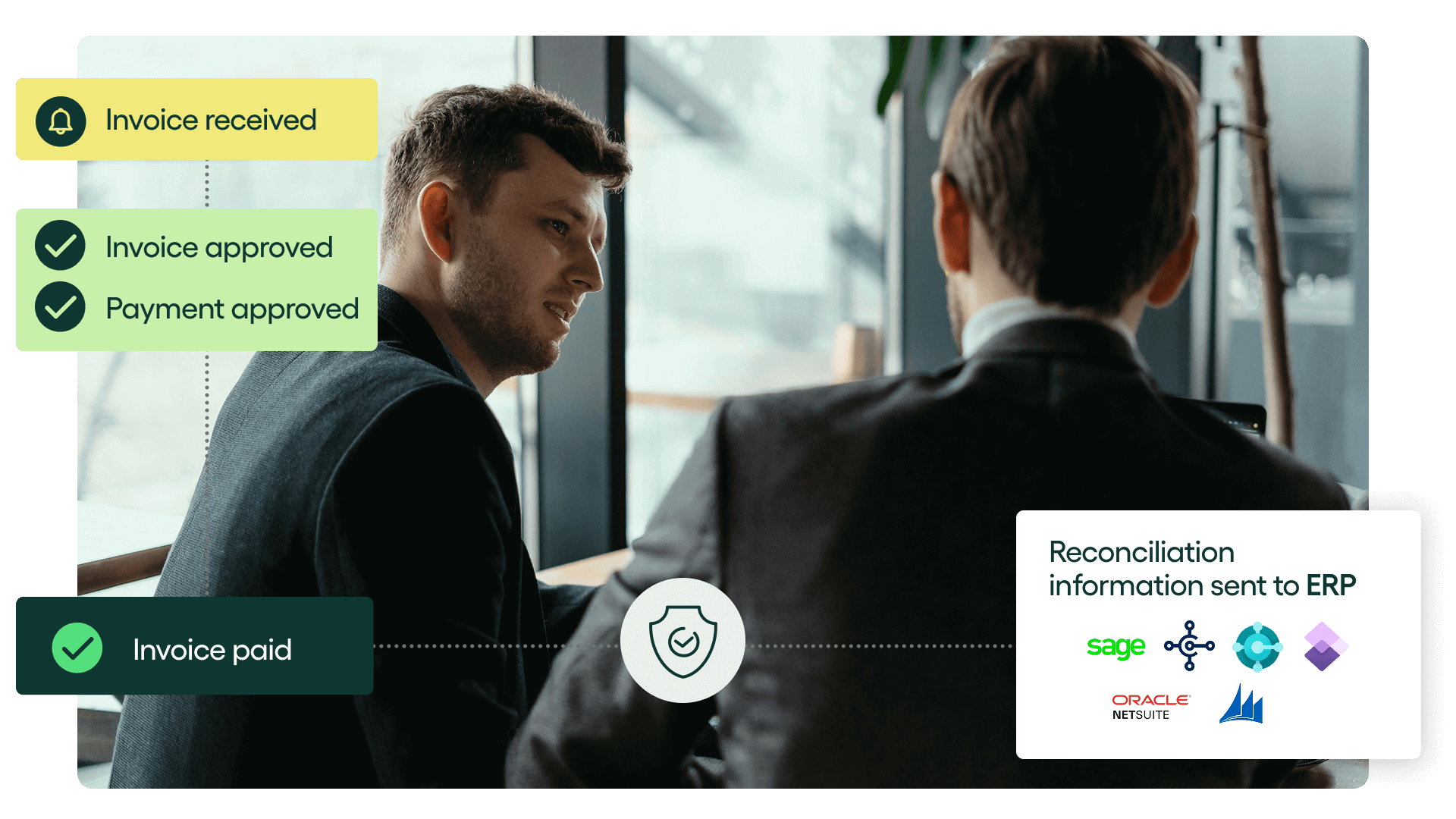
Rillion includes all the traditional features of an AP automation solution, enhanced by AI:
- AI-powered invoice capture: Intelligent invoice capture extracts data across invoice formats with ~90% accuracy and suggests correct general ledger codes based on past patterns.
- Riley, the AI Assistant: Ask the built-in AI questions about invoices, suppliers, or workflows and get instant answers. Riley helps users navigate the system, resolve issues quickly, and stay productive without delaying AP financial tasks.
- Automated 3-way PO matching: Automatically matches invoices against purchase orders and good receipts by comparing individual line items and flagging any discrepancies for review.
- Approval workflows: Set customizable rules or AI-driven suggestions for automated approval workflows. Option for role-based approval rules.
- Payment automation:Rillion offers automated payments, including secure virtual cards and automated reconciliation.
- Multi-entity management: Approve invoices, manage spend, and gain real-time visibility across multiple companies or locations from one screen. Perfect for healthcare groups, hospitality chains, or manufacturers with distributed finance operations.
- Role-based approval workflows: Assign permissions based on roles to improve security, compliance, and efficiency. Finance leaders maintain control, and approvers get automated reminders with the option to approve via mobile or desktop.
- In-depth reporting and analytics: Advanced reporting and analytics for spend visibility across entities.
- Virtual card payments with rebates: Securely pay vendors using virtual cards, reducing fraud risk while earning rebates, turning AP from a cost center into a value driver.
- 50+ ERP Integrations: Sync invoices, approvals, and payments directly into 50+ leading ERPs (including Microsoft Dynamics, NetSuite, Sage Intacct, and SAP Business One), eliminating double entry and ensuring clean data for month-end close.
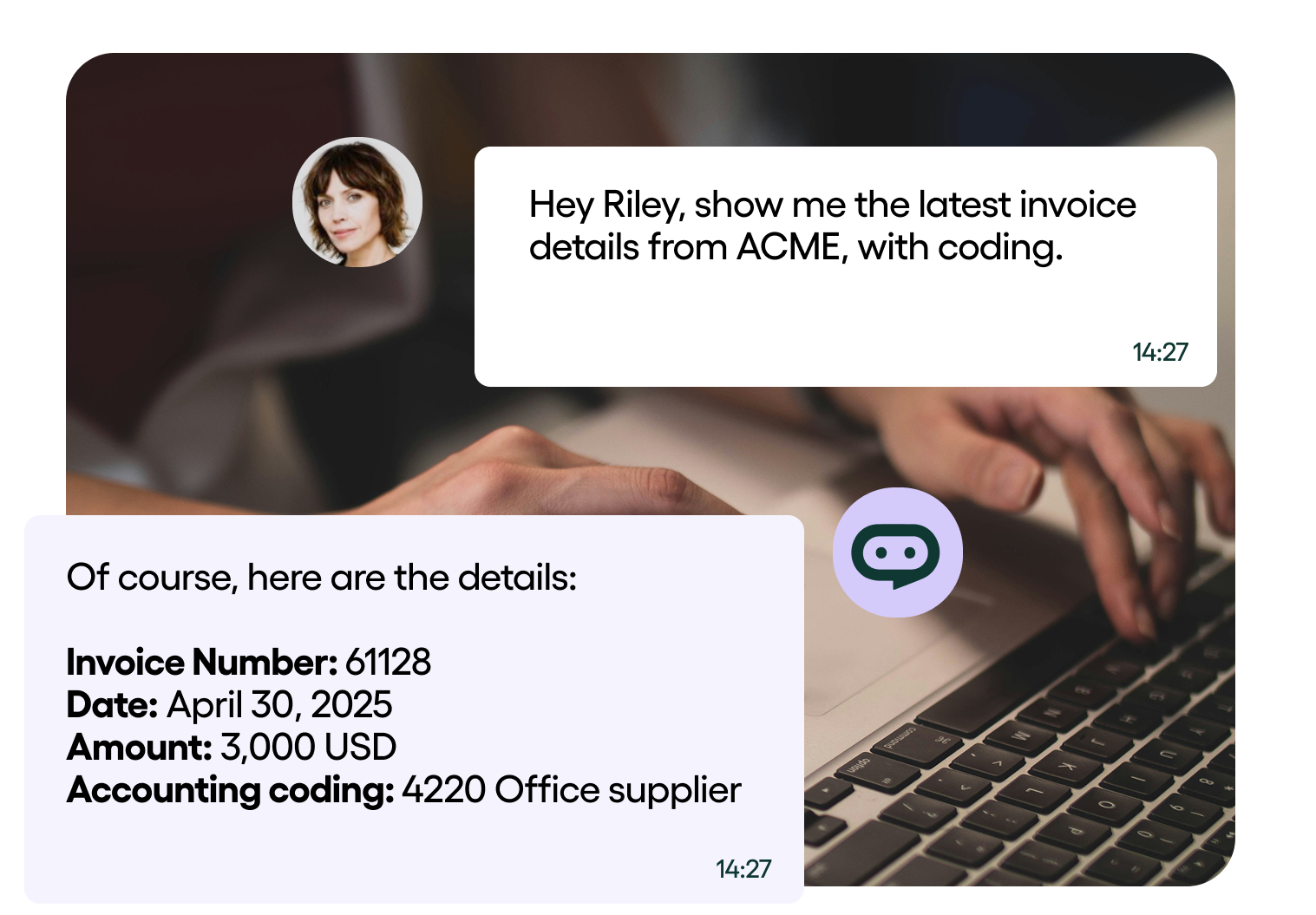
Rillion’s standout feature – Multi-entity invoice management
With Rillion’s multi-entity management, you can manage subsidiaries and business units through a central platform where you get full visibility into all transactions. Finance teams can get the insights they need without constantly switching between systems. And everyone gets access to faster, more accurate invoice approval processes thanks to Rillion’s AI features.
Mid-sized and large companies can add Rillion Pay to facilitate secure payments to vendors using their preferred payment method. This improves payment efficiency and helps reduce fraud risks.
Who is Rillion built for?
Rillion is ideal for mid-market companies that process thousands of invoices annually. It’s suitable for companies operating in industries like healthcare, manufacturing, and hospitality. It’s also perfect for multi-national corporations that need to automate invoice processing across multiple entities in different countries.
Companies that already use ERP systems like SAP, Oracle, or Microsoft Dynamics can benefit from Rillion’s deep native integrations. Finance teams get a clear view of their accounts payable, helping them track spending and forecast cash flow with confidence.
Read how Cypress Creek Renewables uses Rillion to streamline their invoice approval process and eliminate manual data entry.
2. Tipalti – End-to-end payables built for global companies
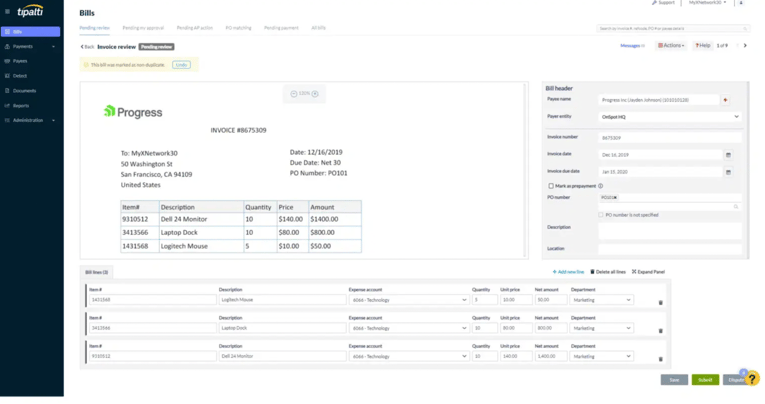
Tipalti is a global end-to-end AP automation system. It uses AI to capture, extract, and match invoice data to purchase orders to reduce manual data entry. Tipalti’s “intelligent purchase approval engine” automates tasks like invoice matching, purchase order approvals, and global payments. The approval engine also supports parallel approvals, so multiple approvers can approve requests simultaneously.
Key features in Tipalti’s invoice approval software include:
- Automated tax compliance: Features international tax capabilities to help multi-national companies ensure compliance across jurisdictions.
- Global payment support: Supports over 50 international payment methods, including ACH, EFT, SEPA, and more.
- Multi-entity management: Enables companies with international operations to manage multiple subsidiaries and apply unique workflows for each.
- Spend analytics and insights: Dashboards provide full visibility into financial data, allowing teams to identify bottlenecks in the approval process.
- Pre-built integrations: Integrates with popular platforms, such as Oracle NetSuite, Sage, and QuickBooks.
Overall, Tipalti has favorable reviews with one user praising its invoice capture capabilities. However, some users reported initial implementation issues, but these were quickly addressed with help from support.
Tipalti’s standout feature – Global payment support
One standout feature of Tipalti is that it’s capable of processing global payments.
The platform comes with international payment coverage to 200 countries in 120 different currencies. For companies that have vendors around the world, this can help simplify the process.
Who is Tipalti built for?
Tipalti works best for mid-sized to large businesses that process high invoice volumes and manage complex global supplier networks. Its self-service portal lets companies onboard suppliers and validate tax IDs to ensure compliance with e-invoicing mandates.
3. BILL – AP automation that connects seamlessly with your vendor network
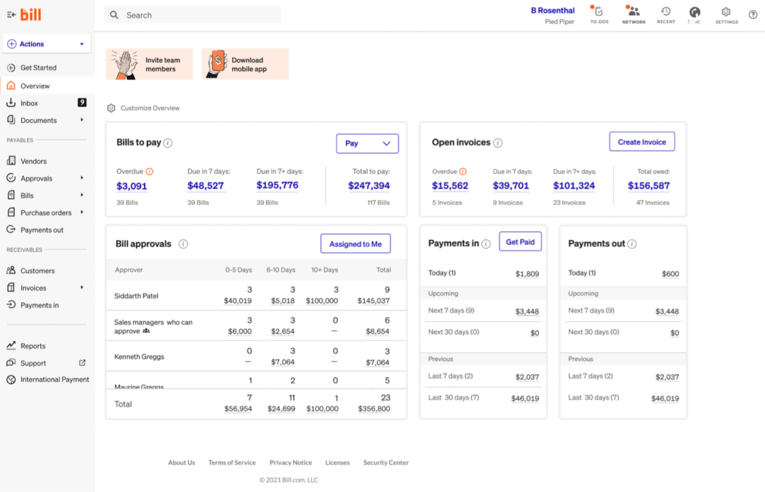
BILL (formerly Bill.com) is a cloud-based AP solution that enables businesses to automate financial workflows, such as invoicing, expense tracking, and payments. It features AI-powered capabilities that companies can use to eliminate errors and prevent fraud.
Key features in BILL’s invoice approval software include:
- Smart invoice capture: An AI-powered optical character recognition automatically captures and extracts invoice data to reduce manual data entry.
- Approval workflows: Customizable approval workflows let you automatically send invoices to the right people to keep payments on track.
- Integrations with 2-way sync: Supports direct integrations with accounting systems like NetSuite, QuickBooks, and Xero to ensure data accuracy.
- Flexible payment options: Supports a range of payment options, including ACH, virtual cards, and international wires to over 130 countries.
- Internal controls: Internal controls let you set custom roles and permissions to add a layer of security to your invoicing processes.
Users comment that BILL is easy to use out of the box, making it a great choice for businesses looking for a solution they can quickly get started with. However, some users note occasional technical issues like syncing problems.
BILL’s standout feature – Extensive vendor network
BILL has an extensive network of over 5 million vendors. If a vendor you’re working with is already on BILL, you can send an invitation to connect within the network where you can submit and track invoices in one place. Using the network can help protect against email compromise, one of the leading causes of payment fraud.
Who is BILL built for?
BILL is primarily designed for small to mid-sized businesses that process anywhere from a few dozen to hundreds of invoices monthly. It’s a solid choice for businesses looking to modernize their invoicing processes without the complexity of enterprise setups.
4. Xero – Cloud accounting that small businesses can set up in minutes
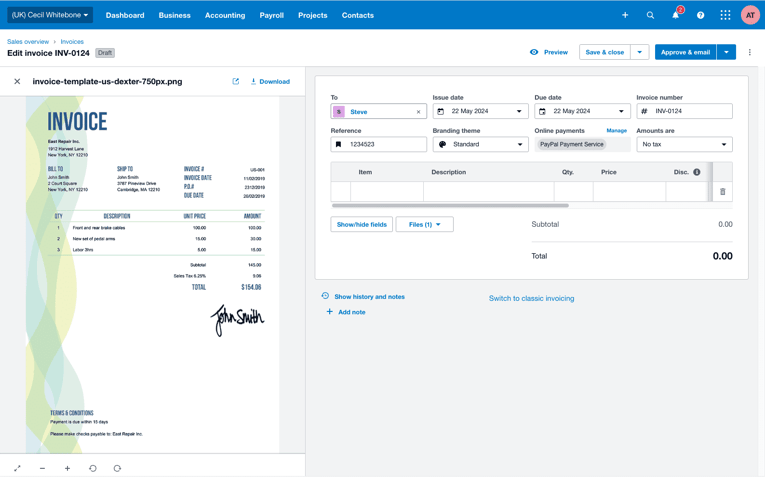
Xero is a user-friendly accounting platform primarily designed for bookkeepers and accountants. However, small to mid-size businesses can use it to automate accounting tasks and maintain accurate records. It also includes expense management tools for businesses to track and manage expenses.
Key features in Xero’s invoice approval software include:
- Automated invoice data capture: Upload bills directly to Xero or forward them from your email, and Xero’s AI handles the rest.
- Accounting dashboard: Enables you to keep an eye on the day-to-day operations and manage key metrics like account balance, cash flow, and invoice status.
- Flexible vendor payments: Works with online payment options like Stripe and GoCardless to let suppliers pay with a convenient option.
- Mobile app: Manage accounting operations on the go via the mobile app where you can send invoices, see cash flow, and reconcile accounts.
- Native integrations: Connect the apps you use in your workflows and centralize your work in one location.
Overall, users cite positive experiences with the platform noting its ease of use in managing their accounts. However, some users struggle with their supplier invoices not being captured properly.
Xero’s standout feature – Bank feed integration
A key feature of Xero is its bank feed integration, which allows users to connect their bank with Xero for faster and more accurate reconciliation. Xero offers direct feeds from over 21,000 financial institutions. Once connected, it imports bank transactions and matches them to invoices and bills with minimal human intervention.
Who is Xero built for?
Xero is built to help small to medium-sized businesses manage their accounting needs. It also comes with an array of invoice automation features, making it a solid choice for startups and scaling companies that need these capabilities without the enterprise complexity or price tag.
5. Concur Invoice – Complete spend visibility designed for enterprises
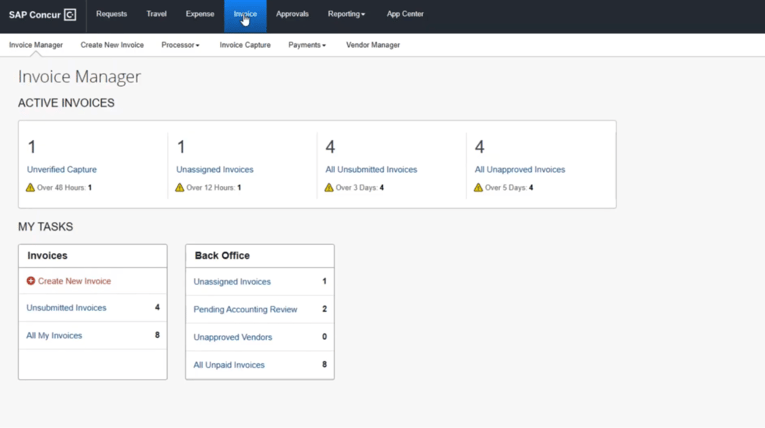
Concur Invoice is SAP’s invoice management solution. It lets businesses automate their accounts payable processes and it integrates with Concur Expense and Concur Travel to unify spending management.
Key features in Concur Invoice’s invoice approval software include:
- Invoice capture: Invoice data is automatically captured using OCR technology and routed to the right approvers for review.
- Three-way matching: Automatically matches invoices against purchase orders, receipts, and invoices to avoid errors like duplicate payments.
- Business Intelligence: Consolidates spending by travel, expense, invoice, and credit card data to provide a complete picture of company spend.
- Mobile-ready apps: Enables busy approvers to review and approve invoices no matter where they are in a few clicks.
- ERP integrations: Offers native integrations with SAP to connect disparate systems and provide a centralized view of spending — useful if your company already uses its ERP software.
Users find the automation features easy to use to speed up approvals and ensure compliance. However, others note that the interface often feels outdated and navigation isn’t always intuitive.
Concur Invoice’s standout feature – Unified spend management
Managing spend across invoices, travel expenses, and cards can be challenging for multi-national corporations. Concur Invoice enables companies to unify spend management in a single platform for greater control and visibility.
However, Concur Invoice, Concur Expense, and Concur Travel are separate products, meaning organizations will need to spend more to take advantage of its unified spend management capabilities.
Who is Concur Invoice built for?
The platform is built for enterprises with high volumes of invoices and strong compliance requirements. It’s particularly valuable for businesses with operations in countries that have complex tax reclaim procedures, like Germany, UK, and Australia. Companies will need adequate IT and accounting resources to ensure a smooth rollout and to take full advantage of the platform.
6. Basware – AI-powered invoice automation with compliance baked in
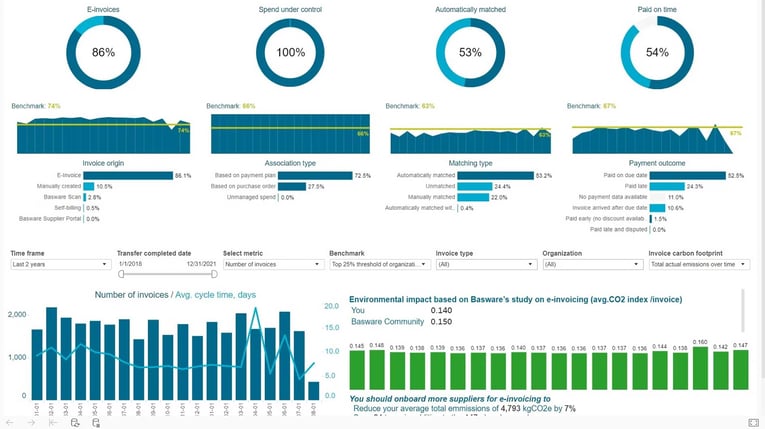
Basware helps businesses transform and centralize their entire invoice lifecycle in one place by offering purchase-to-pay and e-invoicing in one package. It uses an invoice-centric AI that provides visibility into the entire invoice life cycle to enable faster approvals.
With these capabilities, businesses can quickly capture and validate invoices against purchase orders and contracts. This helps cut manual data entry and reduce errors like duplicate invoices and over-payments.
Key features in Basware’s invoice approval software include:
- AI-powered automation: Uses machine learning technology trained on data from over 2 billion invoices to accurately capture and extract invoice data
- ERP integrations: Connects to over 250 ERP systems to ensure smooth integration across different infrastructures.
- Analytics and reporting: Comprehensive dashboards and reporting tools enable you to track KPIs and compare performance against industry peers.
- Global invoice compliance: Maintains centralized records with full audit trails to simplify reporting and ensure audit readiness.
- Procure-to-pay (P2P) automation: Offers a suite of P2P tools to automate procurement and enable full visibility of spending.
Users like that Basware offers an intuitive interface and keeps invoices in one central location. However, some users note that the platform occasionally lags and loads slowly.
Basware’s standout feature – Basware Network
One feature that makes Basware stand out is its global e-invoicing network. It lets businesses connect and onboard suppliers into their procurement process. The solution ingests and captures data from all invoice formats, including paper, PDF, and EDI, to eliminate data entry and reduce manual processing.
Non-compliance with e-invoicing mandates can lead to financial penalties. The Basware Network helps ensure compliance across Business-to-Government (B2G) and Business-to-Business (B2B) e-invoicing mandates. It also helps comply with Value-Added Tax regulations in over 50 countries to minimize risks.
Who is Basware built for?
Basware is best suited to large international organizations that process over 50,000 invoices a year. Because it handles multi-currency and multi-entity invoice processing, large finance teams have full visibility of spending across locations.
Related read: 12 best Basware alternatives for AP automation in 2026
7. Coupa – Total spend management visibility for scaling companies
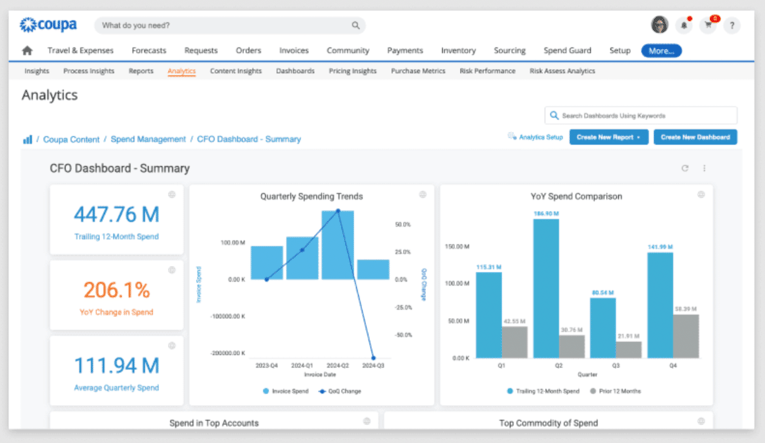
Coupa primarily functions as a spend management software, but it also offers AP automation capabilities. These include invoice capture, 3-way invoice matching, and multi-level validation. Combined, they help companies automate payment workflows.
Key features in Coupa’s invoice approval software include:
- Invoice capture: The AI-driven platform automatically extracts data from invoices to cut down on manual data entry.
- Fraud detection: Monitors real-time activity across direct and indirect spending to detect and flag potential fraud like expense claims.
- Supplier portal: Connects purchasing organizations with suppliers to facilitate payments.
- Spend analysis: Dashboards and reports deliver insights into spending patterns and identify cost-saving opportunities.
- Virtual cards: Enables companies to issue virtual cards to gain more control over their spending and automate reconciliation processes.
Users find Coupa easy to use, allowing them to manage and pay their vendors on time. However, some users note that the platform isn’t as customizable as they’d like.
Coupa’s standout feature – Community intelligence
Coupa has a proprietary “community intelligence” feature, which taps into data from over $8 trillion in transactional spend that flows through its platform. It analyzes spending patterns and identifies potential cost savings.
It even benchmarks spending against industry peers and provides tailored recommendations to improve profitability.
Who is Coupa built for?
Coupa is built for medium-sized to large enterprises moving beyond basic invoice automation. It features e-invoicing capabilities that help businesses navigate regional taxes, “touchless” invoicing with built-in approval workflows, and automated expense management. Over 55% of Fortune 500 companies use Coupa for spend management.
8. Sage Intacct – Robust cloud accounting and financial management
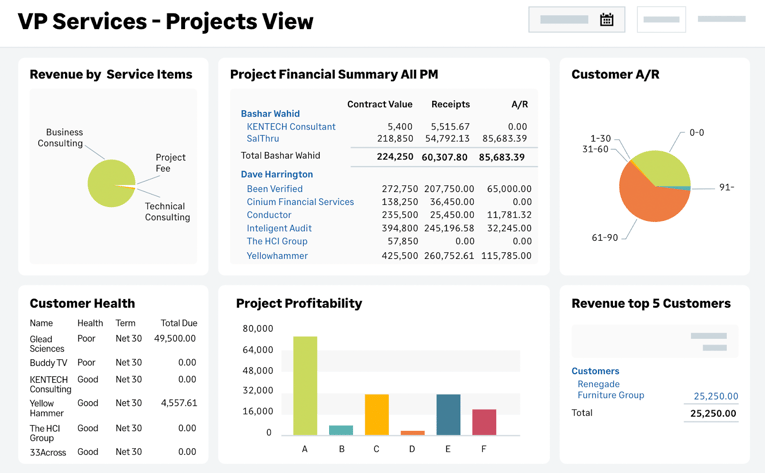
Sage Intact is a scalable financial management platform that handles invoicing, purchasing, and bank reconciliation in one platform. Its automated invoicing features allow businesses of all sizes to accelerate and simplify approval workflows while eliminating manual invoicing. It also integrates with payment platforms like Stripe to facilitate digital payments.
Key features in Sage Intacct’s invoice approval software include:
- AI-powered data capture: Sage Ai extracts and captures invoice details, identifying details like amounts, dates, and line items to speed up processing.
- Multi-entity management: Manage and process invoices across multiple entities and locations within a single platform.
- Dimensional reporting: Link to “dimensions” or tags beyond the standard general ledger (GL) codes for more granular financial reporting and analysis.
- Operational Flows: Use pre-built workflows to build forms and approval flows using a no-code builder.
- Marketplace for add-on solutions: Offers a library of pre-built integrations and workflows that companies can use to extend the platform’s functionality.
Users find the reporting features helpful in creating audit-ready reports that comply with Generally Accepted Accounting Principles (GAAP). However, some users note a steep learning curve and suggest the platform could benefit from a more modern interface.
Sage Intacct’s standout feature – Project costing
One standout feature of Sage Intacct is its project costing and billing capabilities, which are particularly useful for professional service firms and agencies. Companies can track expenses for individual clients and see how previous projects performed financially, so they can bid smarter to improve profitability.
Who is Sage Intacct built for?
Sage Intacct is suitable for a variety of businesses, but it’s ideal for small to mid-sized businesses that need more structure and clarity across their financial workflows. Features like AP automation and cash management make it a good choice for those who want more control of their accounting.
How to choose the best invoice approval software for your company
The right invoice approval software ultimately comes down to your needs. Consider the following factors to narrow down your choices:
- Automation: Ensure the software comes with features like automatic data capture and custom approval workflows to reduce manual work.
- Scalability: Look for a solution that can handle increasing invoice volumes without requiring system upgrades or extra resources.
- Compliance: Confirm the platform complies with regulatory standards and offers proper audit trails to maintain transparency.
- User experience: Choose a solution that offers an intuitive interface that your team can learn quickly.
- Integrations: Make sure the invoicing software integrates with the ERP system your company uses to ensure seamless data flow.
- AI capabilities: Look for built-in AI that enhances invoice capture accuracy, automatically codes invoices based on historical patterns, and intelligently routes approvals. The best solutions learn continuously from your data without requiring extra integrations or manual training. Rillion’s AI, for example, supports smart data capture, accurate auto-coding, intelligent approval routing, and includes an AI assistant that helps users navigate the system and get instant answers to AP questions.
If you’re looking for a solution that fits the criteria above, Rillion is the ideal choice. It’s great for mid-market companies looking to scale their invoicing without sacrificing accuracy.
Schedule a demo of Rillion today to see how you can process invoices 85% faster.