

If you're still running template-based OCR to process invoices, you already know the signs. The supplier that takes three days to onboard because someone has to build a new template first. The layout change that breaks extraction without warning. The manual review pile that never seems to shrink, no matter how much you tune the system.
OCR vs AI is increasingly the question finance teams are asking, and for good reason. The gap between what template-based capture can do and what modern AP automation requires has become too wide to ignore. If you're evaluating the switch, here's what you need to know.
What is OCR invoice capture?
Optical Character Recognition, or OCR, is the technology behind most traditional invoice capture tools. It converts a scanned or digital invoice into machine-readable text, then extracts specific data fields based on rules you define. Think of it as a very fast, very literal reader. It finds data where you tell it to look, and nowhere else.
OCR systems work by building templates for each supplier. You map the position of the information you need to extract, like invoice number, date, line items, and totals. The system then looks for that data in those positions every time an invoice arrives from that supplier. When everything matches the template, extraction is fast and reasonably accurate.
Traditional OCR tools are often third-party integrations connected to your AP platform, which means the extraction happens outside your core system before results are passed back in.

Benefits of OCR invoice capture
For teams processing a small, stable set of suppliers with consistent invoice formats, OCR delivers real value. The benefits of OCR capture include:
-
Faster than manual data entry once templates are set up
-
Works with scanned paper invoices and digital PDFs
-
Predictable extraction logic that is easy to audit
-
Widely supported across legacy AP platforms
Challenges with OCR invoice capture
The limitations of OCR become clear as soon as your supplier base grows, or when the invoices look even the slightest different from the ones before. Finance teams using OCR struggle with:
-
Every supplier needs its own template, which takes time to build and maintain
-
Layout changes break extraction without warning, requiring manual fixes
-
Accuracy drops significantly with handwritten text, low-quality scans, or unusual formats
-
Extracted data is not validated against your master data, so errors often appear further down the invoice flow
-
Adding new suppliers or invoice types means starting the setup process again
-
Your core automation depends on a third-party tool sitting outside your AP platform
The result is a system that requires significant ongoing effort to keep working. And because the data coming out of OCR is not verified against your system, your team still has to review it before anything moves forward.
What is AI-native invoice capture?
AI-native invoice capture uses a large language model (LLM) to read and understand invoice documents the way a person would. Instead of looking for data at a fixed position on the page, it reads the full invoice and extracts the information based on meaning rather than location.
This means that layout changes stop being your problem as there are no templates to build and maintain. New suppliers are handled the same way as existing ones, from day one, without a training period.
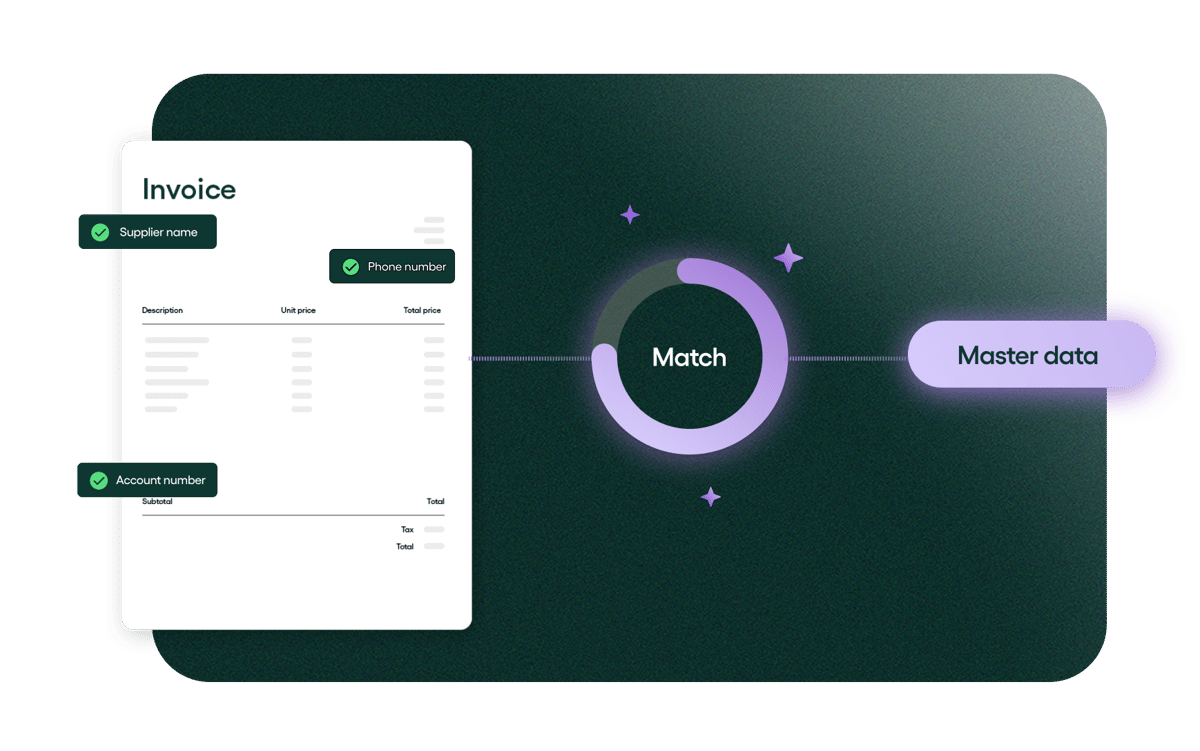
But the most capable AI-native solutions go further than extraction. Rillion’s invoice capture, for example, is built directly into the platform. Before anything reaches your team for review, the data has already been checked against your system. So that your team only needs to handle true exceptions, the rest is already validated and ready to flow through the invoice process.
Here's a video of how Rillion runs AI-native invoice capture:
Benefits of AI-native invoice capture
AI-native invoice capture comes with a clear set of benefits for finance teams, for example:
-
No templates or supplier-specific setup required
-
High accuracy from day one, across any invoice format or layout
-
Data is validated against your master data before it ever reaches your team
- Non-standard fields can be captured through plain-language instructions your team writes themselves, like “if the invoice is in a foreign currency, convert the total to USD using the rate stated on the document.”
-
Fewer exceptions reach your team, which means your team can spend their time on what matters
-
Model accuracy keeps improving over time, without any work on your end
-
End-to-end experience inside your AP platform, without third-party dependencies
Challenges with AI-native capture
AI-native capture is a newer approach, and it comes with its own considerations:
-
Requires an AP platform with AI capture built in
-
Customizable prompts give flexibility, but someone on your team needs to write them for edge cases
-
For teams with highly specific extraction logic built into legacy OCR rules, migration requires mapping that logic to the new system
-
As with any AI system rollout, it's worth reviewing results closely until your team builds confidence in the output
OCR vs AI invoice capture: the key differences
We understand it’s difficult to get a grip of which solution suits your company the best. Here’s how the two approaches compare:
| Traditional OCR | AI-native capture | |
| How it works | Reads fixed field positions defined in supplier templates | LLM reads the full document and extracts based on meaning |
| Supplier setup | Template required per supplier | No setup required |
| Layout changes | Breaks extraction, requires manual fix | Handled automatically |
| Time to accuracy | Weeks to months of tuning per supplier | High accuracy from the first invoice |
| Data validation | None built in, manual review required | Real-time validation against master data |
| Non-standard invoices |
Requires custom rule-building | Handled through instructions you write yourself |
| Maintenance |
Ongoing per supplier and per layout change | No tech maintenance, it improves automatically |
| System dependency | Third-party tool, separate from AP platform | Native to AP platform (when built in) |
| Best for |
Small, stable supplier base with consistent formats | Any team looking to scale AP automation |
Why Rillion is the best alternative to OCR invoice capture
Rillion’s AI invoice capture is built natively inside the platform, not connected to it. That single fact changes what is possible.
When an invoice arrives, here’s what happens:
-
Rillion's AI uses an LLM to read the full document and extract header and line-level data, without templates or training.
-
Before anything moves forward, the extracted values are checked against your system master data, such as supplier records, PO numbers, cost centers, and payment terms.
-
Anything that needs a closer look gets flagged before it moves on to processing.
-
Invoices that pass go straight through. The ones that need attention come with enough context to resolve quickly.
-
For non-standard fields, you can create your own rules to define extraction logic in plain language, without involving Rillion and without a new training cycle. Custom rules can't override core validation logic, so your automation stays protected.
The result: higher touchless rates, faster supplier onboarding, and no third-party tools to maintain.
Curious how this works in action? See how true AI capture handles your invoices with Rillion's free invoice scanning tool.
FAQ on OCR vs AI-native invoice capture
Is OCR AI?
No, not in the modern sense. Traditional OCR uses pattern recognition and rule-based logic to convert image text into machine-readable characters. Unlike AI, it doesn’t understand what it’s reading. Some vendors describe their OCR as AI-powered, which usually means they have added a machine learning layer to improve template matching or field classification. But the underlying architecture still depends on fixed positions and predefined rules. That is fundamentally different from an LLM that reads and interprets a document based on meaning.
Can AI replace OCR?
For invoice processing, yes. AI-native capture handles everything OCR does and more: it reads scanned documents, extracts structured data, and processes any invoice format without templates. It also does things OCR can’t, like validating extracted data against your system in real time and adapting to new suppliers without setup.
Can ChatGPT do OCR?
ChatGPT can read and extract text from images and documents, so in a basic sense, yes. But using a general-purpose AI assistant for invoice capture is not the same as using a purpose-built solution. ChatGPT has no connection to your master data, no validation logic, no workflow integration, and no ability to route exceptions to the right place. It can tell you what an invoice says but it can’t process it. Rillion’s invoice capture is built specifically for AP workflows, which means extraction and validation happen inside the system your team already works in.
We already use AI-powered OCR. Why switch?
AI-powered OCR is better than traditional OCR, but it is still limited by the same architecture. It uses machine learning to get better at reading invoices over time, but it still depends on templates which means your team is still doing work the system should be handling.
At some point, most teams hit a ceiling with template-based OCR. More invoices, more suppliers, more exceptions to manage. The setup that worked at 500 invoices a month stops working at 5,000. If that sounds familiar, it might be worth seeing how Rillion handles it. Book a demo and we'll show you.