
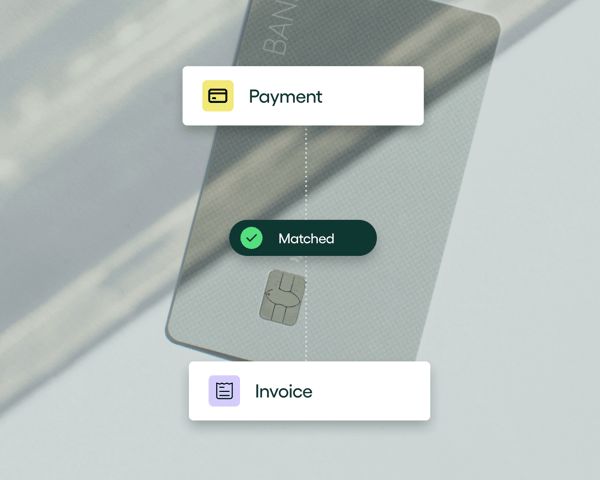

AP automation (when it’s done right) pretty much works on its own. That’s the beauty of it. Still, it’s worth getting to know it inside out. Only then can you know which AP automation software will get the job done and which will fall short of expectations.
Enter this guide. In it you’ll learn what AP automation is, how it works, and why it’s an essential tool for the finance team of today.
We’ll also share how Rillion helps reduce manual work, speed up approvals, save money, and improve financial oversight across the board for real companies.
Not your grandfather’s AP: Why modern finance teams need automation in accounts payable
For our parents and grandparents, accounts payable meant piles of paper and physical bookkeeping. Since then, companies have moved toward online systems and spreadsheets. But the process is still too manual.
In many companies, invoices arrive by email or snail mail. Someone keys them into the system by hand, codes each line item manually, and then chases down approvers one by one.
This process is repetitive, error-prone, and takes up far too much of your team’s time.
Meanwhile, the pace of finance has accelerated. Real-time reporting, instant access to performance data, and tighter close cycles have become the norm. Yet accounts payable hasn’t kept up. Many teams still rely on manual workflows and disconnected systems, creating a bottleneck in an otherwise fast-moving finance function.
That inefficiency is measurable.
According to the 2025 Accounts Payable Automation Trends report from the Institute of Financial Operations and Leadership (IFOL), 63% of finance teams now spend over 10 hours a week on invoice processing.
When asked what slows them down the most, the top two answers were:
- Manual data entry
- Data errors and discrepancies (often caused by that same manual work)
These bottlenecks are wearing teams out. 78% of finance pros now report stress caused by poor AP processes, a 14% increase from 2024. That’s a clear sign that legacy systems are no match for the demands of modern finance.
What modern teams need isn’t more staff, more spreadsheets, or longer hours. They need smarter systems where automation handles repetitive work, reduces errors, and gives them full visibility into the AP workflow across the entire organization.
What is AP automation? (Because ditching outdated processes requires basic understanding)
Accounts payable (AP) automation is the use of software to handle the invoice process from start to finish, without all the manual steps that slow teams down. Instead of typing in invoice data, chasing approvals, and uploading payment files, AP automation does it for you.
AP automation takes care of four key tasks:
- Capturing invoices (from email, PDF, or paper)
- Matching them to POs and goods receipts
- Routing them to the right people for approval
- Sending approved invoices for payment
The goal is to reduce the time spent on AP, eliminate errors, and give your team more control and visibility into cash flow.
It’s easy to confuse AP automation with digitization, but they’re not the same.
Scanning invoices into a shared folder or uploading them into your ERP is digitization. But AP automation builds smart, repeatable workflows around those invoices. Even better, intelligent workflow automation means the system can learn over time, suggesting codes, automatically routing invoices, and flagging discrepancies before they become problems.
At Rillion, we call this end-to-end AP automation: capture → match → approve → pay. Every step happens within a single system with clean data flow, fewer delays, and more accuracy from start to finish.
Is AP automation safe, secure, and accurate?
Yes, AP automation is generally much safer, more secure, and more accurate than traditional manual processes. By replacing human intervention with standardized, digital workflows, automation reduces the risk of errors, fraud, and misplaced information.
While no system is completely risk-free, modern AP automation platforms use several layers of protection and control to keep your financial data secure and accurate:
- Intelligent data capture: AI and OCR technologies capture and extract invoice details with high accuracy, reducing the risk of errors that come with manual entry.
- Automated matching and validation: 2- and 3-way PO matching verify that invoices align with purchase orders and goods receipts, catching discrepancies before payment.
- Detailed audit trails: The AP automation system automatically tracks every action on an invoice, creating a clear record of who did what and when.
- Automated fraud detection: The system flags unusual activity, such as duplicate invoices or sudden changes to vendor bank details, to prevent fraudulent transactions and save money.
- Secure electronic payments: Replacing paper checks with encrypted, traceable electronic methods like ACH and virtual cards reduces exposure to fraud.
- Compliance and data protection: Leading AP automation platforms, like Rillion, comply with major data privacy and security standards, such as SOC 1 and SOC 2, CCPA, and HIPAA. They also use bank-level encryption and secure data hosting to ensure sensitive financial information stays protected.
Combined, these safeguards create a transparent, auditable process that’s faster, reliable, and secure.
How does AP automation work? (And what part do you play?)
A modern AP automation system runs the entire AP workflow with little to no manual touchpoints. The only time you need to step in is for exceptions, like unmatched invoices or vendor disputes.
Here’s what that process looks like in practice.
1. Invoice capture
An automated AP system starts by using AI and Optical Character Recognition (OCR) to capture incoming invoices in whatever format they arrive: email, supplier portals, uploaded PDFs, or scanned paper documents.
The system then reads each invoice, extracts key details like vendor name, amount, due date, and line items, and organizes that information into a consistent format.
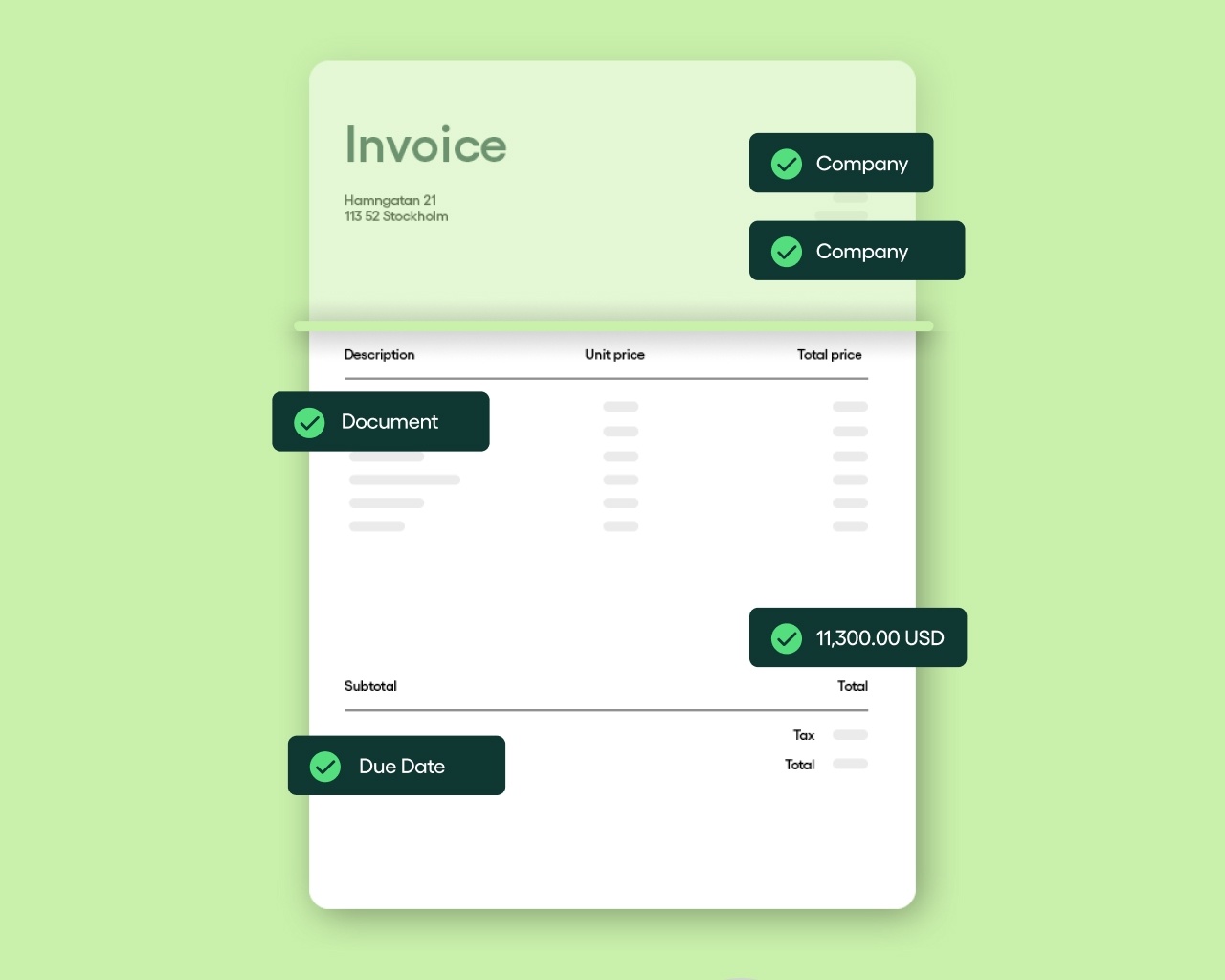
This means your team no longer has to type in data by hand or double-check every total. The information is captured accurately and ready for review within minutes, allowing your team to focus on approvals and exceptions rather than manual entry.
2. PO matching
Purchase order (PO) matching is how an AP automation system double-checks every invoice before approving it for payment. It compares the invoice against related purchasing documents to make sure all the details (like price, quantity, and items) line up correctly. This helps prevent costly mistakes, duplicate payments, and even fraud.
There are two main types of PO matching:
- Two-way matching
This method is best for services or low-risk, recurring purchases where no physical goods are delivered. The system compares the quantities and prices on the invoice with the purchase order. If everything matches within a specified tolerance range, the system will automatically route the invoice for approval. - Three-way matching
With three-way PO matching, the system goes a step further by comparing the invoice to both a purchase order and the goods receipt created when the items arrived. This confirms that the quantity and condition of the goods received match both the order and the invoice, so you only pay for what was actually delivered.
Because it adds an extra layer of control, this method is ideal for physical goods, high-value purchases, or new suppliers.
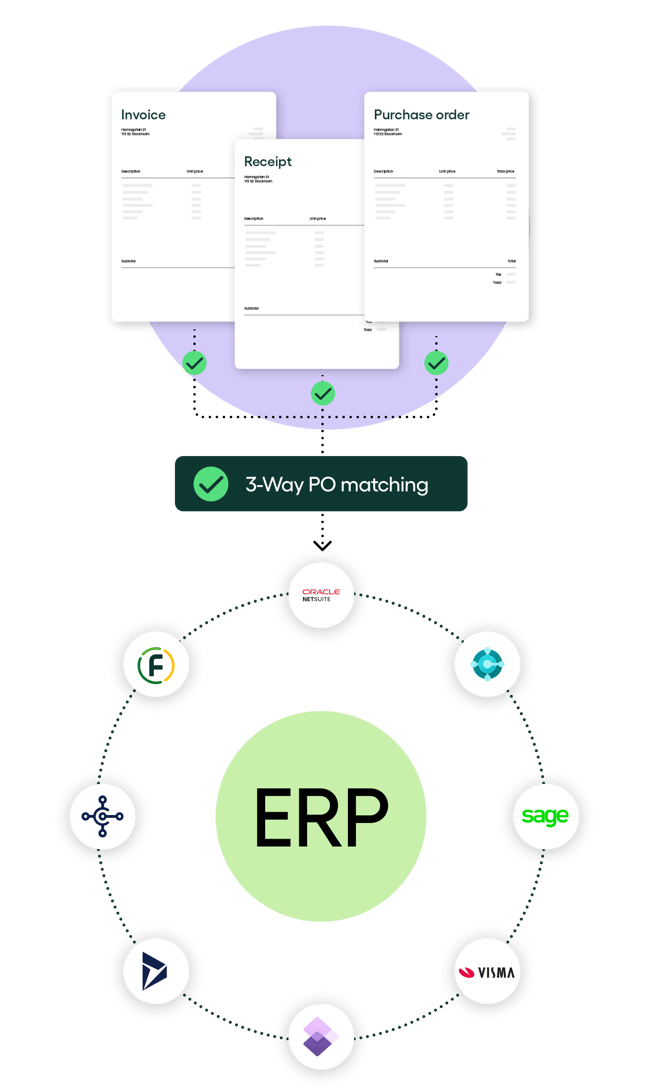
A capable AP automation system can match both simple invoices and complex, multi-page ones with ease, reducing manual checks and speeding up the entire process.
3. Automated data coding
After capturing invoices, the AP automation system uses AI and machine learning to analyze each one and automatically apply the correct general ledger (GL) accounts, cost centers, and project codes.
For example, if an invoice from a regular supplier includes software subscription fees, the system recognizes that vendor and codes the expense to “IT subscriptions.” If another line item is for marketing, it automatically assigns the right cost center without anyone having to step in.
The automation system learns from your company’s coding history and existing business rules, improving its accuracy with every invoice it processes. Over time, it predicts and applies the correct codes faster and more precisely, removing the need for manual review and keeping your financial data clean and consistent.
4. Approval workflow automation
After matching and coding invoices, the AP automation system electronically routes each invoice to the appropriate person for approval.
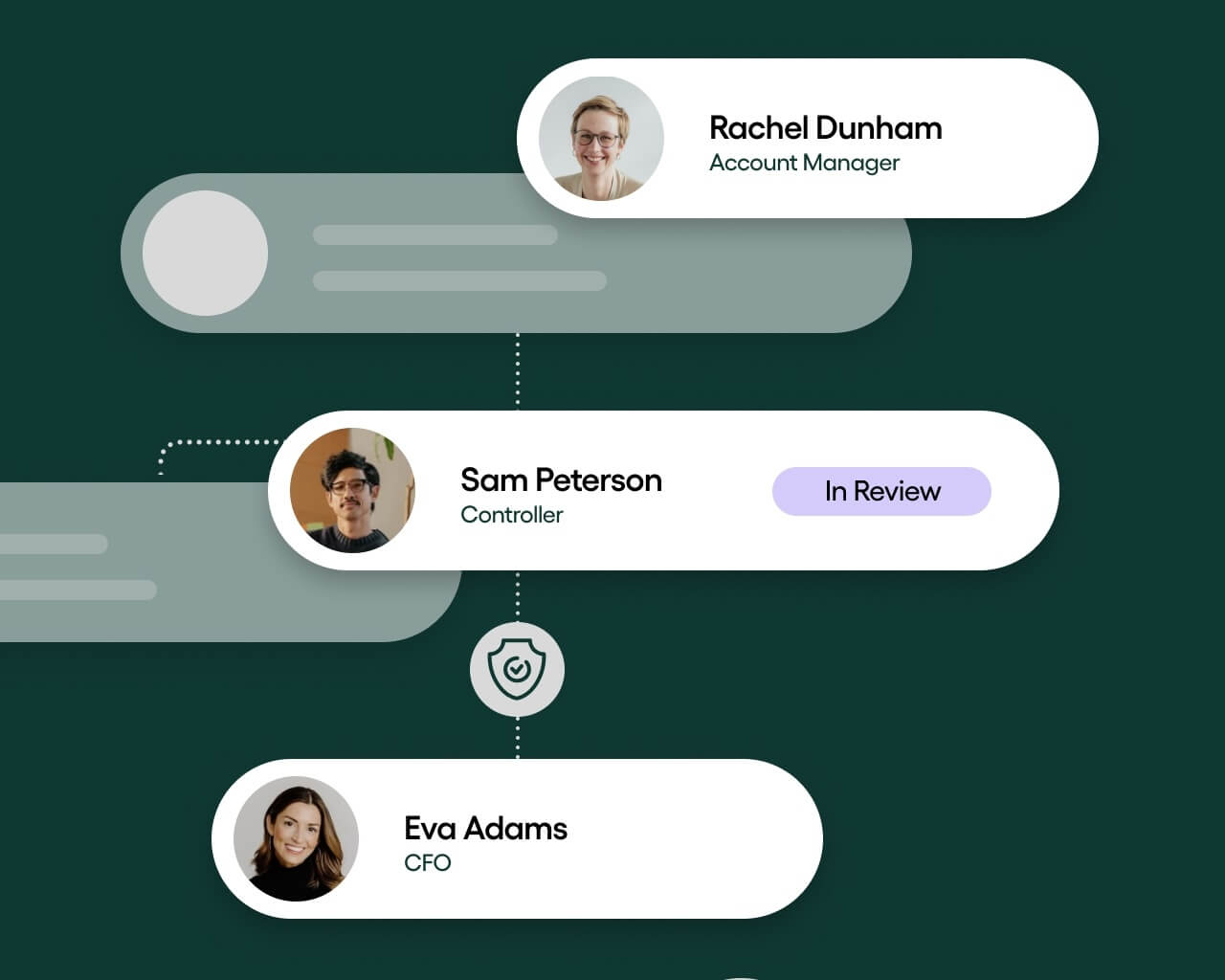
This routing can happen in two main ways:
- Rules-based routing
This is the traditional method, which follows predefined “if-then” rules to determine where an invoice goes based on criteria such as amount, department, or vendor.
For example, a rule might dictate that the system should automatically send any invoice over $5,000 to senior management and route smaller invoices directly to a department manager.
This approach works well for predictable, repetitive workflows, but it’s rigid and requires manual adjustments whenever business processes or vendor details change. - AI-assisted routing
This approach uses machine learning to dynamically route invoices. The system analyzes historical data, including past approvals, to learn and recommend the best route for each invoice, even those with unstructured formats or slight discrepancies.
It can recommend the right approvers for non-PO invoices, flag anything that looks out of place (like sudden changes in vendor details), and adapt automatically as processes evolve.
Rules-based routing is reliable, but AI-assisted routing is smarter and more flexible. It helps invoices move through faster, catches potential fraud earlier, and makes the approval process almost completely hands-free.
5. ERP integration
Your ERP system manages core business functions like finance, procurement, and supply chain, and stores key information, such as GL codes, vendor information, and purchase orders. These are exactly the details your AP automation system needs to run a fully touchless workflow.
Most AP automation tools now offer native integrations with major ERP platforms like Microsoft Dynamics, Sage X3, and SAP, allowing you to connect both systems.
Without this connection, your AP workflow will operate in isolation. Your team will still need to re-enter invoice data manually, which increases the risk of errors and makes it harder to keep financial records accurate across systems.
However, when both systems are linked, approved invoices, vendor details, and payment updates from your AP platform will flow directly into your ERP in real-time. This creates a single, reliable source of truth and removes the need for manual reconciliation.
6. Payment automation
Payment automation is the final step in a fully automated AP workflow. If your AP system includes built-in payment capabilities (like Rillion does), it can securely pay vendors via multiple methods, including virtual cards, ACH, enhanced ACH, eChecks, or wire transfers.
Many solutions also send detailed remittance information automatically after each payment, so vendors know exactly what they’ve been paid for — without the back-and-forth emails.
Because your AP automation tool connects to your ERP or accounting software, payment details sync automatically between the two systems. This keeps records consistent and provides a clear, digital audit trail for every transaction.
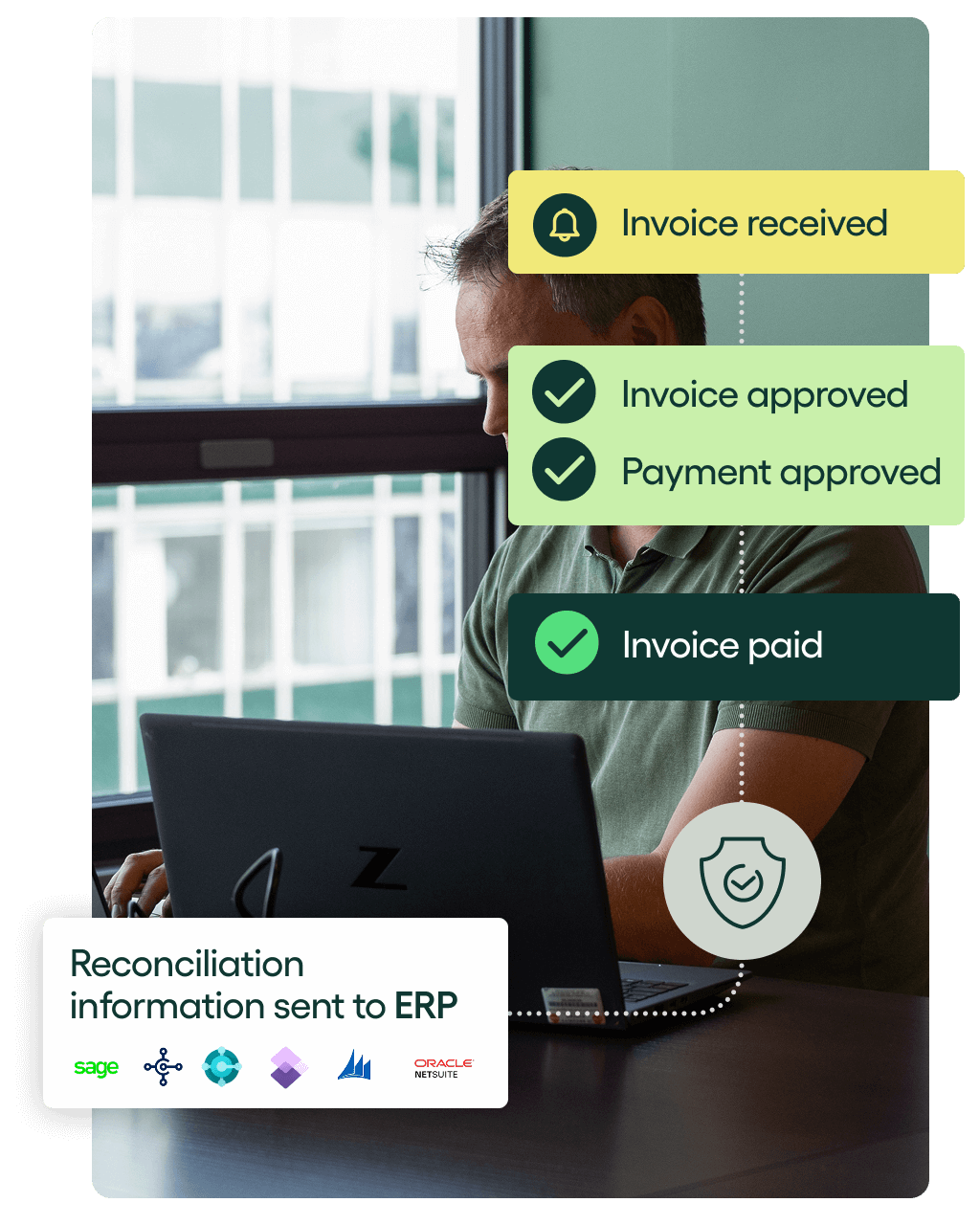
However, if you use a separate payment automation software, make sure it integrates with both your AP automation system and your ERP so that payment information flows smoothly between the platforms.
Who is AP automation for?
AP automation is beneficial for a wide range of organizations, regardless of size or industry. Here are key groups that can particularly benefit from implementing AP automation:
- Small to medium-sized enterprises (SMEs): SMEs often face resource constraints. Automating AP processes can help streamline operations, reduce manual workload, and minimize errors, allowing these businesses to focus on growth without needing to expand their workforce.
- Large enterprises: Large organizations typically handle a high volume of invoices and complex workflows. AP automation enables them to manage this complexity efficiently, ensuring timely payments and compliance while enhancing visibility across the AP process.
- Finance and accounting teams: AP automation is designed for finance and accounting professionals who seek to improve accuracy and efficiency in their daily operations. Automation helps reduce repetitive tasks, allowing teams to focus on strategic financial management and analysis.
- Industries with high transaction volumes: Industries such as manufacturing, retail, and healthcare, which often process large numbers of invoices, can greatly benefit from automation. By reducing processing times and errors, these organizations can enhance their cash flow management.
- Organizations with remote or distributed teams: Companies that operate remotely or have multiple locations can utilize AP automation to ensure consistent processes across all sites. Automation provides centralized access to documents and workflows, facilitating collaboration and oversight.
How AP workflow automation benefits the business
A fully automated AP workflow benefits your business in several ways, including:
Far fewer errors
Manual data entry is one of the biggest sources of mistakes in accounts payable. A single typo or misplaced decimal can lead to overpayments (or underpayments), delayed approvals, or inaccurate records.
AP automation reduces those risks by automatically capturing invoices and extracting key details like vendor names, amounts, and PO numbers with high accuracy. For example, Rillion captures invoice data with ~97% accuracy, showing how precise modern automation can be.
With fewer errors and less manual input, your AP team will spend less time fixing problems and more time managing exceptions.
Freakishly fast approvals
With manual AP workflows, invoices often get stuck in inboxes or buried in long email threads, delaying payments and creating unnecessary back-and-forth.
AP automation fixes that by routing each invoice directly to the right approver and sending timely reminders until it’s approved. Approvers can review and sign off from anywhere, keeping the process moving even when people are out of the office or working remotely.
Automated approval routing makes invoice processing faster, as Rillion customers have seen, with processing times reduced by up to 85%. With faster approvals, your team no longer has to spend hours chasing sign-offs, and vendors get paid on time.
Lower costs per invoice
Manual invoice processing is costly. Each step (entering data, printing documents, tracking approvals, and fixing errors) eats up more of your team’s time, often leading to a need for more staff and the inflation of operating costs.
AP automation reduces those expenses by taking over repetitive tasks and removing the need for paper and printing. Instead of spending several minutes manually entering a single invoice, the system processes it in seconds. Multiply that across hundreds or thousands of invoices each month, and the time and cost savings quickly add up,
With automation, your team can handle a higher volume of invoices with the same headcount and focus more on strategic work like analysis and forecasting.
Crystal clear visibility and complete control
The best AP automation software will bring all invoice data, approvals, and payments into a single dashboard, even for companies with multiple entities or locations. This gives finance teams a real-time view of spending, payment status, and cash flow across the business.
With that visibility, your team can quickly see where invoices are getting stuck, so they can step in before payments are delayed. The visibility also helps them forecast cash flow more accurately and keep budgets on track.
Stronger vendor relationships
AP automation ensures invoices are processed accurately and approved faster, so suppliers/vendors are paid promptly and in full.
Consistent, reliable payments help businesses avoid late fees, maintain goodwill, and even negotiate better terms. Over time, that reliability builds trust, which turns vendor relationships into long-term partnerships.
Improved compliance and audit readiness
An AP automation system tracks and timestamps every action taken on an invoice, creating a complete digital audit trail. This lets you see exactly who approved what, when, and why, without digging through emails or paper records.
This level of transparency makes it easier to enforce internal policies and meet compliance requirements. And when audit time comes around, your team can pull up the full history of any invoice in seconds, making the process faster and less stressful.
6 Signs your team should automate AP
If your AP process feels slow, manual, or hard to manage, it’s time to look at automation. Here are a few signs your team is ready to make the switch.
1. Invoices are sitting in inboxes waiting for approval
If you’re constantly chasing people to approve invoices or wondering who’s holding things up, your process has likely outgrown email. When approvals depend on people checking their inbox, invoices pile up and payments slow down.
AP automation keeps things moving by routing invoices directly to the right approvers and sending reminders automatically, so approvals happen faster and nothing gets lost in the shuffle.
2. You’re sending late payments or missing early-payment discounts
If vendors keep sending you reminders to pay them or you’re scrambling at the last minute to process invoices, that’s a red flag. Paying vendors late or missing early-payment discounts usually means invoices aren’t moving through your workflow fast enough.
Automation keeps invoices on track, flagging upcoming due dates and routing them for approval in time, so payments go out promptly and vendor trust remains strong.
3. You keep fixing duplicate or incorrect entries
If you’re spending hours correcting duplicate entries or chasing down missing information, your AP process is probably too manual. Frequent errors, like wrong amounts or double entries, are often a sign that typing data by hand is slowing you down and creating avoidable mistakes.
AP automation eliminates manual entry by capturing and validating invoice data automatically, which means cleaner records and fewer corrections.
4. Your team lacks visibility into invoice status or spend across entities
If you have to dig through emails or spreadsheets to find where an invoice stands, you don’t have true visibility. Not knowing whether an invoice has been approved, posted, or paid slows things down and makes it harder to manage spend or forecast cash flow accurately.
AP automation solves this by centralizing all invoice data, approvals, and payment information in one place. Everyone can see real-time updates across entities and know exactly where each invoice stands.
5. You’re chasing missing documents at month-end
Closing the books shouldn’t feel like a scramble. But if you constantly find yourself searching for invoices or chasing down missing documents at month-end, it’s a sign your process needs an upgrade.
With AP automation, reconciliation happens continuously as invoices are processed. Everything, including invoices, approvals, and payment records, is stored in one system, so by the time month-end arrives, your books are already organized and ready to close with ease.
6. You rely heavily on one or two people who “know the process”
If your AP process depends on one or two people who “just know how it’s done,” you’re playing with fire. When those individuals are unavailable (or leave the company), the rest of the team will struggle to keep things running.
Automation, however, standardizes the workflow, so approvals and payments run smoothly, even when experienced team members are away.
Accounts payable automation best practices
The way you design your workflows, handle exceptions, and measure progress will determine how much value you get from your AP system. Here’s how to set your team and your automation up for success.
1. Start with clean data and simple rules
Before you automate, make sure your vendor records, GL codes, and purchase order data are accurate and consistent. Clean data keeps the system running smoothly and prevents errors.
Also, create simple, clear rules that define how invoices should flow. For example, you might set a rule that invoices under $1,000 go straight to department heads for approval, while larger ones require a second reviewer.
Rillion’s flexible workflows make it easy to apply these rules in a way that fits how your team already works.
2. Handle exceptions early
Invoices that don’t match POs or are missing details cause the AP workflow to slow down.
To prevent this, decide upfront how those exceptions should be handled. For example, you might set a rule that missing PO numbers go straight to the purchasing team for review, or that price discrepancies over a certain threshold are flagged for a manager.
When these rules are built into your automation workflow, the system can automatically route exceptions to the right people, keeping everything else moving without interruption.
3. Use AI to reduce manual steps, not replace people
The goal of AP automation shouldn’t be to replace people. Instead, it should give your team time to focus on higher-value work.
AI can handle the repetitive parts of AP, like coding invoices or sending reminders, but you still need human judgment for things like handling exceptions and interpreting data.
With tools like Rillion’s AI-driven coding, your team spends less time entering data and more time analyzing insights from your AP dashboard to make smarter financial decisions.
4. Integrate first, customize later
It’s tempting to tailor everything right away, but the most effective approach is to start with a clean integration between your AP automation system and your ERP. That ensures data flows correctly from day one.
Once the basics are running smoothly, you can add custom approval paths or business rules that solve real problems. Rillion’s modular design makes it easy to expand your AP workflow without breaking what already works.
5. Track the right results
As your automated workflow runs, track meaningful metrics like how many invoices go through without manual touch, how many errors are caught automatically, and how much time your team saves at month-end.
These numbers help your finance team pinpoint what’s working, fix what’s not, and clearly demonstrate the value automation brings to your process.
6. Plan for scale
If your business manages multiple entities, currencies, or locations, build scalable workflows from the start. Centralizing everything later is harder and can disrupt your process.
Rillion supports multi-entity management out of the box, so you can keep local control while gaining a unified view across all operations. It’s the easiest way to future-proof your AP setup as your business grows.
Real-world success: AP automation in practice

Björn Axén, the iconic health and beauty brand with five companies across four locations, struggled with a slow, manual AP process that made it hard to keep track of invoices.
Their accounts team used to manage supplier invoices manually, relying on paper copies and emails. Because of this, invoices often got lost or delayed, sometimes only resurfacing when a supplier sent a reminder.
After implementing Rillion, Björn Axén gained full visibility into every invoice and approval. The finance team can now see exactly where each invoice is, who needs to approve it, and when it’s due for payment.
With automation in place, the company cut processing time and made fewer errors. And although the company has grown 50% in the last 5%, Björn Axén didn’t expand the AP department because Rillion handles most of the manual work.
Björn Axén’s CFO, Johan Asperyd, explains:
“Thanks to the controls in the approval workflow and the precision Rillion offers in our bookkeeping, the number of errors has fallen dramatically, and we save a lot of time.”
Today, Björn Axén’s AP process runs faster, more accurately, and with complete transparency. What used to be a time-consuming, error-prone process is now an efficient, reliable system that supports the company’s continued growth.
Read the full case study: Full control over invoices at Björn Axén
AP automation solutions: What to look for and what’s on offer
If you’re exploring AP automation tools, look for features that align with how automation actually works, including:
- Invoice data capture (AI/OCR extraction): The system should be able to read and extract key details like vendor name, amount, and due date from any invoice format. This removes the need for manual data entry and helps prevent costly errors.
- 2- or 3-way PO matching: Look for a tool that automatically matches invoices to purchase orders and goods receipts. This ensures quantities, prices, and approvals are correct before any payment goes out.
- Automated approval routing and reminders: A good system routes invoices to the right approvers based on rules or spending limits and sends automatic reminders to keep things moving. This keeps approvals on schedule and vendors paid promptly.
- ERP integration: Your AP automation tool should connect directly with your ERP system to sync invoice data, vendor records, and payments automatically. This keeps financial data accurate, consistent, and up to date in real time.
- Reporting, analytics, and audit trails: The tool should record every action taken on an invoice and store it in a searchable log. Built-in reporting also helps your team identify slow steps, track spending trends, and prepare for audits.
- Secure payment automation (optional but valuable): Some solutions, like Rillion, extend automation to payments, allowing you to pay vendors through secure and traceable methods like ACH, virtual cards, or wire transfers.
What separates great solutions from good ones
Not all AP automation platforms are built the same. The difference between a good solution and a great one usually comes down to how well it adapts to your business.
Here are some qualities that separate great solutions from serviceable ones:
- Flexibility to adapt to complex workflows
Every company’s approval structure and invoice process is a little different. The best tools allow you to customize rules, approval paths, and coding structures without relying on your IT team. - Multi-entity management capabilities
For growing or multi-location companies, being able to manage invoices and reporting across multiple entities from one system is essential. A strong solution makes it easy to centralize control while preserving local flexibility. - Ease of use for both AP teams and approvers
A tool is only as good as the people who use it. Great systems are intuitive, easy to learn, and simple enough that approvers can review and sign off on invoices no matter where they’re located. - Strong implementation and support experience
Smooth onboarding and responsive support are key to long-term success. A great provider goes beyond setup by helping you configure workflows and train your team, so you start seeing value from day one.
How Rillion delivers
Rillion unites the entire AP process, from invoice capture and PO matching to data coding and approvals, in one platform. This helps companies streamline their workflows, cut down on manual work, and gain complete control over their accounts payable operations. It’s everything AP automation should be.
Once invoices are approved, you can extend automation even further with Rillion Pay, an add-on tool that automates the payment process. It securely handles payments through secure methods like ACH, virtual cards, and wire transfers — all within the same system.
Our platform also integrates with more than 50 ERP systems, so you can connect it to your existing setup without disrupting daily operations.
What sets Rillion apart is its flexibility and intelligence.
Our AI-powered engine captures data with ~97% accuracy, learns your company’s coding and approval patterns, and gives your finance team confidence that every invoice is processed correctly.
Whether you manage one entity or fifty, Rillion scales effortlessly, providing full visibility and control at every stage of the AP workflow.
Let Rillion handle the busywork
If your AP process still involves keying in data by hand or chasing approvals, it’s time to automate it. Automation handles the manual work for you, which saves you time and gives your team the speed, accuracy, and control that spreadsheets and emails can’t.
Rillion makes that possible. From invoice capture to payment automation, our platform handles every step of AP, giving you complete visibility and control along the way.
If you’re ready to see how automation could work for your team, book a demo with Rillion today.
Accounts payable invoice workflow automation | FAQs
Is AP automation only for large enterprises?
Not at all. AP automation works just as well for small and mid-sized companies as it does for large enterprises. Modern solutions are scalable, meaning you can start small and expand as your invoice volume grows. Even teams processing a few dozen invoices a month can save significant time and reduce errors through automation.
How long does it take to implement AP automation?
Implementation depends on your company’s size, invoice volume, and system complexity, but most teams are up and running within a few weeks. Cloud-based systems are especially quick to deploy because they don’t require hardware or long setup times. Once it’s configured, your team can start processing invoices right away.
How does AP automation integrate with my ERP?
AP automation tools connect directly to your ERP through built-in or native integrations. This allows data, like vendor details, GL codes, and approved invoices, to sync automatically between both systems. So, you don’t have to re-enter information manually, and your financial data stays accurate and up to date in real time.
How does AP automation support remote or hybrid teams?
Because everything happens in a secure, cloud-based system, your team can access invoices, approve payments, and track status from anywhere. Automatic notifications and digital approval workflows keep things moving, even when approvers or finance staff are working remotely.
How much IT involvement does AP automation require?
Very little. Most modern AP automation platforms are designed for finance teams, not IT departments. Once you connect your AP automation system to your ERP, it runs independently. Your IT team may assist with setup, but your AP team will be able to handle day-to-day management easily.
Does automating payments come with additional risk?
No. In fact, payment automation reduces risk by adding more control and transparency. Electronic payments like ACH or virtual cards are more secure than paper checks, and automated workflows create a clear audit trail. With built-in approval rules and fraud detection tools, your payment automation system processes payments accurately and securely every time.