
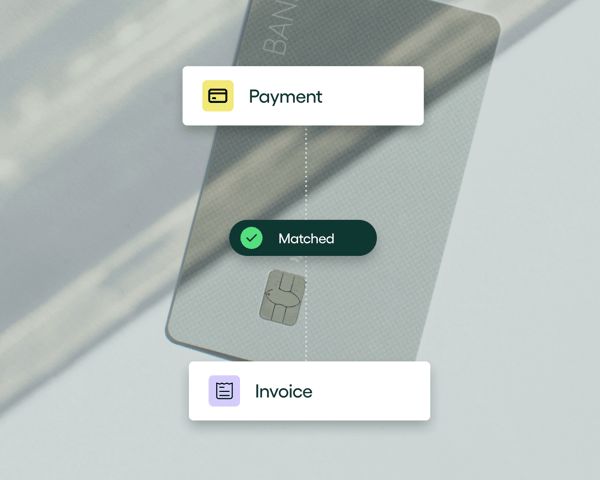

You’re here because you’re tired of the tedious, time-consuming nature of manual AP.
We’re here to show you how AI can simplify it.
Not by replacing your team, but by taking over the repetitive work that slows them down.
At Rillion, we’ve built AI into the heart of accounts payable. It captures invoice data the moment it arrives, recognizes patterns from past transactions, suggests accurate coding, and sends invoices to the right approvers automatically.
This lets AP teams process invoices faster, reduce errors, and close the month with ease.
In this article, we’ll show you how we’re using AI in accounts payable automation and will explore:
- The everyday problems AI can solve in AP
- The benefits of using AI for accounts payable automation
- How Rillion’s AI fits into your existing workflow
What is AI in accounts payable?
Artificial intelligence in accounts payable refers to technologies that automate and optimize invoice processing. AI can handle routine decisions, identify patterns, and spot anomalies that would take humans significantly longer to detect.
Unlike traditional automation, which relies on rigid rules, AI adapts, learns, and improves based on data patterns.
Why is AP the perfect use case for AI? Because it deals with high volumes of structured and semi-structured data, making it a prime candidate for intelligent automation.
Emil Fleron, Lead AI Engineer at Rillion, explains:
“Because AP workflows are typically well-defined and repetitive, they’re highly suitable for automation. And when those automated processes still require significant time and human oversight to manage, they become strong candidates for AI enhancement.”
Here's a look at how AI works in Rillion's AP automation platform and how our customers benefit from it, explained by our CTO Mikael Rask:
The everyday problems AI can solve in accounts payable
Manual processes might get the job done, but they come with a set of recurring problems that slow teams down and drain time, including:
Tedious manual data entry
Traditional AP teams manually open each invoice (regardless of whether it arrives via email, PDF, or paper), review it, match it to a purchase order, and enter the details by hand. It’s slow, repetitive work that takes time and creates room for small errors that can snowball later.
The pressure increases during the month-end when teams scramble to process invoices accurately so vendors get paid on time.
AI removes this bottleneck by automatically reading invoices, extracting data with high accuracy, matching it against POs and receipts in seconds, and routing it to the right approver. This means less typing, fewer errors, and more time to focus on higher-value work like tracking spend or improving cash flow.
A slow approval process
In manual AP workflows, invoices often sit in inboxes waiting for approval. Sometimes, approvers miss them entirely or forget to act, and the invoices get buried in a crowded thread. Finance teams then spend hours following up and explaining delayed payments to vendors.
AI prevents this by learning who approves each type of spend and routing invoices automatically to the right person. It sends timely reminders, tracks overdue approvals, and provides a real-time view of invoice status across the organization.
This way, approvals move faster, vendors get paid on time, and finance teams gain full visibility into the process.
Lack of visibility into and control of the AP workflow
When teams manage approvals through emails or spreadsheets, no one has a clear view of which invoices have been received, approved, or are still pending. This makes it difficult for controllers and CFOs to accurately forecast cash flow or make timely decisions.
AI solves this by centralizing invoice data, tracking every approval step, and maintaining a complete audit trail. This way, finance leaders can see pending invoices, upcoming payments, and spending patterns across the organization.
This visibility helps prevent duplicate payments, missed invoices, and compliance issues — and gives teams control over the AP workflow.
Data silos and double entry
Without proper integration, AP teams have to enter the same invoice data twice: once into the AP system and again into the ERP. This double entry can lead to typos, mismatched fields, and missing information, which IT and finance teams then spend hours correcting.
AI solves this by automating data capture and syncing information across the AP and ERP systems in real-time. It extracts, validates, and transfers invoice data automatically, so teams don’t have to manually enter the same information across tools.
Fraudulent and duplicate payments
When teams process high volumes of invoices by hand, it’s easy to miss a duplicate or overlook a suspicious entry, especially without a centralized system to track patterns.
AI reduces that risk by monitoring every transaction and flagging anomalies in real time. It spots repeated invoice numbers, inconsistent amounts, and suspicious vendor activity before payments go out, giving your team a chance to step in and resolve the issue.
How Rillion uses AI to simplify accounts payable
Rillion simplifies the entire accounts payable process by using AI to automate every step, from the moment an invoice arrives to the moment it’s paid.
We’ve built intelligence into the workflow itself, so your team doesn’t have to manage each task manually or worry about things falling through the cracks.
Here’s how we do it:
1. Intelligent invoice capture
We use a combination of AI and Optical Character Recognition (OCR) to process invoices in any format, e.g., scanned paper copies, PDFs, or e-invoices.
As soon as an invoice comes in, our system automatically identifies the vendor and extracts key details like vendor name, invoice amount, line items, PO number, and VAT, so there’s no need to type anything manually.
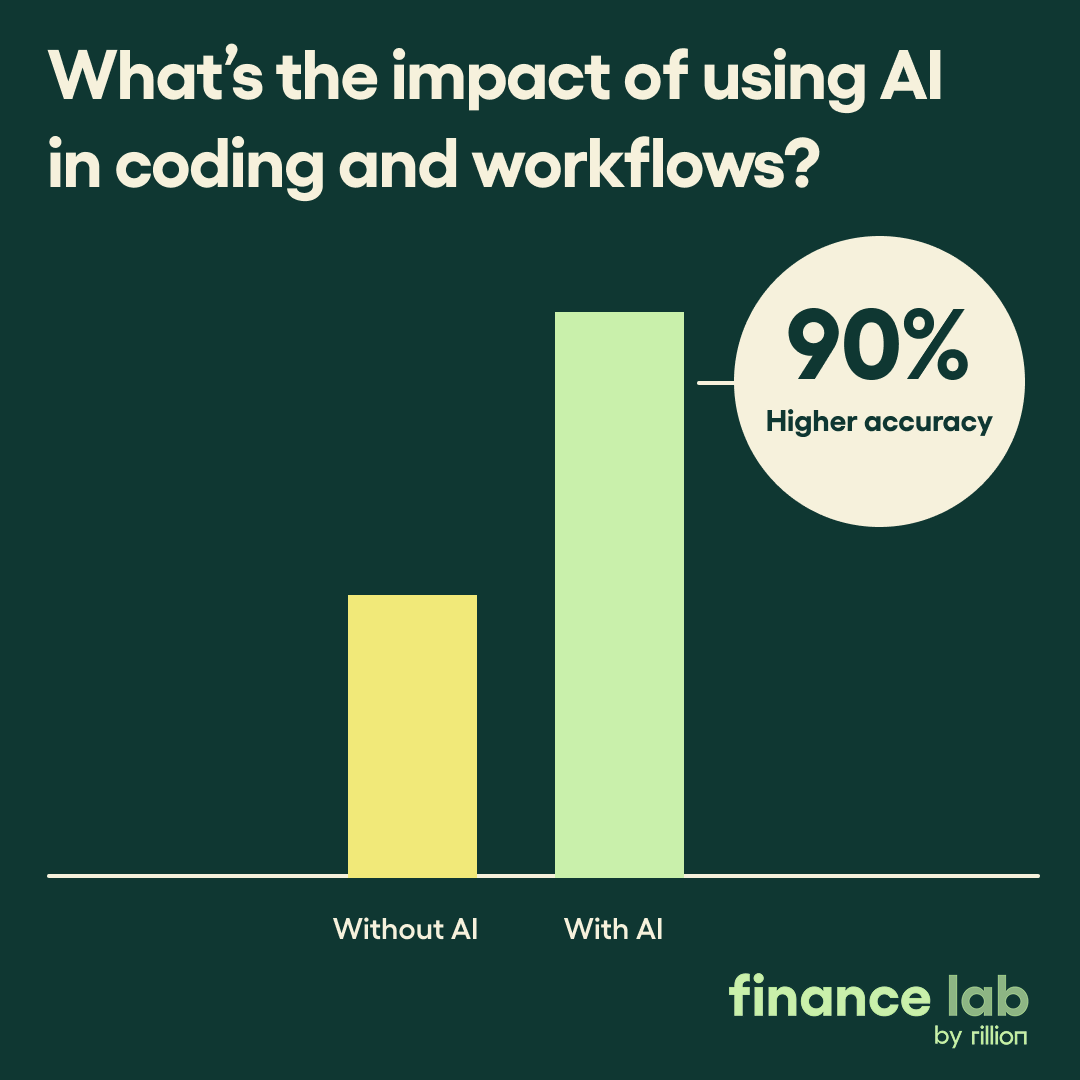
Our AI captures the data with over 97% accuracy and gets smarter with every invoice it processes. That means fewer errors, no repetitive data entry, and a reliable stream of structured invoice data that’s ready for matching.
2. Smart and predictive coding
Rillion’s AI learns from your past coding decisions to automatically suggest general ledger (GL) accounts, cost centers, and project codes the moment it captures a new invoice.

For instance, if your company always codes invoices from a specific janitorial service vendor to “Facilities Maintenance,” our AI will automatically suggest this coding for every new invoice from that vendor.
If you manage multiple entities or operate across different countries, our AI can adjust coding suggestions based on each entity’s rules, currencies, or tax structures. This reduces manual review and keeps your books clean from the get-go.
3. Automated, dynamic approvals
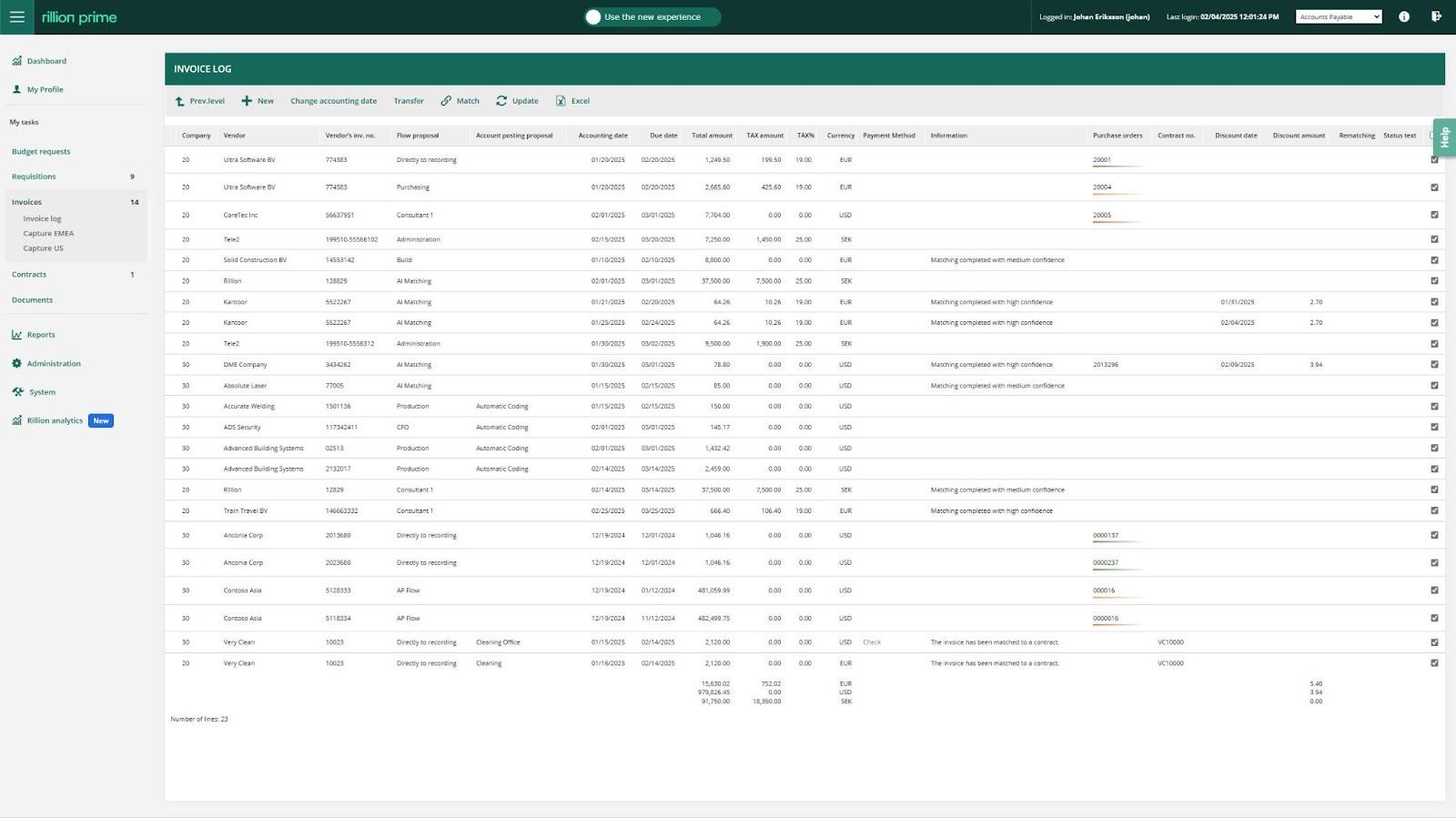
Instead of relying on rigid, manual approval routes, our AI learns from your company’s past approval history to predict the most appropriate approver for a specific invoice. It considers factors such as the invoice amount, the vendor, the department associated with the expense, and the project the invoice is tied to.
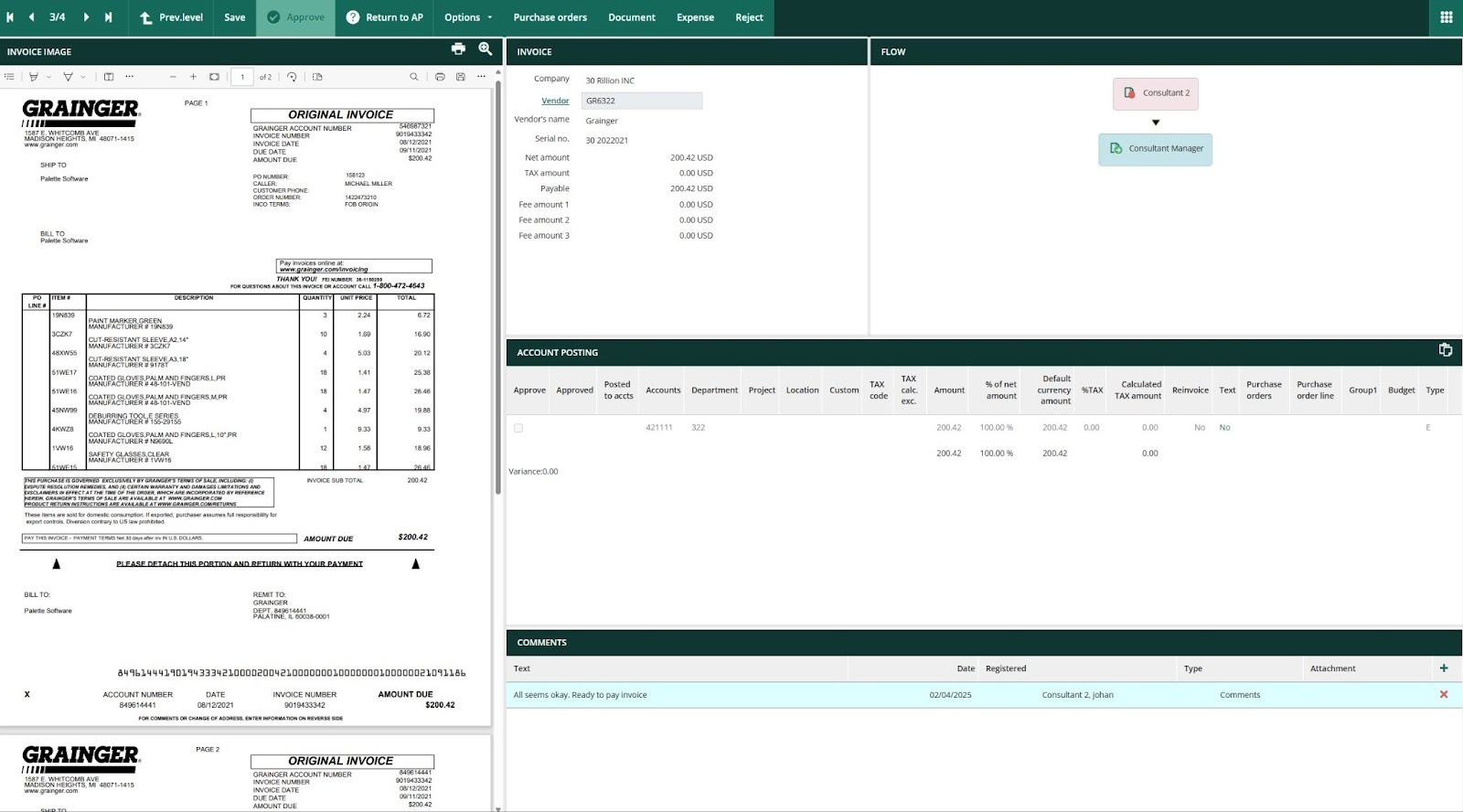
For example, if invoices from a specific software vendor under a certain amount are consistently approved by a particular manager, the AI will automatically route new invoices from that vendor to the same manager.
It even handles exceptions. So, if an invoice requires a higher level of approval due to a large amount, the AI automatically escalates it to the appropriate manager or executive based on company policy.
Once an invoice is routed, Rillion automatically sends notifications and reminders to the right approvers, which ensures invoices are approved and paid on time.
4. An AI assistant that provides instant support
Riley is Rillion’s built-in AI assistant, a conversation tool that acts like an extra set of hands for your AP team. Instead of searching through AP tools or contacting customer support, you can ask Riley questions in plain language.
For example, you can ask Riley to give you the latest invoice information from a specific vendor and the assistant will provide an immediate answer, including coding details. It can also help with procedural questions about the Rillion system itself, like how to add a new vendor or edit an invoice.
This instant, 24/7 support reduces support tickets and allows your AP team to resolve issues and find information quickly.
Here’s a video that explains all the ways you can use Riley:
5. AI embedded in your workflow
Rillion’s AI isn’t a bolt-on or a separate tool. It’s built directly into the platform, so it doesn’t require extra integrations, third-party add-ons, or a complicated setup. Because the AI works inside your existing AP process, it learns directly from the invoices you process every day and continuously improves over time.
This integrated approach means our AI supports every part of your AP process: from data capture and coding to approval routing and fraud detection, all in one system. So, your AP team doesn’t have to switch between systems or do manual hand-offs.
Read: 8 Best AI Accounts Payable Automation Software - AI-powered AP Software
AI for accounts payable in action: What real finance teams have achieved
Across industries, companies are using AI to automate AP workflows, reduce errors, and save money. To show how this works in real life, here are two businesses that have experienced the benefits of using Rillion’s AP automation tool.
Robinson Lumber: From 2 hours to 15 minutes with Rillion
Robinson Lumber was spending hours each day manually entering invoices and matching purchase orders, which drained time from both the AP and Sales Operations teams. Their previous AP vendor fell short, so they turned to Rillion, looking for something faster, more accurate, and easier to integrate with their ERP systems.
The switch paid off quickly. With invoices now flowing directly from vendors into Rillion, our system handles matching and routing automatically, sending processed invoices back to LumberTrack and Microsoft Dynamics GP (their ERP) for posting.
"[With Rillion,] we process 20 invoices in 15 minutes — a task that previously took 2 hours,” says Eric Dills, Robinson Lumber controller. “It’s a huge time efficiency gain."
Beyond time savings, the change also shifted invoice processing fully into the accounting department, freeing up Sales Ops to focus on sales orders and logistics.
Even with Robinson Lumber’s complex setup (which includes dual ERPs and custom integration needs), Rillion made it work. Our platform now connects cleanly across systems and provides a central hub for invoice visibility, which improves audit readiness and reduces manual effort.
Eric puts it best:
"With human error largely removed from the equation, I would say there has been a significant increase in the accuracy of PO matching versus before. We provided Rillion with a tall order, and they exceeded my expectations."
Read the full case study here.
Renta Group builds a future-ready purchase-to-pay process with Rillion
Renta Group, a fast-growing Finnish equipment rental company, needed to scale its internal operations as quickly as its revenue. With multiple projects running at once and rapid expansion underway, Renta’s finance team faced mounting pressure to streamline both purchasing and invoice processing.
To solve this, they turned to Rillion. By automating the entire purchase-to-pay process through Rillion’s SaaS platform, Renta was able to bring equipment purchases, contract management, and invoice handling into one centralized system.
“All our equipment purchases now go through Rillion, and each one is matched against pre-approved, category-specific budgets,” explains CFO Lauri Matikainen. “This gives us real-time visibility into investment budgets and deliveries, which makes planning and cash management much easier.”
Rillion doesn’t just give Lauri’s team better oversight, but also supports fast decision-making and aligns with Renta’s goal of becoming a digital leader in its industry.
Renta sees Rillion not just as a software provider, but as a long-term partner in building adaptable processes.
Lauri explains: “It’s important for us that our solution provider also acts as our development partner. We continuously develop our processes in cooperation with Rillion. As requirements change along with our growth, a strategic partnership and a flexible solution that grows with us will support our business in the long run.”
Read the full case study here.
How Rillion’s AI fits into your existing workflow
Rillion is designed to work with the systems and processes you already have, so you don’t need to rip anything out or rebuild your workflow from scratch. We fit into your AP process, not the other way around.
Here’s how:
1. Seamless integration with the systems you already use
Rillion comes with secure, pre-built integrations for over 50 of the world’s leading ERPs, including NetSuite, Microsoft Dynamics, SAP, and Sage. This lets you sync vendor lists, chart of accounts, and other critical financial data with Rillion in real-time.
However, instead of replacing your system, Rillion works alongside it. So, when an invoice is captured, coded, or approved in Rillion, the data flows directly into your ERP, so everything stays up-to-date.
That way, finance and IT teams spend less time managing separate systems and more time working with clean, consistent data.
2. Fast implementation with minimal IT involvement
Getting started with Rillion doesn’t take months. Because it’s cloud-based and built for flexibility, you can be up and running in just days or weeks, depending on the complexity of your business.
We’ve rolled out Rillion to thousands of customers, so our onboarding process is structured, hands-on, and designed to make things easy. Our team helps you configure the system around your workflow, with as little lift from your IT staff as possible.
That way, your team can start experiencing the benefits of AP automation quickly, without having to overhaul your existing processes.
3. Built-in security and compliance
Finance teams need systems they can trust, and we built Rillion with that in mind. Our platform runs in a secure, cloud-based environment and includes built-in controls to keep your AP process transparent and compliant from start to finish.
For instance, Rillion logs all actions taken on an invoice in a time-stamped audit trail, so you always have a clear record for internal checks or external audits, and role-based permissions ensure that only the right people can view, edit, or approve invoices.
Rillion also meets industry-specific standards, like SOC 1, SOC 2, HIPAA, and GDPR, so you can rest assured that your data is handled with the highest level of security, no matter your industry.
4. Multi-entity and multi-location support
Rillion is built to support businesses that operate across multiple entities, currencies, or locations. Everything is managed in one centralized platform, so you don’t need separate tools to handle each part of your organization.
Our system allows you to configure an unlimited number of legal entities, each with its own specific rules, workflows, and approval structures. At the same time, finance leaders get a unified view of spending across the business, whether they’re looking at a single entity or the full picture.
As your company grows, Rillion scales with you. It simplifies the AP process and helps you manage complexity without adding overhead.
AI that makes accounts payable easier
Your AP process doesn’t have to be slowed down by manual data entry, delayed approvals, or constant follow-ups. With AI in place, your team can move faster, make fewer errors, and focus on work that actually supports the business.
At Rillion, we’ve configured AI to handle the heavy lifting — from capturing invoice data and matching POs to predicting coding, routing approvals, and flagging exceptions. Everything runs in one unified system, so there’s no need to manage separate systems or build custom logic.
It just works, right out of the box.
If you’re ready to simplify your AP process and free up your team’s time, book a demo with Rillion to see it in action.
AI for accounts payable | FAQs
1. What is AI used for in accounts payable?
AI in accounts payable helps automate the tasks that usually take the most time, like reading invoice data, matching invoices to purchase orders and receipts, predicting how invoices should be coded, routing approvals, and spotting duplicate or fraudulent entries. It works in the background to speed things up, reduce manual work, and make the AP process smoother from start to finish.
2. How does AI improve the accounts payable process?
AI improves AP by taking care of repetitive steps that slow teams down. It captures invoice data automatically, suggests coding based on past behavior, and sends invoices to the right people for approval. It also keeps everything visible and on track, so finance teams don’t have to chase down updates or fix errors later on.
3. What are the benefits of using AI for accounts payable automation?
With AI, AP teams save time, reduce errors, and gain more control over their process. AI cuts out manual data entry, helps approvals move faster, and gives real-time visibility into which invoices are paid, pending, or flagged. It also helps finance leaders make quicker, more informed decisions because they’re not piecing together data from multiple places.
4. Does AI replace accounts payable jobs?
No. AI doesn’t replace people. It only takes over the busywork so AP teams can spend more time on higher-value tasks like analyzing spend, improving cash flow, conducting audits, and strengthening vendor relationships. AI works like a helpful assistant, not a replacement.
5. How accurate is AI in invoice data capture?
AI is generally pretty accurate when capturing data. For example, Rillion’s AI captures invoice data with ~97% accuracy, and it keeps improving over time. It learns from your past invoices, so the more you use it, the more precise it gets. That means fewer errors, less manual correction, and a more reliable process overall.
6. How hard is it to implement AI for accounts payable?
It’s not hard at all with Rillion. Our platform is cloud-based and comes with pre-built integrations, so you can get started quickly without rebuilding your systems. We guide you through setup and help configure everything to match your workflow, which minimizes the workload on your IT team.
7. What’s the difference between traditional automation and AI-powered AP?
Traditional automation follows fixed rules, like “If invoice X is from vendor Y, send it to approver Z.” It works, but only within those rules. AI-powered AP automation, like the one Rillion offers, goes further by learning from real behavior and adapting. It can suggest coding based on patterns, handle exceptions, and improve as it processes more invoices, making the system smarter and more efficient over time.