
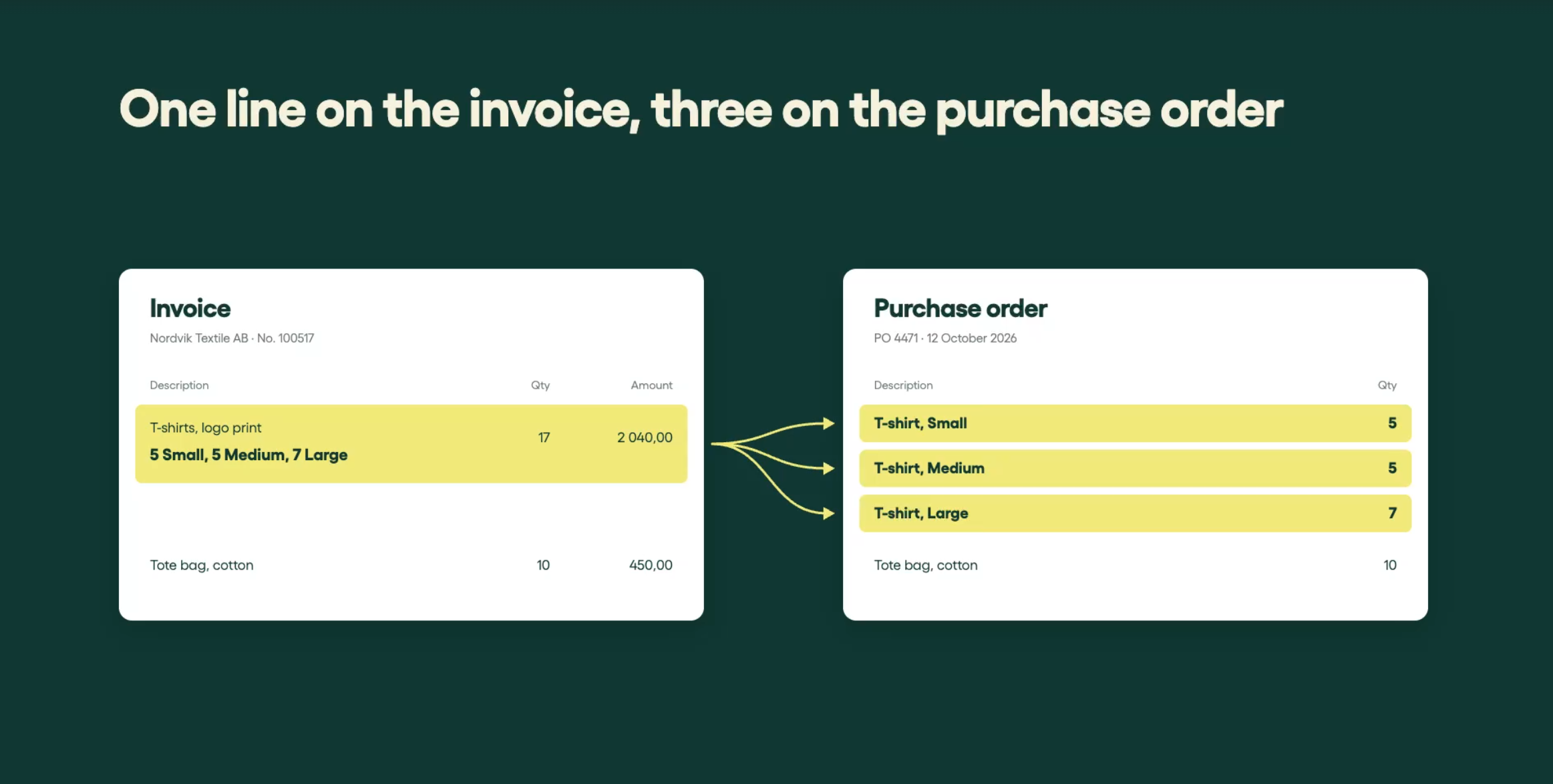
Imagine ordering T-shirts in three different sizes. Your purchase order lists each size on a separate line, with its own quantity. The supplier delivers exactly what you ordered. But on the invoice, all three sizes are squeezed into a single line, with quantities listed in separate columns.
The products and quantities are right. But the invoice and PO don't follow the same structure. And that’s enough to cause a PO matching failure.
Instead of flowing through automatically, the invoice ends up having to be handled manually, often by the person who made the purchase.
It’s a familiar problem for businesses dealing with complex invoice lines and supplier-specific formats. At Rillion, we call this particular example the T-shirt case.
Here’s how Rillion Capture uses AI to solve it.
See how Rillion Capture handles the T-shirt case
How to match complex invoice lines to a PO with AI
When invoice lines don’t follow the same structure as your purchase order, you need more than accurate data extraction. You need the information organized in a way that allows the two documents to match.
With Rillion Capture, you can use plain-language instructions to tell the AI how to handle complex invoice lines.
For the T-shirt case, the instruction is simple:
“If a line contains multiple variants, such as multiple sizes of the goods, break it into multiple lines.”
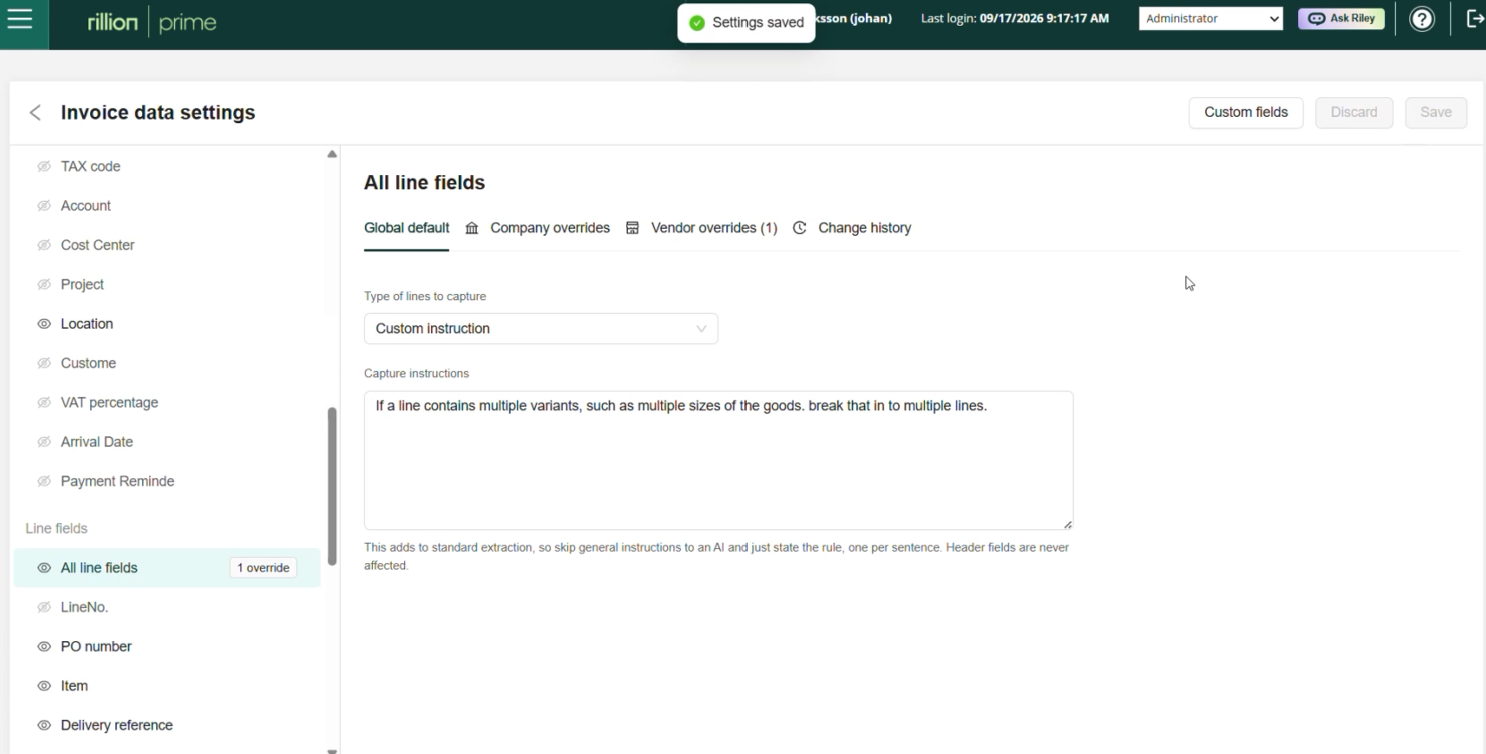
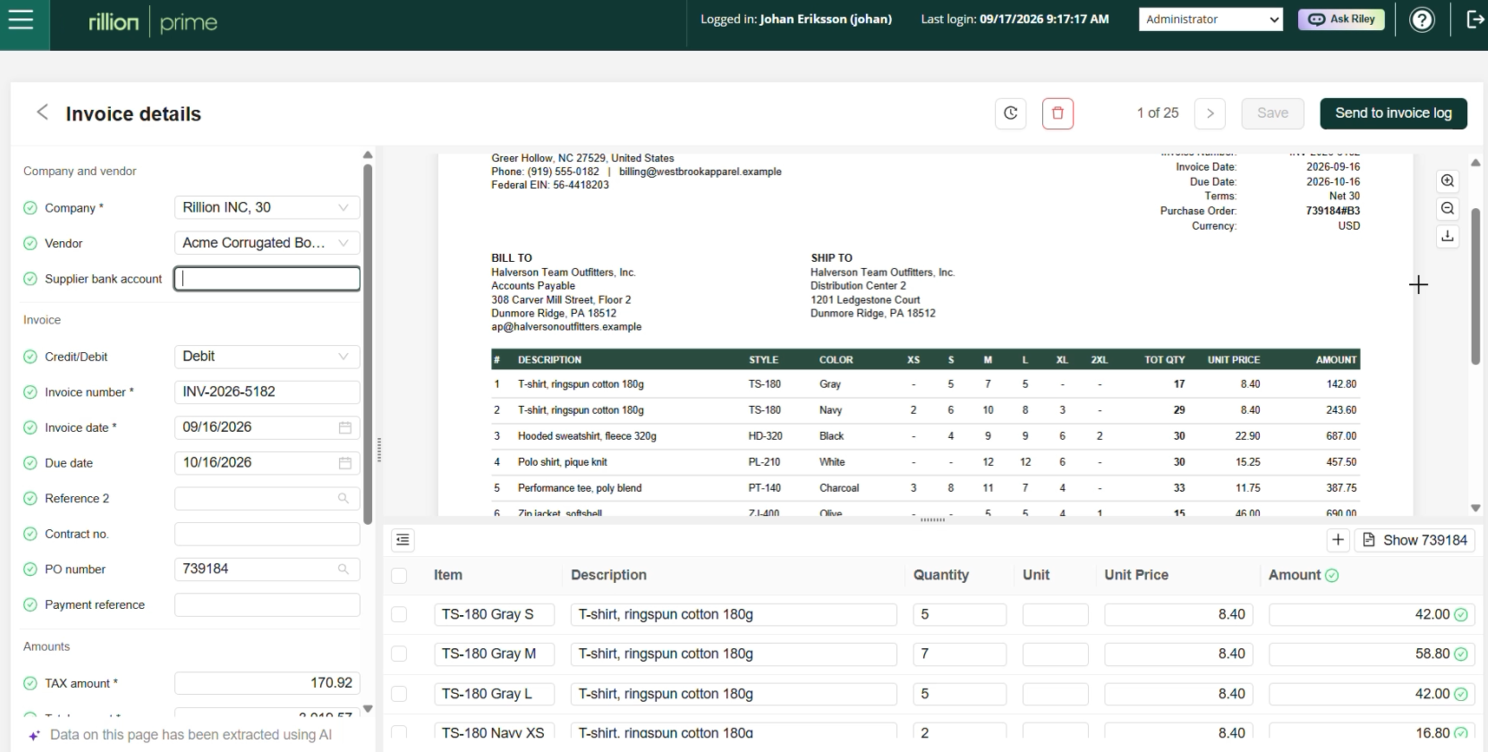
Now, when Capture processes the invoice, it recognizes the different T-shirt sizes and creates a separate invoice line for each one, with the correct quantity.
Instead of one combined line, you get three individual lines that can be validated against the corresponding purchase order lines. This gives the invoice a better chance of matching automatically, without someone having to review and approve an otherwise correct invoice.
Why complex invoice lines cause problems for traditional OCR
Traditional OCR-based invoice capture relies on templates, rules and predefined fields to extract invoice data.
Take our T-shirt case. An OCR solution may successfully read the product description and all the quantities listed across the size columns.
So far, so good.
But reading the information is different from knowing that one invoice line needs to become three separate lines. With traditional OCR, this typically requires additional rules or configuration.
Rillion Capture uses AI to understand the invoice content and follow your instructions for how the data should be structured. This means you can turn complex invoice lines into data that matches your PO structure, without manually correcting them.
Read also: The difference between AI and OCR invoice capture
Handle supplier-specific line formats without templates
Of course, T-shirts are just one example. Maybe your supplier puts several product colors on the same line. Or lists quantities across multiple columns. Or uses a format that doesn’t fit the way your ERP expects the invoice lines to be structured.
Rather than correcting these differences every time an invoice arrives, you can give Rillion Capture instructions for how to handle them.
For example, you can tell Capture to:
-
Split product sizes, colors or other variants into separate invoice lines
-
Extract quantities displayed across multiple columns
-
Restructure combined invoice lines to align with the corresponding PO lines
-
Adapt supplier-specific formats to the structure your AP process requires
You can apply these instructions globally or for a specific company or supplier. No templates or development changes needed. And built-in guardrails help you keep the configuration controlled.
Read also: When one extra character stops a perfect PO match
Explain it like you would to a colleague
You know your suppliers. You know how their invoices are structured and what your AP process needs. Now you can put that knowledge to work in Rillion Capture.
As Andreas Jungmar, Product Manager at Rillion, explains in the video:
“It’s as easy as describing to a new colleague how they should interpret the line on the invoice.”
Once you’ve explained how a recurring invoice format should be handled, Rillion Capture can apply the same instruction to future invoices.
That means fewer manual corrections, better-structured data and more opportunities for automated PO matching.
And the next time a supplier puts three T-shirt sizes on one invoice line? Your team can leave the splitting to Rillion Capture.