

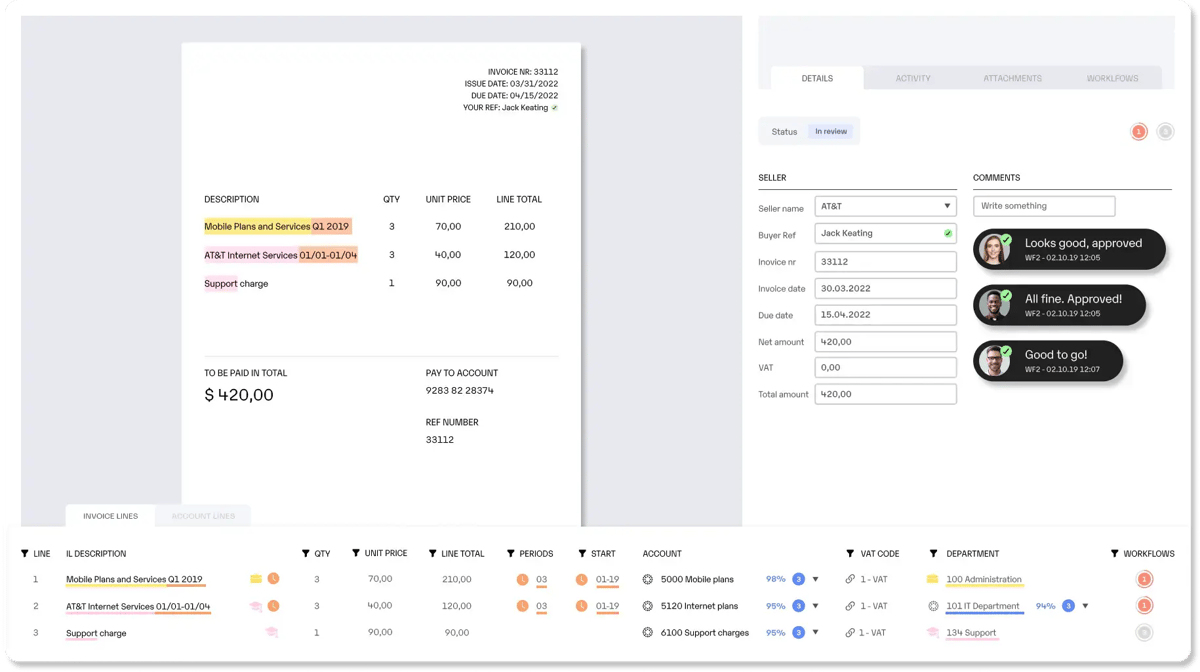
Semine does invoice automation well. You’ve got AI capture, PO matching, approval workflows, and ERP integration. In a nutshell, you have the basics nailed down.
But for mid-market companies evaluating AP automation from scratch, the shortlist rarely starts or ends with Semine alone.
Some teams need deeper ERP integrations. Others processing 24,000+ invoices in a year might opt for stronger multi-entity support, and better approval controls. And your CFO might just prefer flexibility around global finance operations.
Here are the best 10 Semine alternatives for AP automation in 2026:
Compare Semine alternatives
Here’s a quick look at the best ExFlow alternatives, who they fit, and what makes them stand out:
| Platform | Why it’s a good Semine alternative | Best for | Stand-out feature |
| Rillion |
Adds LLM-based capture, multi-entity controls, 30+ years of accounts payable expertise, and 50+ ERP integrations to the core invoice automation workflow.
|
Mid-market teams with complex workflows | AI-native invoice capture |
| Stampli |
Gives AP, approvers, and buyers one place to resolve invoice questions, coding issues, and PO mismatches. |
Teams dealing with approval delays and invoice questions | Stampli Deep Finance |
| Tipalti |
Extends invoice automation into supplier onboarding, tax handling, global payments, and payment compliance. |
Global, multi-entity finance teams |
Tipalti Detect |
| Coupa |
Helps finance control spend before an invoice arrives by connecting requests, POs, receipts, invoices, and payments.
|
Companies with broader procurement-control needs |
Spend Guard |
| Yooz |
Supports more ERP environments and gives teams flexible workflows, payment automation, and stronger fraud controls. |
Teams with varied workflows and ERP environments |
YoozProtect |
| Basware |
Better suited to companies managing invoices, suppliers, and e-invoicing requirements across countries and ERP systems.
|
Global AP teams with compliance requirements | Basware Guardian |
| Medius |
Adds AI support for approvers, supplier inquiries, payment workflows, and fraud-risk review. |
Teams managing high exception and inquiry volumes |
Fire Station |
| ExFlow |
Runs natively inside Dynamics 365 F&O and Business Central, so there's no separate system to integrate, sync, or maintain. |
European finance teams standardized on Dynamics 365 | Zero-integration native embed in Dynamics 365 |
| MineralTree |
Gives finance stronger payment controls, reconciliation, and two-way ERP synchronization alongside invoice automation. |
US-based teams with fragmented payment and reconciliation processes | Reconciliation and ERP Sync |
| Continia |
Adds AP automation and bank-connected payments directly inside Business Central, with built-in European e-invoicing compliance. |
Business Central teams needing built-in payments and e-invoicing compliance | Bank-connected Payment Management inside Business Central |
1. Rillion
AI-powered invoice-to-pay automation for complex mid-market AP teams
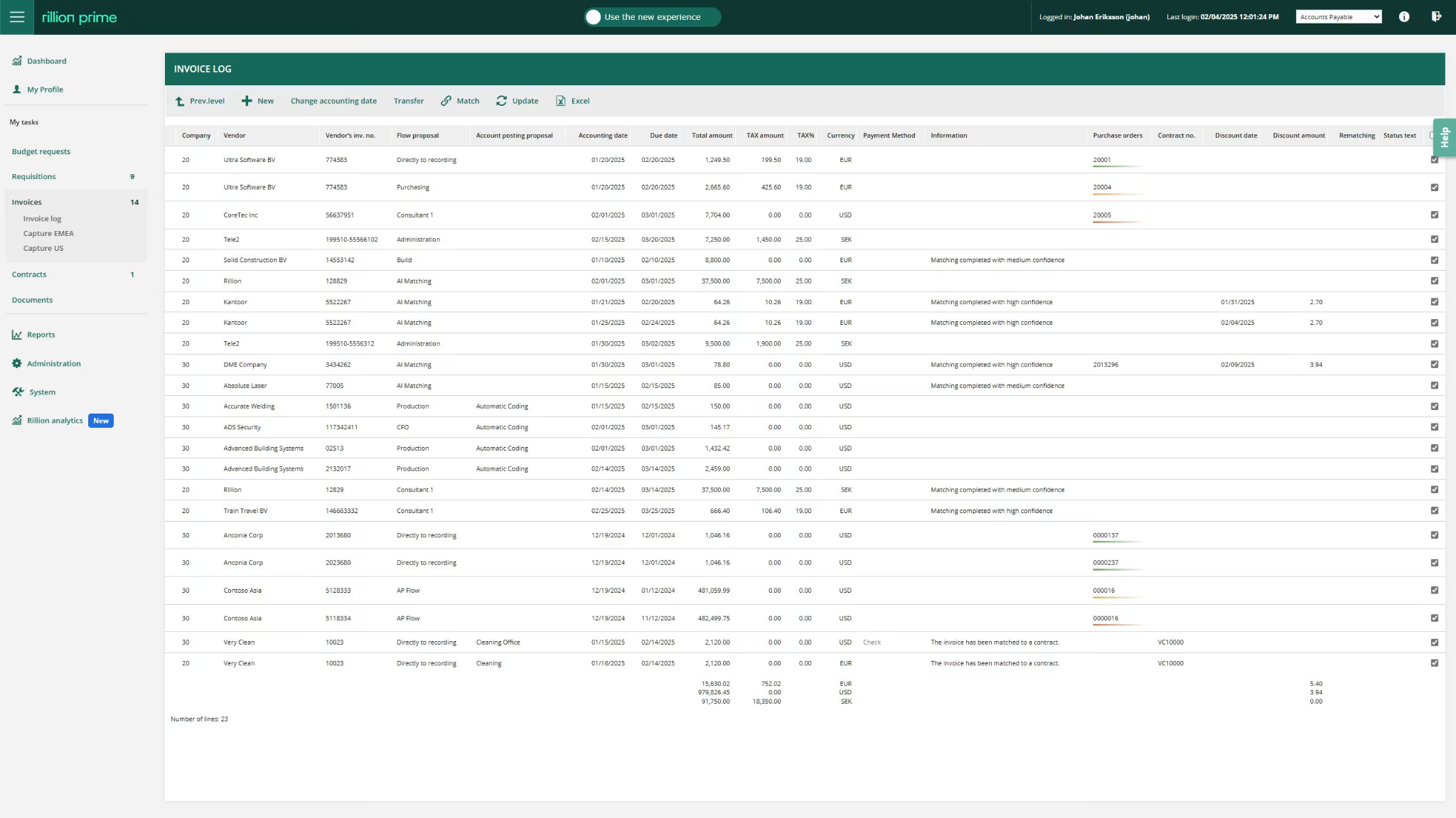
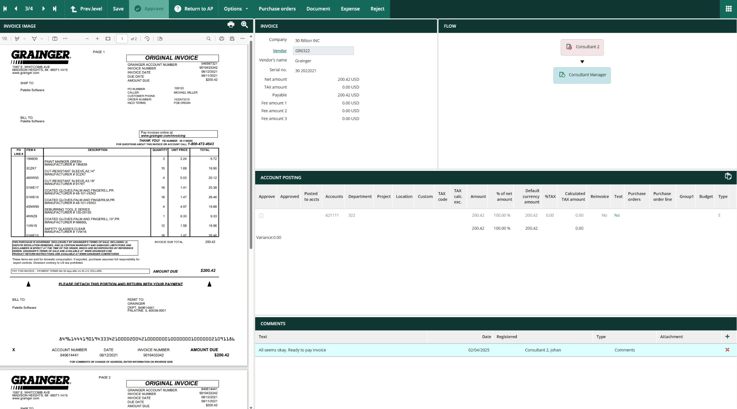 Rillion is an AI-powered AP automation platform that helps finance teams manage the full invoice process in one system.
It covers invoice capture, coding suggestions, approval workflows, PO matching, contract matching, payments, and reporting.
Rillion also connects with the ERP systems many mid-market finance teams already use. This makes it useful for companies with more complex AP processes, such as multiple entities, recurring invoices, contract-based billing, or detailed PO matching.
Rillion also includes Riley, its built-in AI assistant. AP teams can ask plain-language questions about invoices, payment status, and past transactions, then get the context they need without searching through records or chasing someone for an answer.
This makes it easier to resolve exceptions, respond to routine questions, and keep invoices moving through the workflow.
Key features of Rillion include:
-
Touchless 3-way PO matching: Rillion matches invoices against purchase orders and goods receipts at both header and line-item level. Fully matched invoices can move straight to the ERP, while mismatches are routed for review.
-
Smart and flexible approval workflows: Rillion supports rule-based and AI-driven invoice routing based on factors such as amount, department, vendor, entity, and location. It also includes mobile approvals, batch approvals, email approvals, reminders, and invoice status tracking.
-
Rillion Capture: Uses LLM AI to extract invoice data from PDFs, XML files, scanned invoices, and digital invoices with over 95% accuracy from the first invoice. Invoices can be sent to a Rillion email address, forwarded from the AP inbox, or uploaded manually.
-
AI coding proposals: Suggests the right coding for each invoice, including GL account, cost center, project, and location. It learns from your company’s past invoice data, so accuracy rates of suggestions improve over time.
-
Payment automation: Rillion supports automated vendor payments in the US through options such as ACH, enhanced ACH, eChecks, wire transfers, checks, and virtual cards.
-
Multi-entity management: Supports multiple legal entities, currencies, locations, and ERP systems in one AP environment. This is great for finance teams that want to standardize AP controls without forcing every subsidiary into an identical process.
-
AP analytics and reporting: Includes 17 pre-built AP, performance, business, and executive reports. Finance leaders can monitor approval bottlenecks, automation progress, invoice status, spend, liabilities, risk, and cash-flow trends.
-
ERP integration layer: Features 50+ native ERP connectors for SAP (including S/4HANA), Oracle NetSuite, Microsoft Dynamics 365, D365 Business Central, and other major mid-market ERP platforms.
Why Rillion is a good Semine alternative
Rillion is a better fit for mid-market finance teams that need more than invoice capture and approval workflows.
It’s particularly a good option for companies with multiple entities, different ERP systems, complex PO matching needs, or approval processes that involve people outside the finance team.
Rillion also gives approvers easier ways to act through email and mobile, while keeping payment and reconciliation data connected to the invoice workflow.
And behind the product is over 30 years of AP automation experience. That depth shows up in how Rillion handles the edge cases mid-market teams actually run into (unusual invoice flows, tricky ERP setups, multi-entity coding rules) rather than forcing every customer into the same workflow.
See how Forenom saved 1,000+ hours a month with AI and rule-based automationWhat to be aware of
Unlike Semine, Rillion doesn’t have a mobile app. However, you aren’t completely locked out of approving payments when you’re away from your desk.
Approvers can still easily review, reject, or approve pending invoices and payments directly from their mobile devices without needing a dedicated app.
Who is Rillion built for?
Rillion is best for CFOs, Controllers, Heads of Finance, and AP Managers at mid-market organizations with:
-
200+ employees and 10,000+ invoices per year
-
Multiple legal entities, currencies, locations, or ERP systems
-
Complex coding, matching, and approval requirements
-
High invoice volumes that make manual exception handling expensive
-
A need for stronger audit trails, approval controls, and AP reporting
-
Companies with US operations that want to bring automated vendor payments and reconciliation closer to the AP workflow.
Standout feature: AI-native invoice capture and coding
Rillion uses multimodal AI to extract invoice data with 95% accuracy from the first invoice, without templates or supplier-specific training. The data is validated against your master data before moving on to coding and approval.
AI coding then suggests the right GL account and dimensions based on historical invoices and patterns in your data. Even for a new supplier, it can recognize characteristics of the invoice and use similar suppliers or invoices to suggest the most likely coding.
Combined with customizable rules for supplier-specific exceptions, this gives AP Managers more control over how invoices are handled while reducing manual corrections and review.
Recommended read → Feature Spotlight: When one extra character stops a perfect PO match
2. Stampli
Invoice-centered collaboration for faster approvals and fewer follow-ups
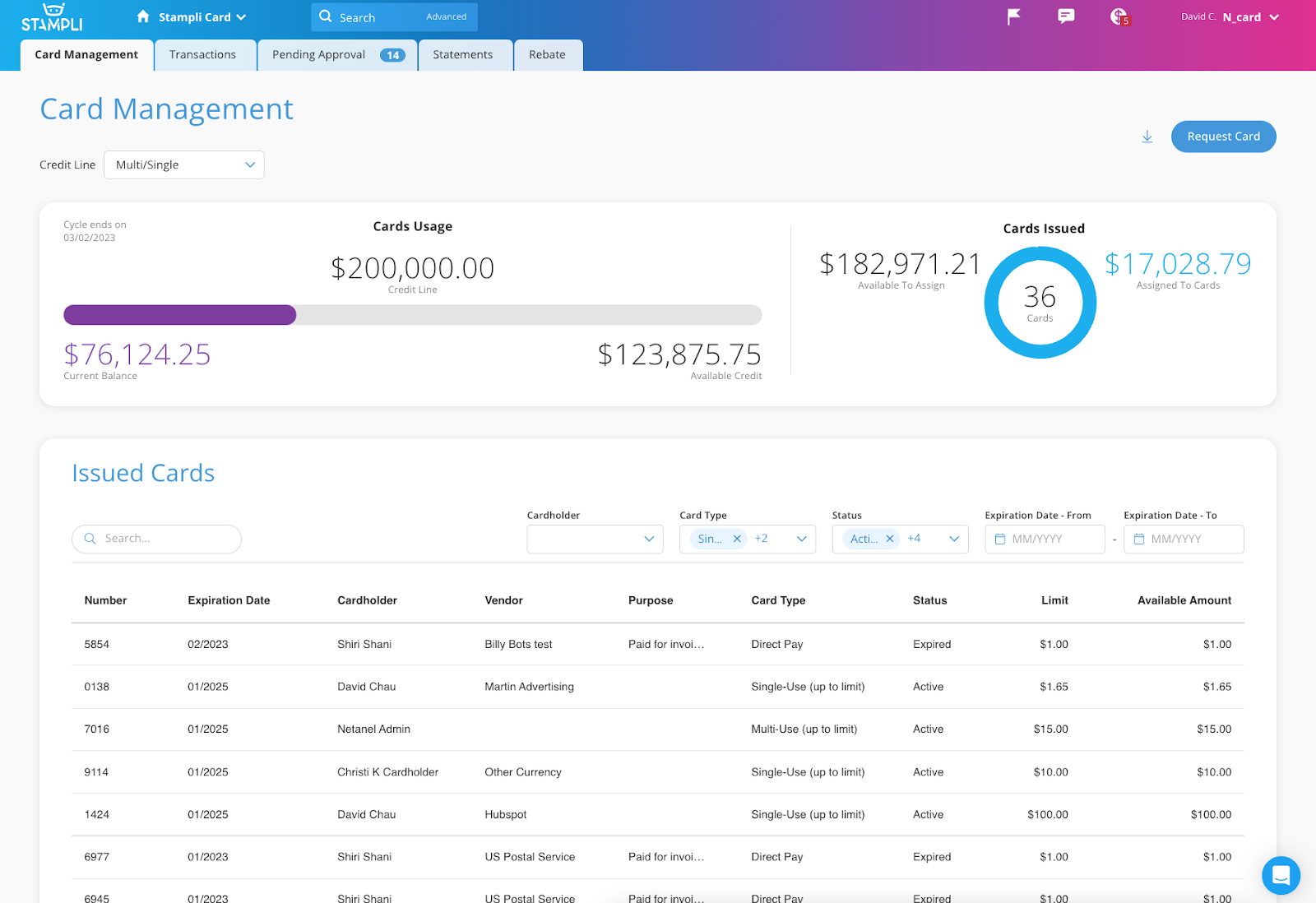
Similar to Semine, Stampli is an AI-powered AP and procure-to-pay platform. But its main idea pushes for invoice to be the workspace where AP, approvers, procurement teams, and vendors resolve work together.
Stampli keeps the invoice, PO details, coding, approval history, comments, documents, and payment status together in one record. This makes it easier for AP teams, approvers, buyers, and vendors to resolve issues quickly.
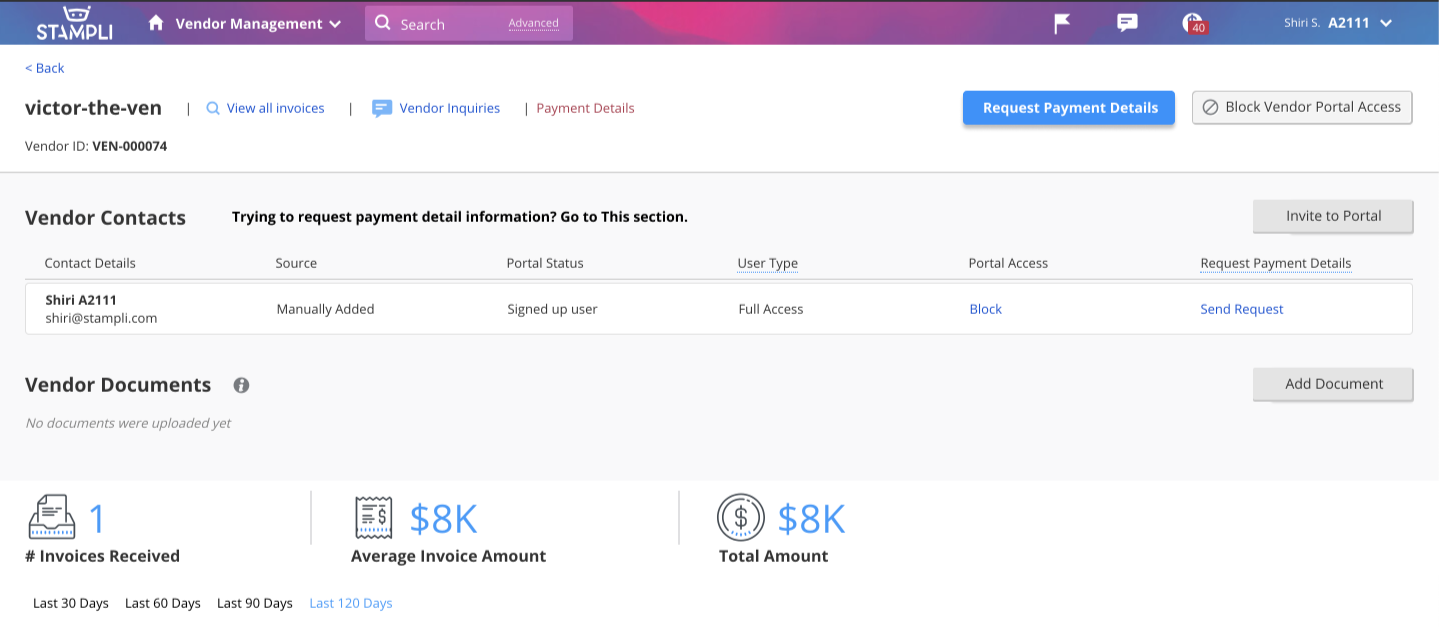
For example, AP can ask a buyer about a mismatch directly on the invoice, while approvers can see the full context before approving a charge.
Key features of Stampli include:
-
Billy the Bot: Handles routine work such as invoice capture, coding, PO matching, duplicate detection, vendor checks, and approval routing. Over time, it learns how the company uses its ERP, approval rules, and accounting processes.
-
AI invoice capture: Captures invoice data from incoming documents and turns it into an AP record ready for coding, matching, review, and approval.
-
AI line-level PO matching: Supports 2-way and 3-way matching across header, line-item, and footer-level PO data. It identifies PO-backed invoices, flags mismatches, and can bypass invoice approvals when matches fall within the tolerance rules your team sets.
-
Stampli insights: Provides interactive dashboards, 12 pre-built reports, customizable reporting, and advanced search across invoices, expenses, and payments.
-
Stampli direct pay: Supports ACH, checks, virtual cards, and international payment workflows, with pre-payment ERP validation, approval controls, and payment audit trails.
Why Stampli is a good Semine alternative
Stampli’s invoice-based workspace does a lot of the convincing. It helps teams resolve approval delays, vendor questions, PO mismatches, and coding issues in one place.
You also have Billy, Stampli’s AI assistant, which learns from the company’s ERP setup, approval process, and accounting rules over time.
This makes it a good option for companies that want AP automation without changing how their ERP works.
What to be aware of
There’s a problem with the invoice search function. It does not support flexible wildcard searches, which can make it harder to find a group of related invoices quickly.
For example, if several invoices from the same vendor end with the same reference, users may not be able to search only by that ending. This can create extra work when pulling large batches of invoice copies.
Standout feature: Stampli Deep Finance
This is Stampli’s agentic financial-analysis layer for customers. It analyzes AP and finance workflow data to surface findings around spend trends, vendor concentration, payment timing, missed discounts, cash-flow patterns, and team performance.
3. Tipalti
Global payables for supplier onboarding, tax, and cross-border payments
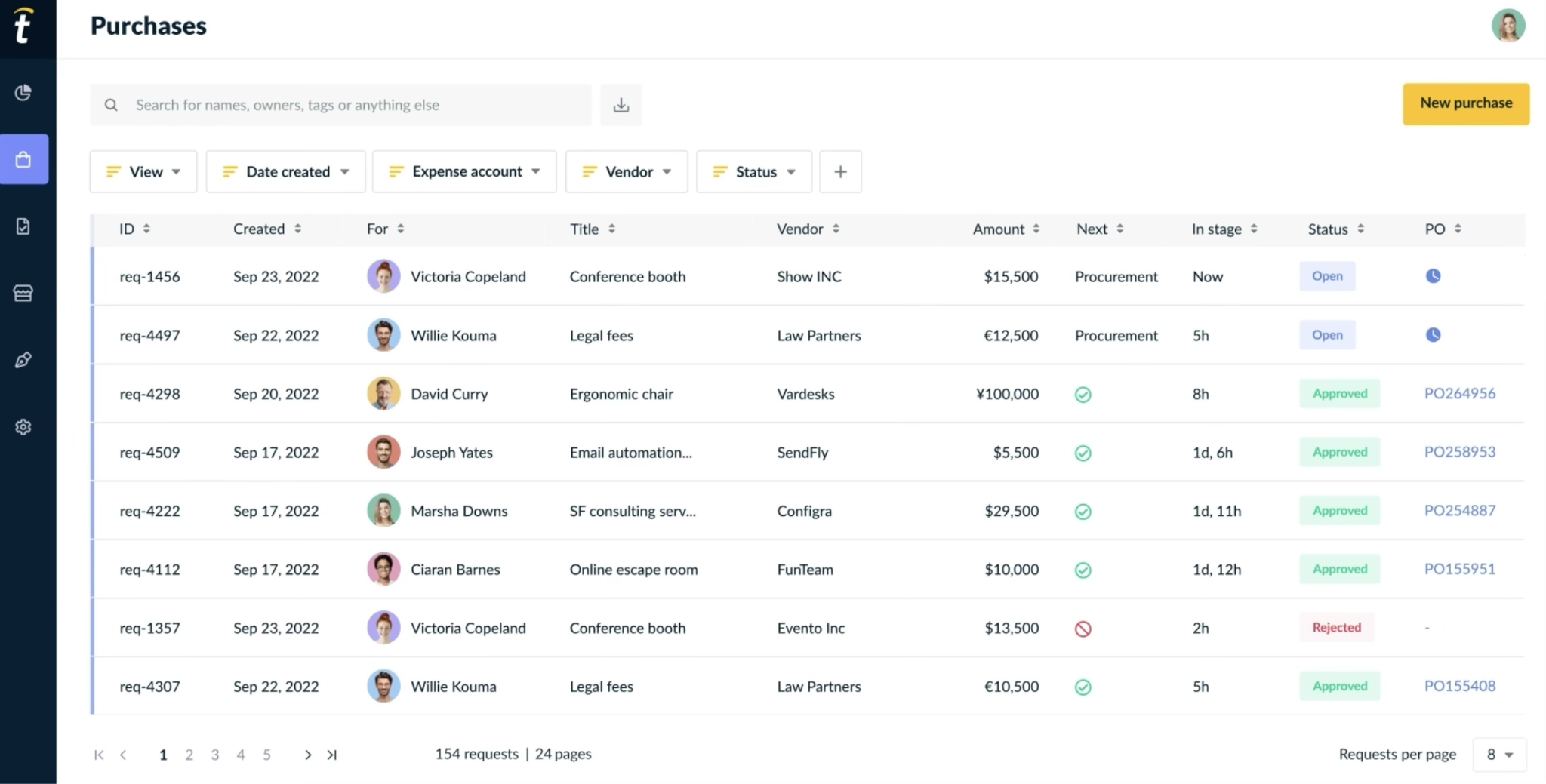
Tipalti is a global payables automation platform for companies that pay suppliers across different countries, currencies, and payment methods.
It covers supplier onboarding, tax form collection, invoice processing, approvals, global payments, and payment reconciliation in one system.
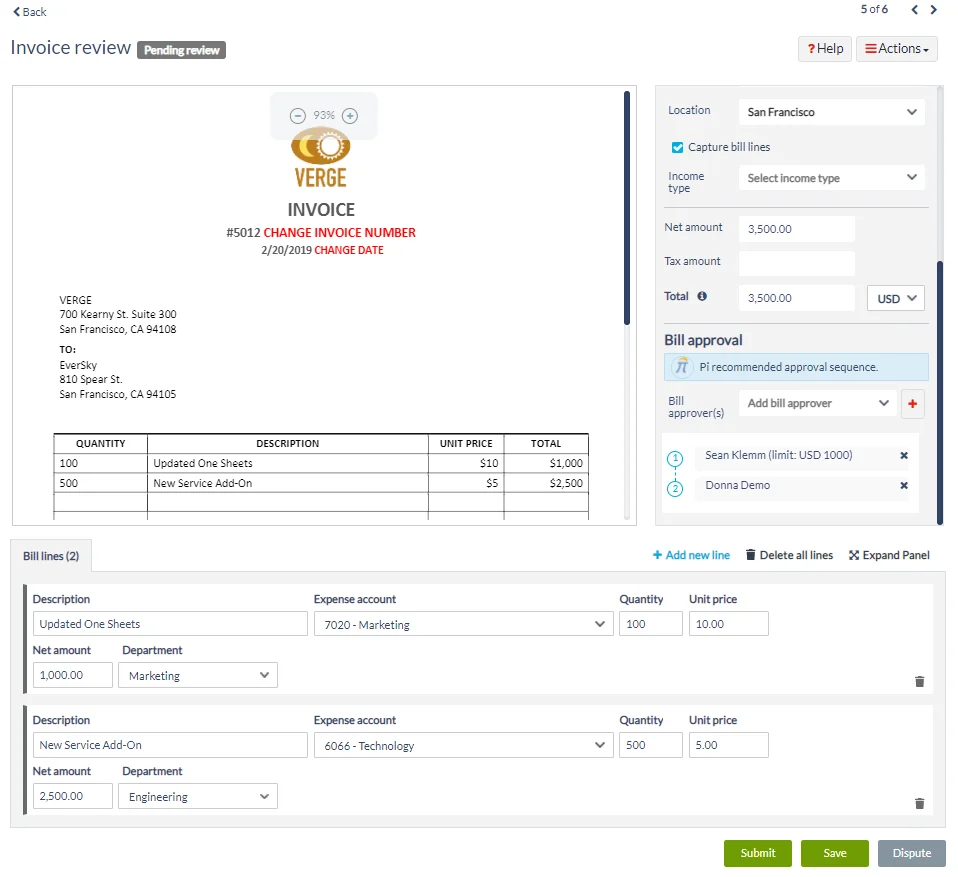
Suppliers can onboard themselves through a self-service portal. They can submit banking details, tax forms, and payment preferences without the AP team entering that information manually.
Tipalti can also check supplier information against sanctions lists and tax requirements before it processes payments.
Key features of Tipalti include:
-
Tipalti card: Offers virtual and physical cards for invoice payments, subscriptions, and employee expenses. You can also set spend limits and category controls, while transactions sync back to the ERP.
-
Global Payments: Tipalti supports supplier and partner payments across more than 200 countries and territories, in 120 currencies, through 50+ payment methods.
-
Tipalti AI assistant: A conversational way to find answers, trigger actions, and navigate finance workflows.
-
Tax form scan agent and compliance: Collect and manage W-8 and W-9 forms, validate tax details, apply withholding rules, and prepare tax reporting. It can also read supplier tax forms and turn them into digital records.
-
Multi-entity support: Each entity can have its own GL setup, approval rules, payment methods, and compliance needs while still being managed in one system.
Why Tipalti is a good Semine alternative
Tipalti is a better fit than Semine when the main challenge is global payables.
It’s especially useful for US companies paying suppliers in Europe or APAC, EMEA companies working with US contractors, or any business managing suppliers across several countries.
The supplier portal also reduces manual onboarding work. Suppliers can submit all necessary tax and payment documents, which helps AP teams avoid collecting and updating that information themselves.
What to be aware of
Some users find it difficult to move between bills and related purchase orders. For example, users need to open a separate window and search for the purchase order instead of opening it directly from the bill.
There’s also limited visibility into purchase requests once it’s submitted. This makes it difficult for employees to track progress and follow up on approvals.
Standout feature: Tipalti Detect
This is Tipalti’s payment fraud-detection solution. It monitors supplier and payment signals for suspicious activity, creates an audit trail for review, and can help finance suspend or block higher-risk payees before payments are released.
4. Coupa
Source-to-pay control for companies managing spend before invoices arrive
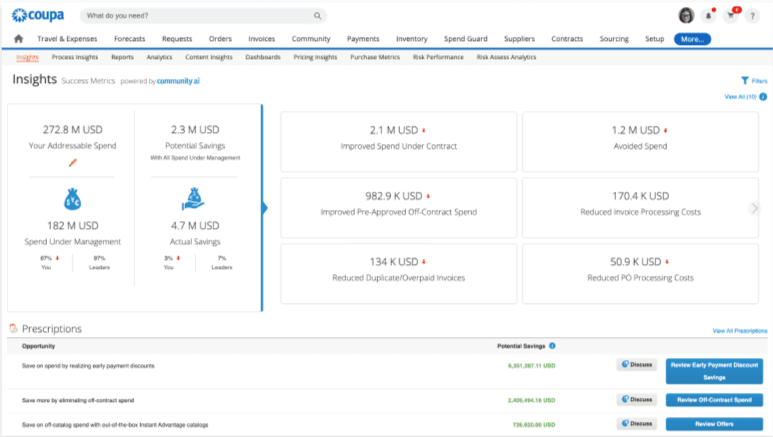
Coupa is a total spend management platform that includes AP automation, procurement, supplier management, payments, sourcing, contracts, expenses, and spend reporting.
This makes it different from Semine.
Semine focuses mainly on invoice processing, including AI capture, PO matching, approvals, and ERP integration. Coupa can do those things too, but it manages spend earlier in the process.
With Coupa, employees can request spend before they buy. Once approved, those requests can become purchase orders. Suppliers then submit invoices against those POs, and AP can match, approve, and pay them with the full purchase history already available.
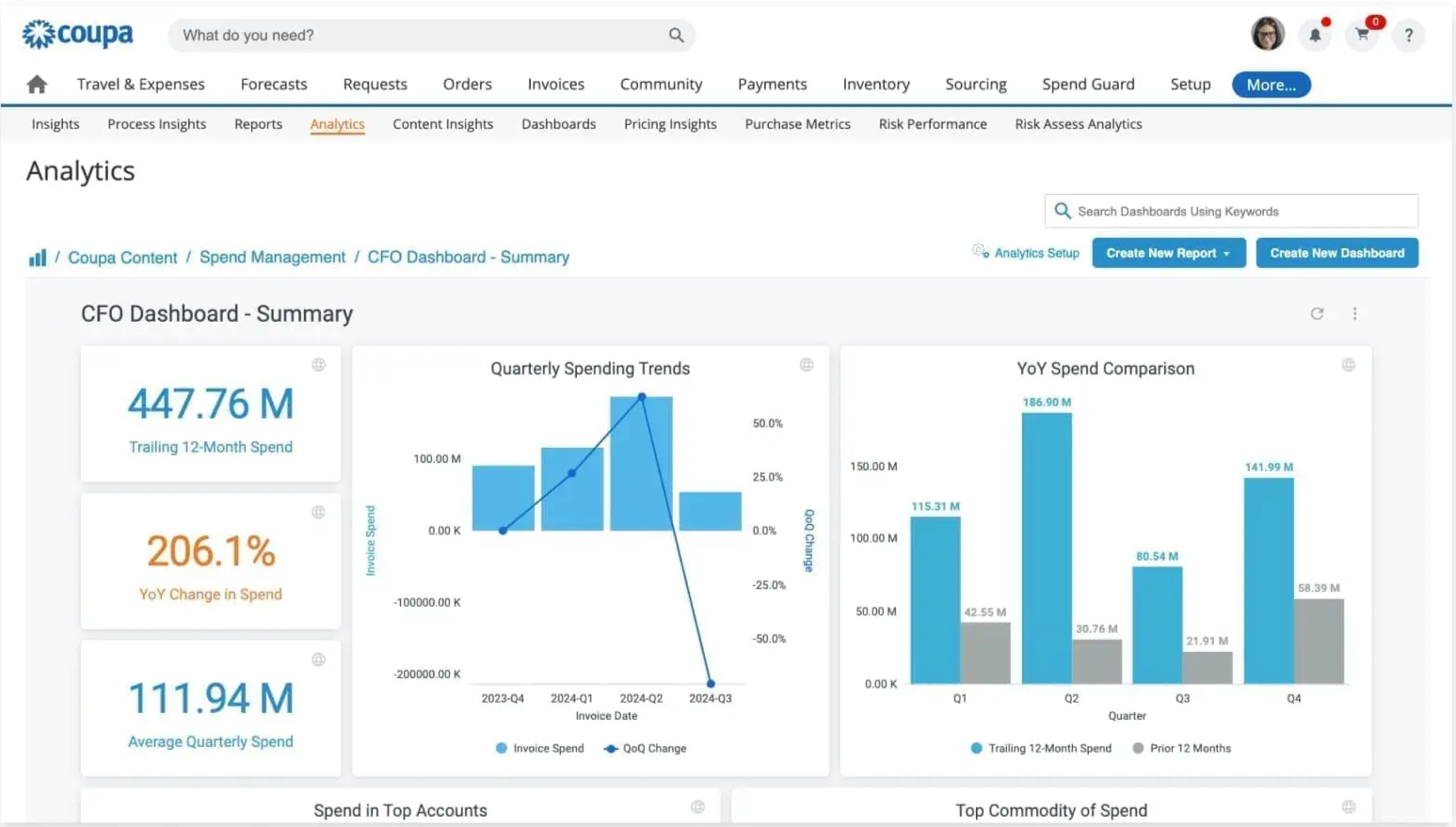
This gives finance and procurement teams more control. They can see whether a purchase was approved, whether the supplier is set up correctly, whether the invoice matches the PO and receipt, and whether the payment follows company policy.
Key features of Coupa include:
-
Coupa Pay: Centralizes payment execution across payment rails and connects payment activity back to invoicing and expense workflows.
-
Guided buying: Employees can request goods and services through approved channels, catalogs, policies, and supplier options.
-
cXML and digital invoice channels: Suppliers can submit invoices through the Supplier Portal, cXML, Supplier Actionable Notifications, and email/PDF workflows.
-
Automatic payment reconciliation: When you connect Coupa Pay to invoicing, payment records can be reconciled back to the original invoice flow.
-
PO and receipt matching: Validates invoice details against purchase orders and goods receipts before payment.
Why Coupa is a good Semine alternative
Coupa makes a stronger case when your company needs to control spending before invoices reach AP.
It connects each invoice to the original request, purchase order, supplier, contract, receipt, payment, and spend category. This gives finance and procurement teams a clearer view of how and why money is being spent.
For example, with Coupa’s Process Automator, you can trigger follow-up actions when a supplier changes, an invoice needs attention, spend reaches a limit, or an approval is delayed.
What to be aware of
The process of receiving purchase orders is slow and harder to manage. Canceling a receipt can also take extra steps, which delays corrections when goods or services were recorded by mistake.
Standout feature: Spend Guard
Coupa applies AI and risk signals to identify potentially risky or non-compliant spend before it becomes a bigger control issue.
It is more procurement-led than AP-led, but it helps finance reduce the policy and fraud risk that can otherwise show up late in the invoice process.
5. Yooz
Flexible invoice processing for varied workflows and ERP environments
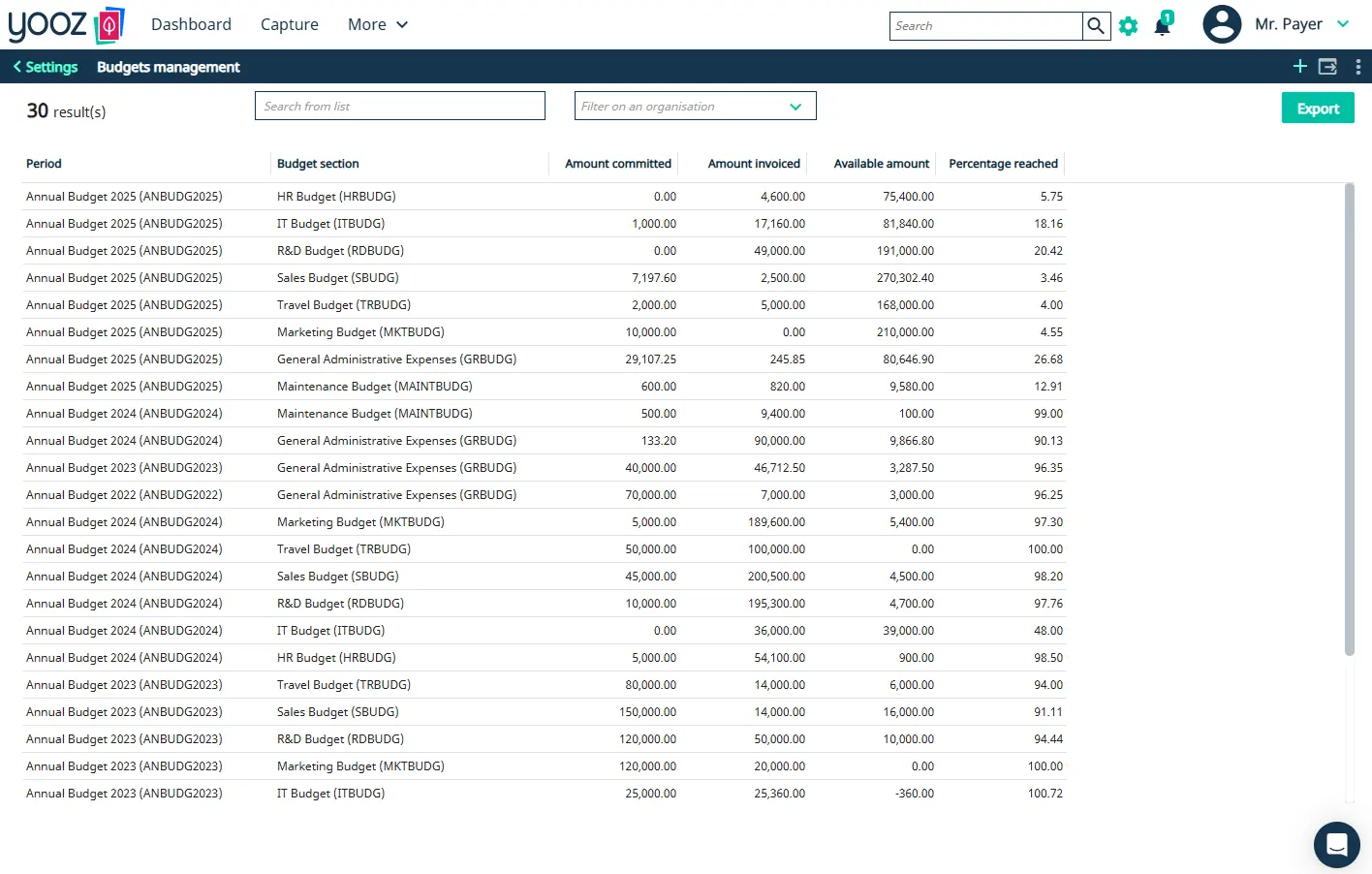
Yooz is a cloud-based AP and procure-to-pay platform that automates invoice processing without forcing every team or entity into the same workflow.
It can collect invoices from email, scans, supplier portals, uploads, e-invoicing channels, and batch files. Then, Yooz extracts the data, suggests accounting codes, and matches invoices to POs and receipts.
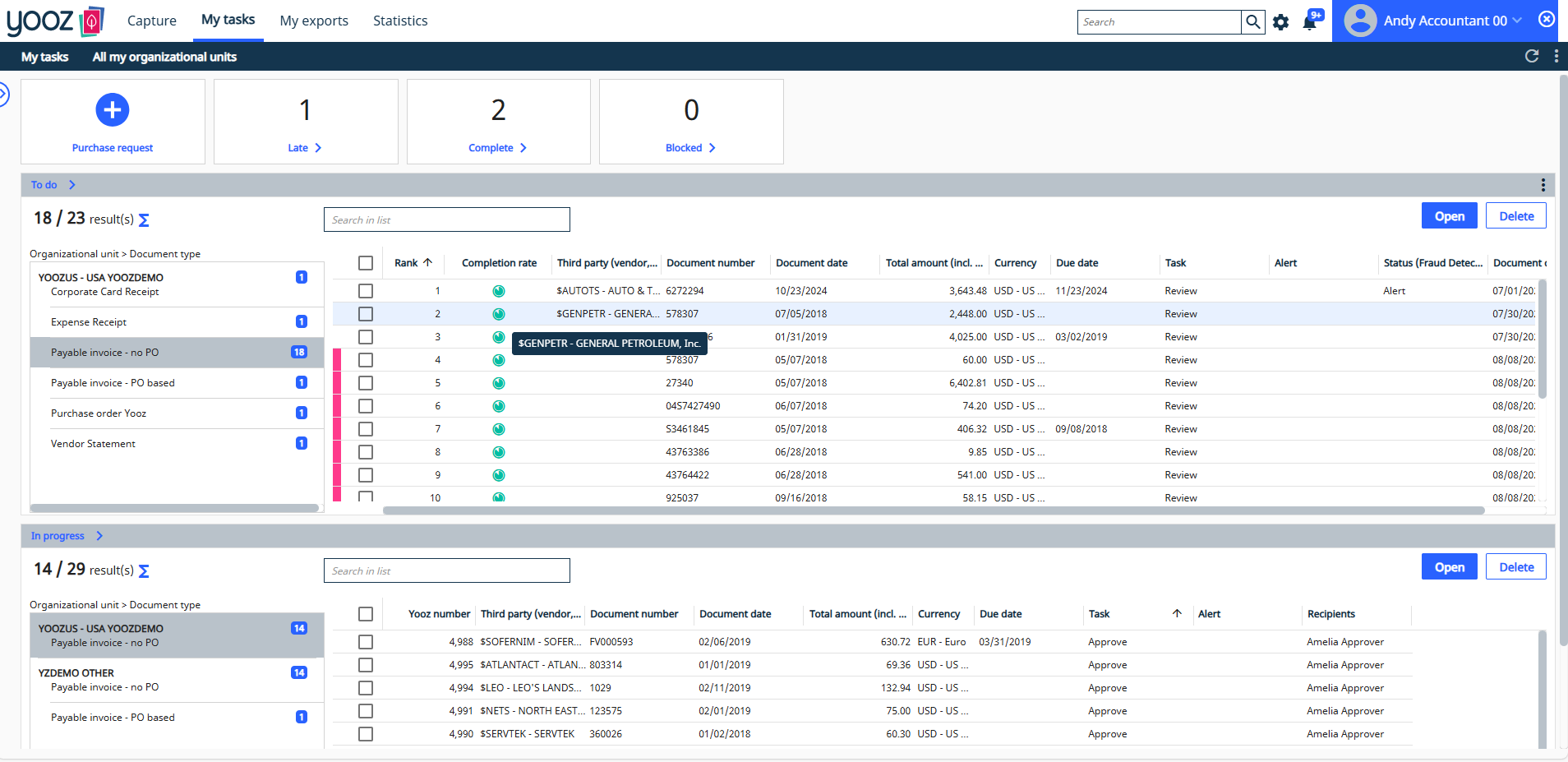
Yooz also supports a wide range of ERP systems. It connects with more than 250 ERP environments, including Sage, Microsoft Dynamics, Acumatica, NetSuite, and QuickBooks.
Key features of Yooz include:
-
YoozSmartSplit and YoozStamp: Separate and identify documents inside large batch uploads. For example, if one PDF contains several invoices, Yooz can separate them into individual documents automatically.
-
Process flex: This is Yooz’s configurable workflow engine. Users get sequential, parallel, and no-touch approval paths, plus auto-escalation, delegation, reminders, and exception routing based on your finance rules.
-
Vendor statement reconciliation: Yooz can capture and reconcile supplier statements against AP records, invoices, and payment activity.
-
YoozPay: Make payments directly from the platform with payment options such as ACH, virtual cards, and checks.
-
Smart data extraction: Yooz uses AI to identify and extract invoice data across formats, layouts, suppliers, and document types.
Why Yooz is a good Semine alternative
Unlike Semine, Yooz resolves three problems at the same time:
-
Its 250+ ERP integrations eliminates compatibility issues
-
AI invoice capture works without long template setup
-
And it offers stronger fraud protection via its YoozProtect suite.
Consider Yooz if you’re a Controller or an AP Manager who needs a platform that works with their existing ERP, can go live quickly, and helps reduce payment fraud risk.
What to be aware of
Yooz can take time to set up, especially for companies with complex approval workflows or many custom rules. The OCR function is also poor with some users reporting inaccuracies when documents are poorly scanned or unclear.
Standout feature: YoozProtect
Includes AI-powered fraud controls such as fake-document detection, atypical-amount detection, duplicate detection, vendor-detail authentication, payment-integrity checks, and role-based access controls.
6. Basware
Global invoice lifecycle management with built-in e-invoicing compliance
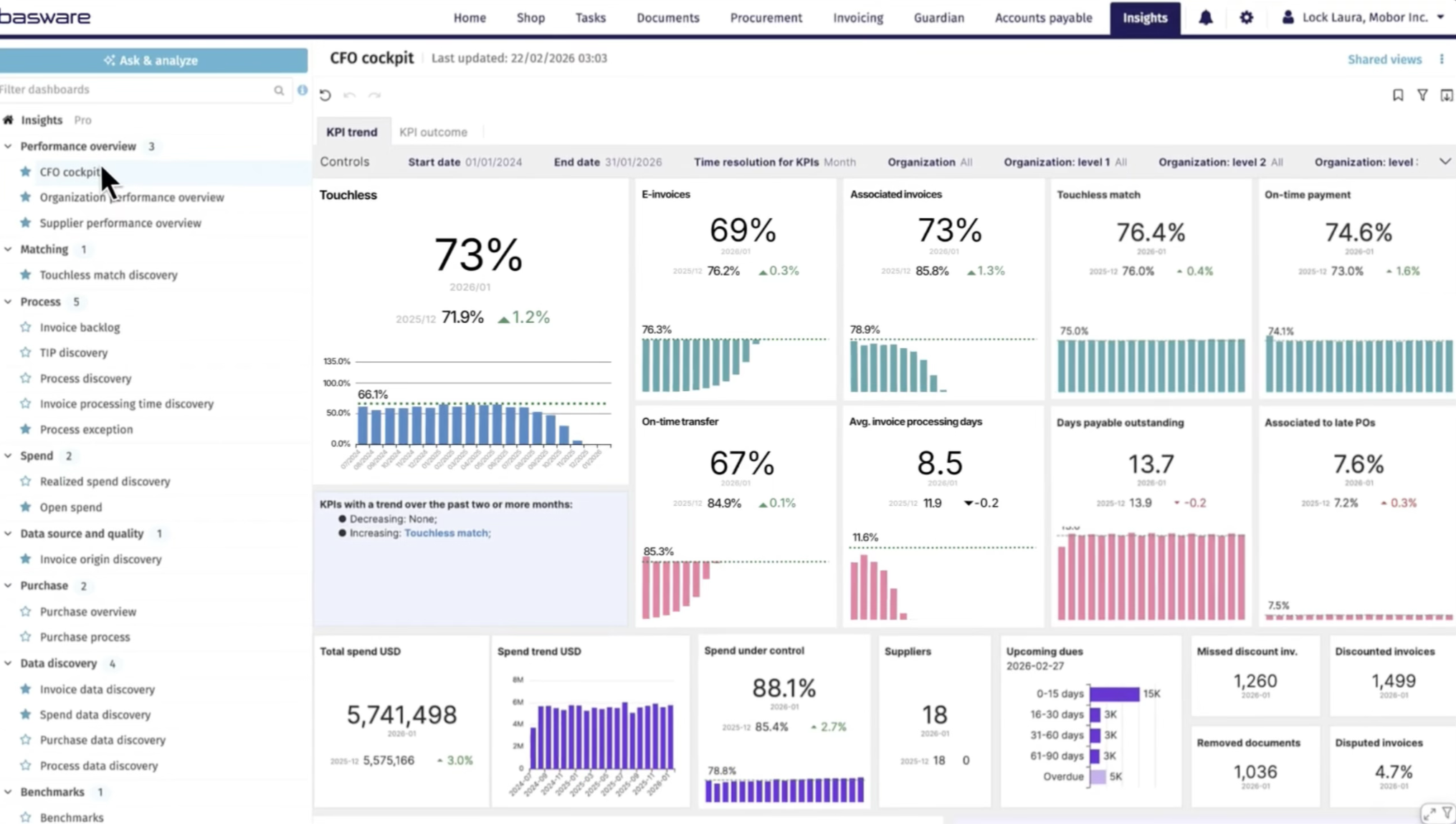
Basware is an invoice lifecycle management platform for companies that process invoices across multiple countries, ERP systems, supplier formats, and compliance rules.
It manages the full invoice process in one system, including invoice capture, coding, matching, approvals, exception handling, and archiving.
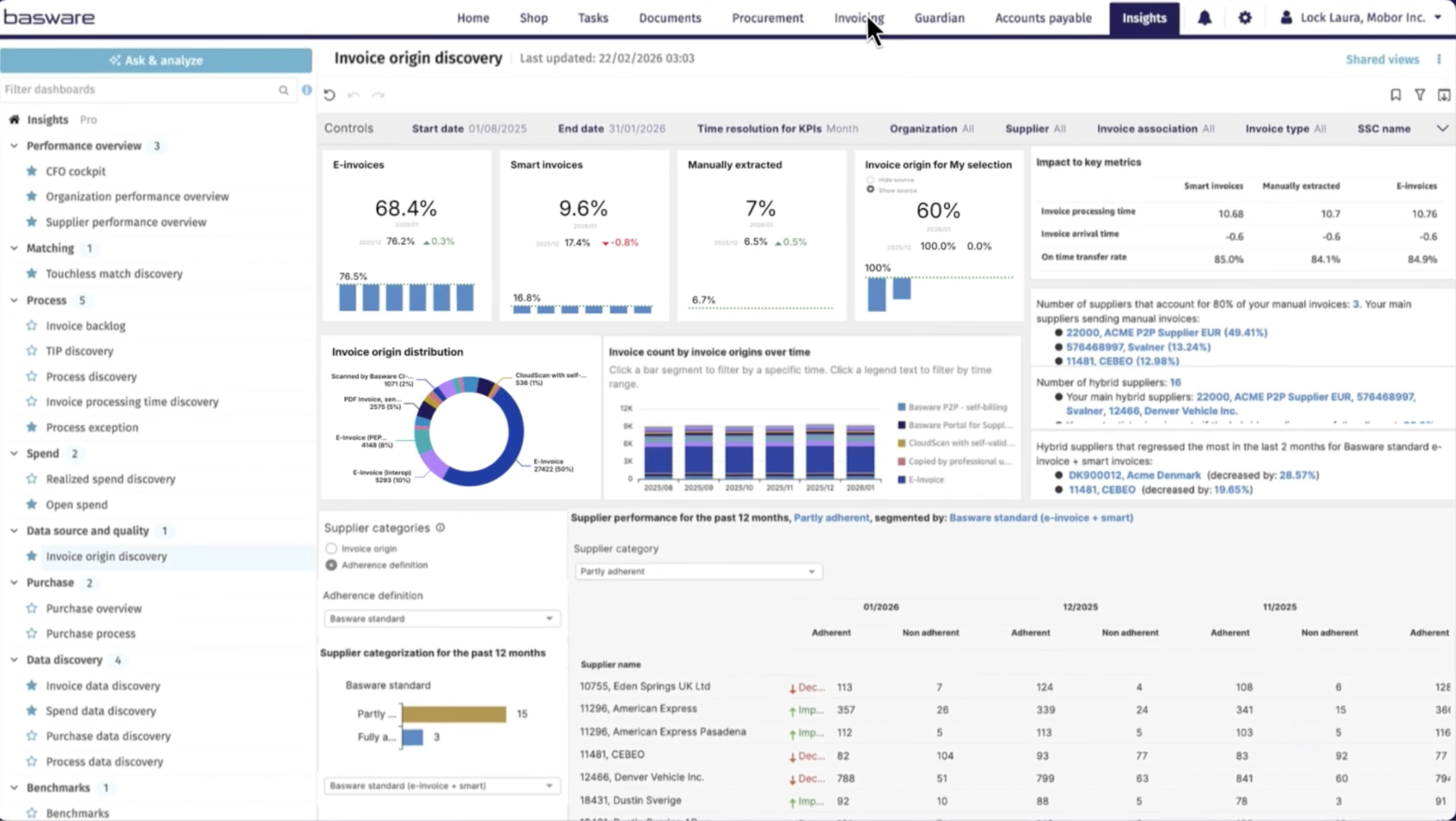
Invoices can be sent through Basware’s e-invoicing network, email, PDF, XML, EDI, and other channels.
Its AI layer, InvoiceAI (trained on 2.3 billion invoices and $10 trillion in spend), extracts invoice data, suggests accounting codes, matches invoices to purchase orders or contracts, flags unusual activity, and helps teams resolve exceptions.
Key features of Basware include:
-
SmartPDF: Extracts data from invoice documents, including PDFs, XML files, EDI documents, scans, and electronic invoices. It captures both header and line-level data without requiring teams to create templates for each supplier.
-
SmartCoding: It can suggest GL accounts, cost centers, and other accounting details by learning from past invoice coding patterns.
-
SmartWorkflow: Predicts the right approver and routes invoices through the relevant approval path.
-
Invoice lifecycle monitor: Tracks invoices across the full process, including approvals, exceptions, and payment status.
-
Global e-invoicing compliance: Companies can manage incoming and outgoing invoices across 190+ countries with different VAT rules, e-invoicing mandates, and document retention requirements.
-
AP data agent: Users can ask natural-language questions about AP data inside Basware Insights. Finance teams can also use it to find invoices awaiting approval, identify supplier trends, or explore payment and discount activity without building a custom report.
Why Basware is a good Semine alternative
If you’re managing invoices across multiple countries, ERPs, supplier formats, and compliance requirements, Basware is a good choice.
It can help you standardize invoice processing across locations without forcing every entity to replace its existing ERP or procurement system.
The predictive insights and analytics also come in handy, showing processing delays, exception trends, workload risks, and areas where automation can improve.
What to be aware of
Some users report issues when matching invoices to goods receipts or purchase orders. Retrieved invoice lines do not always work correctly and need to be deleted before the invoice can be matched.
Standout feature: Basware Guardian
This is Basware’s proprietary solution for stopping risky or non-compliant invoices before they enter the AP workflow.
It checks invoice metadata, document details, and payment information for unusual patterns, suspicious changes, or possible fraud. It also validates invoices against tax rules, e-invoicing format requirements, and other compliance standards.
This gives AP teams an extra control layer before approval and payment, helping ensure that only valid, compliant invoices move forward.
7. Medius
Intelligent invoice-to-pay with fraud controls and supplier support
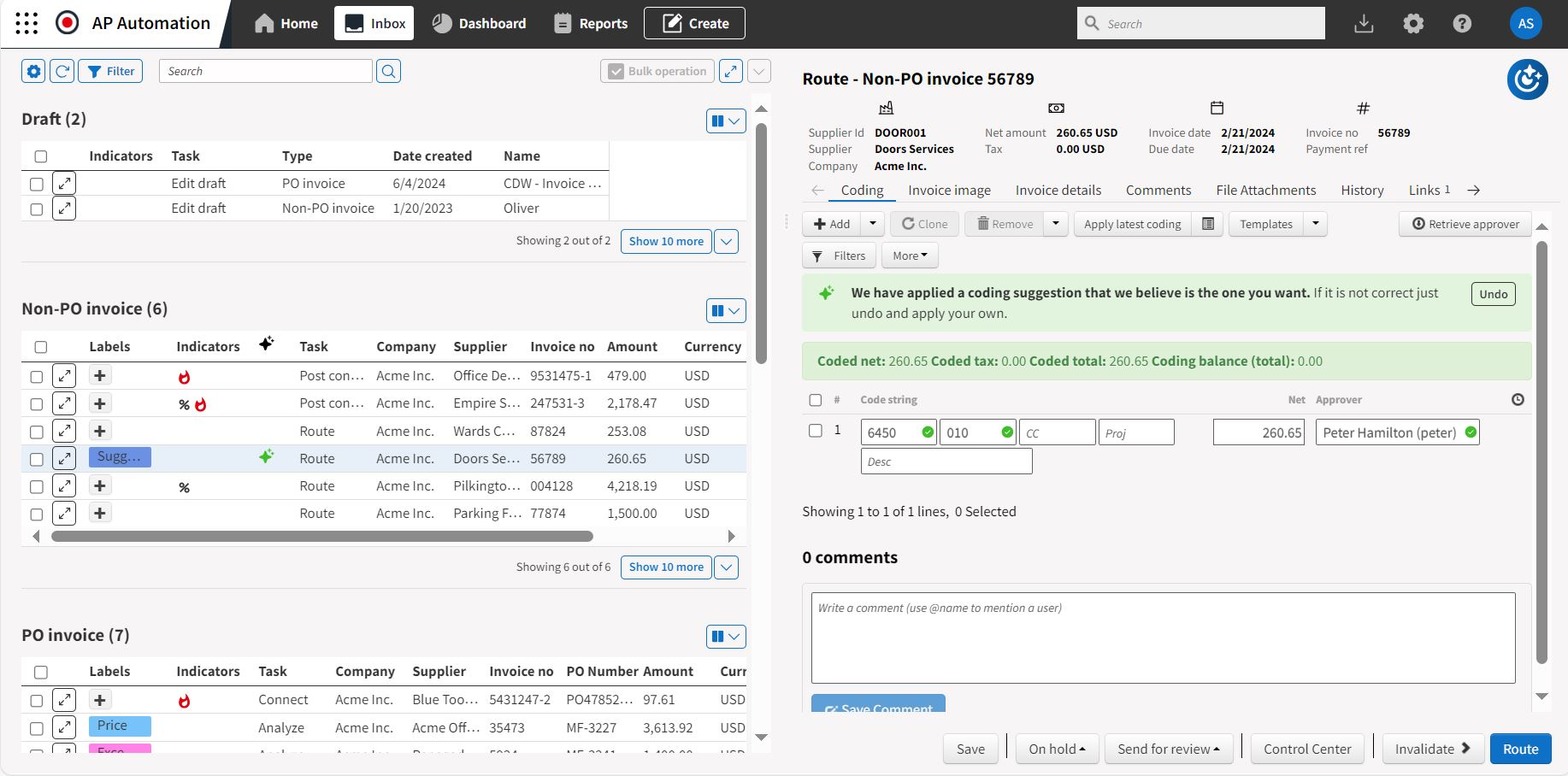
Medius is another spend management and AP platform similar to Coupa. It uses AI to automate invoice processing, approval workflows, and exception handling.
The platform can capture invoice data, match invoices to purchase orders, code non-PO invoices, and route them for approval. It also learns from how AP teams handle issues such as unclear line items, unusual supplier formats, and matching errors.
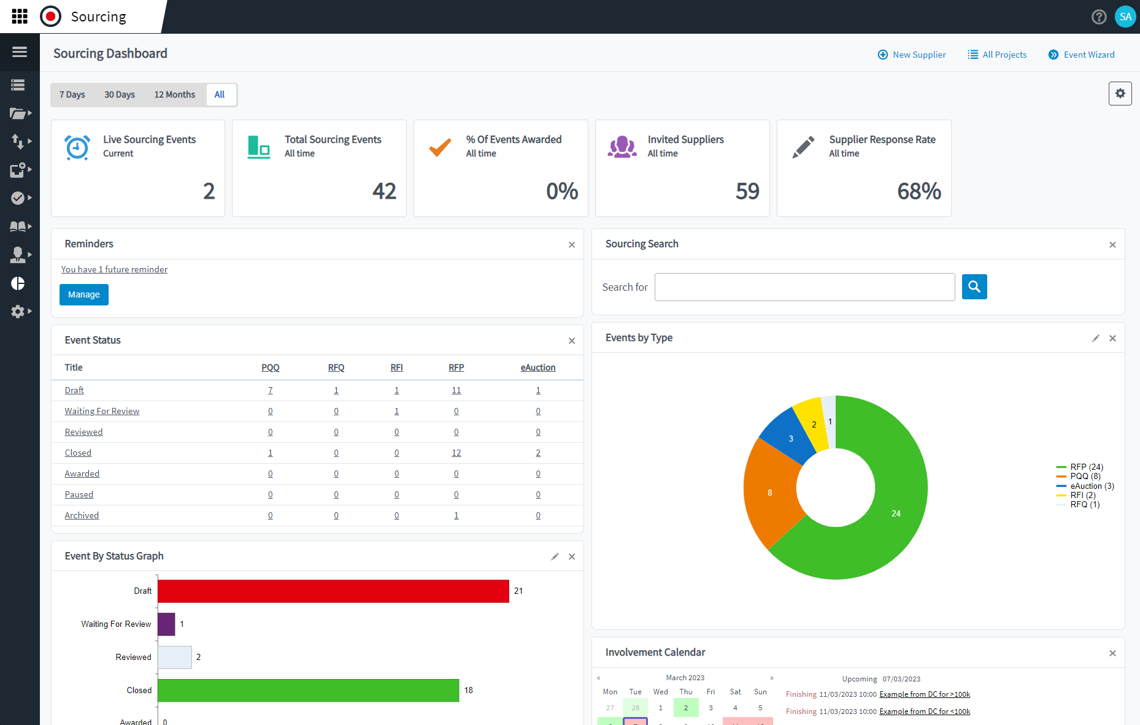
Also when users correct coding, resolve an exception, or fix a match, Medius uses that feedback to improve how it handles similar invoices in the future.
Key features of Medius include:
-
Medius capture: Extracts invoice data from PDFs, scanned documents, XML, and other electronic invoice formats using AI and machine learning.
-
Medius Copilot (agentic AI assistant): Approvers get more context before they approve an invoice. It can answer common questions about invoice history, supplier payment terms, PO status, and budget details.
-
Supplier conversations (AI chatbot): AI handles routine supplier questions about invoice status, payment timing, and discrepancies.
-
Medius Payments: Teams can move approved invoices toward payment without relying on separate file uploads or manual payment scheduling.
-
Pre-built ERP connectors: Medius connects with more than 100 ERP systems, including SAP, Oracle, Microsoft Dynamics, and NetSuite.
Why Medius is a good Semine alternative
Medius stands out in what happens when people need more context. For example, the Medius Copilot provides answers to approvers without sending requests back to AP.
You also have the Supplier Conversations handling routine invoice and payment-status inquiries without making AP staff search for records and write the same responses repeatedly.
This matters for teams where the process is technically automated but AP is still spending too much time following up.
An invoice may be captured correctly but still be delayed because an approver does not understand the charge or an exception needs more information. Medius helps reduce that back-and-forth and keeps the process moving.
What to be aware of
Implementing Medius can take longer than expected, especially when it involves complex invoice requirements or custom workflows.
For example, important subcontractor invoices are not fully covered early enough during the set up process.
If you have complex AP needs, it’s advised to confirm the implementation scope, timeline, and ownership of key workflows before starting the project.
Standout feature: Fire Station
Medius offers a central dashboard for reviewing fraud and payment risks across the AP process. It uses AI to scan invoices and flag issues such as duplicate payments, unusual invoice amounts, changed invoice dates, suspicious supplier details, or unapproved vendors.
AP and finance teams can see open and resolved risks in one place, review the reason an invoice was flagged, and take action before payment is made.
8. ExFlow
Native AP automation built directly into Dynamics 365
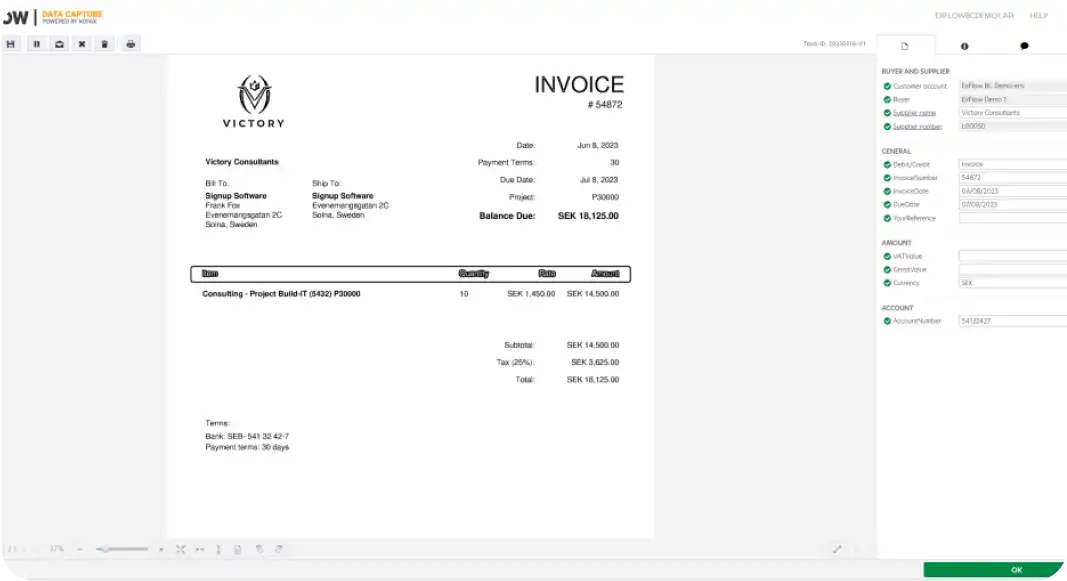
ExFlow is an AP automation solution built by SignUp Software, a Swedish company founded in 1999, specifically for Microsoft Dynamics 365 Finance & Operations and Business Central (and their predecessors, AX and NAV).
Unlike most AP tools on this list, ExFlow isn't a separate system that connects to your ERP. It's embedded directly inside Dynamics 365, so there's no integration to build, maintain, or troubleshoot. Invoice data, purchase orders, vendor records, and approvals all live in the same environment your finance team already works in.
ExFlow is used by more than 900 Dynamics 365 customers worldwide, including companies with complex, multi-country AP processes. Norlys, Denmark's largest energy and telecom group, used ExFlow to consolidate invoicing across 25 companies into one unified process after a series of mergers.
Key features of Exflow include:
-
Native OCR data capture: Reads invoices in electronic, PDF, or scanned formats and extracts vendor, amount, and line-item data directly into Dynamics 365.
-
Intelligent coding proposals: Suggests general ledger, project, or fixed-asset coding for each invoice line based on historical patterns.
-
3-way matching: Matches invoices against purchase orders, contracts, and goods receipts, with automatic routing to approval when discrepancies appear.
-
Dynamic approval workflows: Builds approval paths from standard Dynamics workflows or position hierarchies, with mobile-friendly approvals from any device.
-
Power BI analytics: Ships with pre-packaged dashboards inside Dynamics 365 for tracking approval bottlenecks, automation rates, and audit trail visibility.
Why ExFlow is a good Semine alternative
If your team is standardized on Dynamics 365, ExFlow removes a category of problems entirely: no integration project, no separate vendor master to sync, no second system for auditors to reconcile against. Everything, including reporting, stays inside the ERP your finance team already trusts.
What to be aware of
ExFlow only works if you're on Dynamics 365 F&O, Business Central, AX, or NAV. There's no version for any other ERP, so it's not an option if your organization runs SAP, NetSuite, or another system, or might migrate off Dynamics down the line. Implementation and ongoing support also typically run through a certified Dynamics partner rather than directly with SignUp Software, so the quality of that relationship can vary depending on which partner you work with.
There are no written user reviews for ExFlow on G2, Capterra, or TrustRadius which is a reflection of its partner-led sales model rather than a red flag, but worth knowing if you like to research a tool through user reviews before buying.
Standout feature: Zero-integration native embed
ExFlow's core pitch is that there's no tradeoff to accept, because there's no second system. Everything from OCR capture to 3-way matching to Power BI reporting runs inside your existing Dynamics 365 environment, which shortens implementation timelines and keeps your audit trail in one place.
9. MineralTree
Payment-focused invoice-to-pay with connected ERP reconciliation
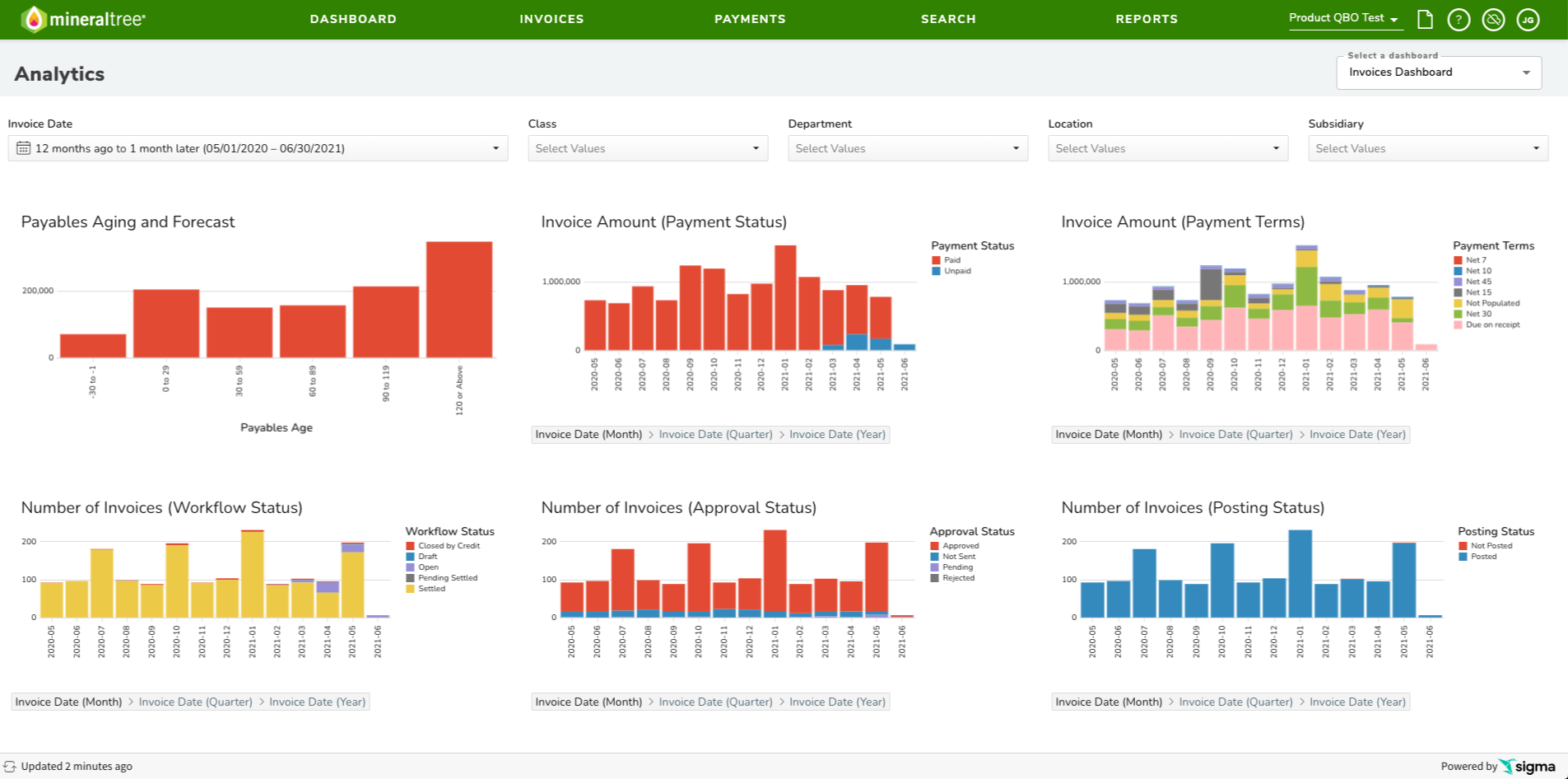
MineralTree is an invoice-to-pay platform for US mid-market companies. It manages invoice capture, approvals, payments, reconciliation, and AP reporting in one workflow.
Its main AP solution, the TotalAP, lets invoices move from receipt to approval, payment, and ERP update without juggling multiple systems.
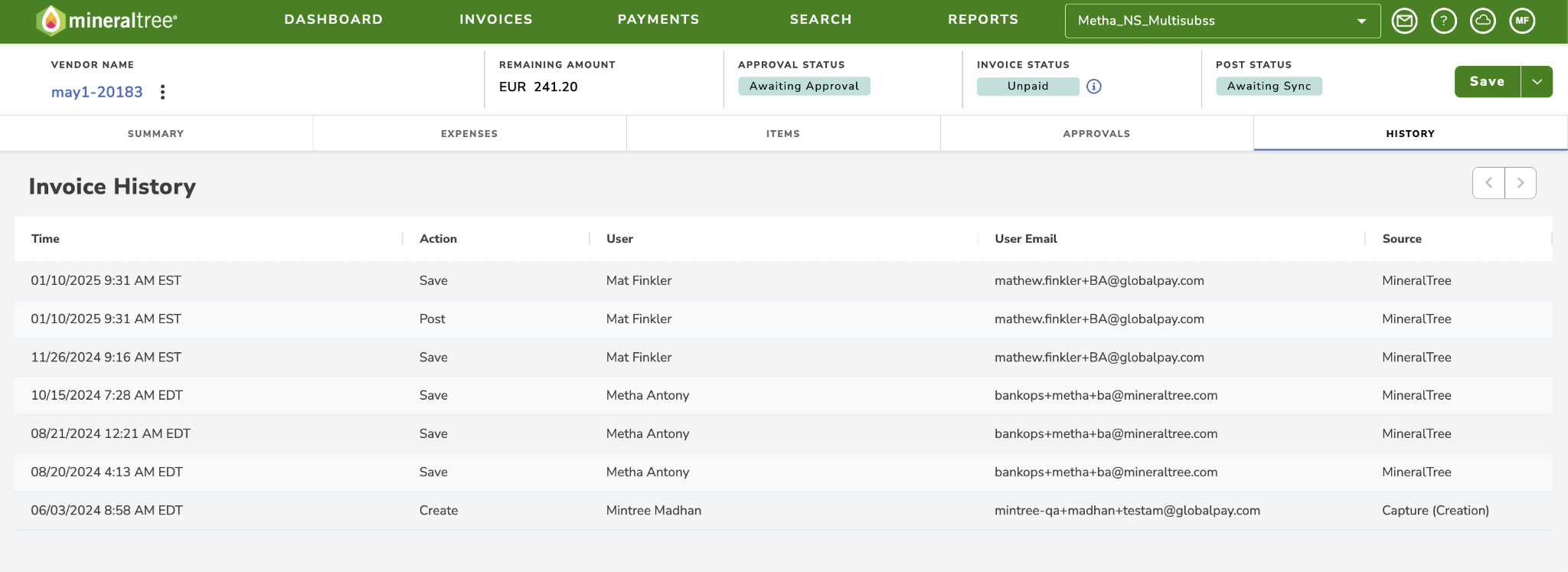
There’s an OCR feature to capture invoice data and reduce errors before invoices move into approval for human review.
And based on its heavy focus on ERP integration, MineralTree connects with systems such as Sage Intacct, Oracle NetSuite, QuickBooks, Microsoft Dynamics GP, and Xero.
Key features of MineralTree include:
-
Email-based approvals: Approvers can review and approve invoices through email-based workflows rather than needing to log into a separate platform for every decision.
-
Flexible approval workflows: Build invoice approval workflows based on vendor details, invoice value, and other rules.
-
Vendor payments for Sage Intacct: Enables Intacct users to approve, fund, and pay vendors inside the Sage Intacct environment.
-
Payment controls: Includes role-based access, dual approvals, two-factor authentication, duplicate detection, invoice flags, and Positive Pay controls.
Why MineralTree is a good Semine alternative
MineralTree stands out more for its payment tools, ERP connections, and flexible buying options.
For example, MineralTree offers virtual card payments that can earn cash back rebates and help offset platform costs. It also provides real-time, two-way integrations with systems such as Sage Intacct, NetSuite, and QuickBooks.
Another difference is its modular setup. Companies can start with invoice capture, payments-only, or full invoice-to-pay automation instead of committing to the full platform from the start.
What to be aware of
Very small businesses with low invoice volumes or simple AP processes may find that MineralTree offers more functionality than they need.
Teams may also need to spend extra time setting up and reviewing unusual or infrequent coding workflows. This can create more work when invoices fall outside normal approval or coding rules.
Standout feature: Reconciliation and ERP Sync
MineralTree keeps invoice and payment data in sync with the ERP through a two-way connection.
New vendor records, GL codes, and posted bills flow from the ERP into MineralTree. Once AP approves and sends a payment in MineralTree, the platform sends the payment confirmation back to the ERP.
This keeps the ERP as the system of record and reduces manual data entry, duplicate work, and reconciliation issues during month-end close.
10. Continia
Bank-connected payments and e-invoicing compliance built into Business Central
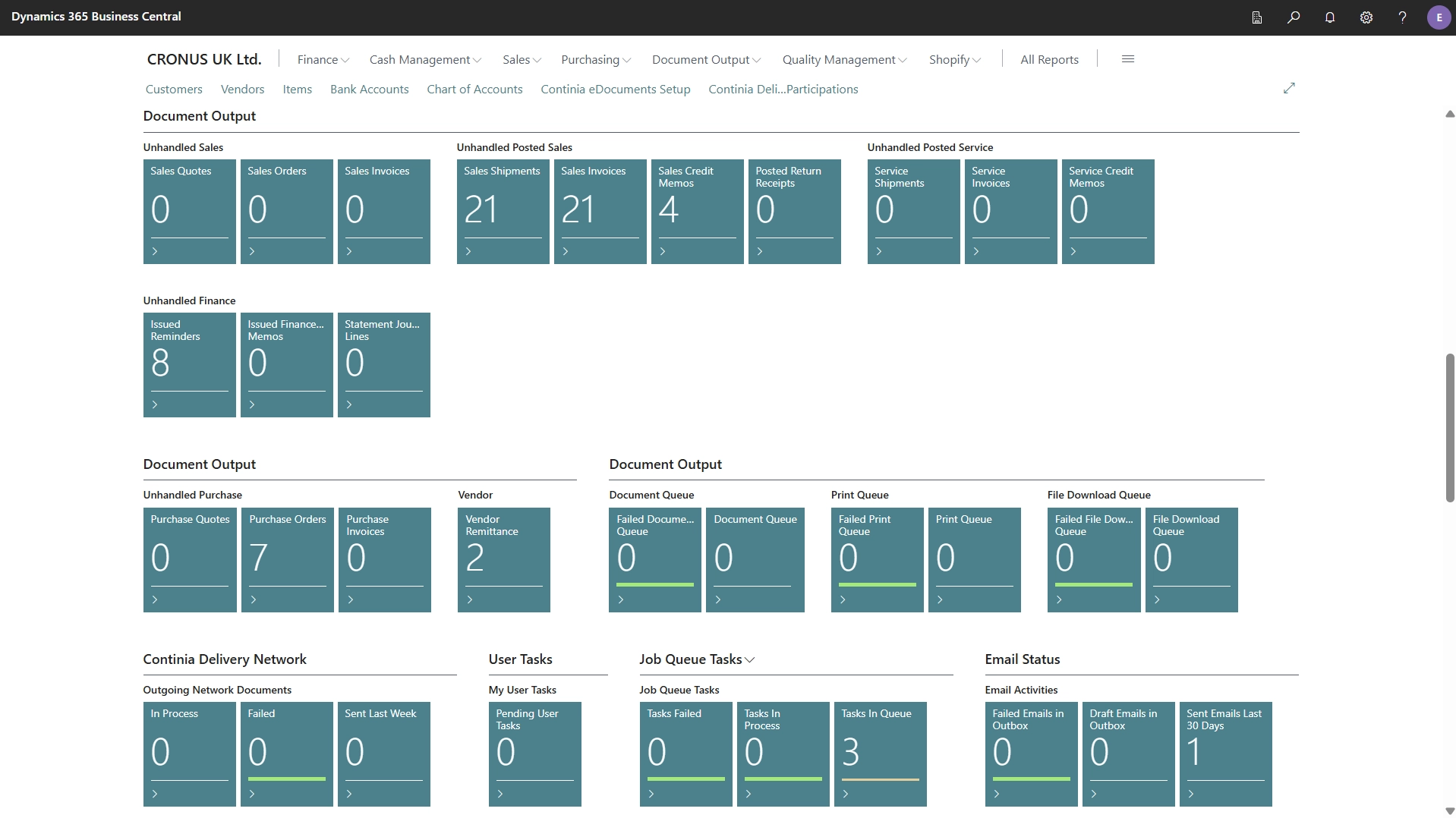
Continia is a Danish company, founded in 1992, that builds a suite of add-ons for Microsoft Dynamics 365 Business Central. The most relevant here are Document Capture, for AP invoice automation, and Payment Management, for bank-connected payments.
Like ExFlow, Continia runs natively inside Business Central rather than as a separate connected system. Where it differs is its emphasis on European regulatory compliance and direct bank communication: Continia supports Peppol and XRechnung e-invoicing formats out of the box, and its Payment Management module talks directly to your bank from inside Business Central, rather than exporting a payment file for the bank to process separately.
Continia is used by more than 15,000 customers and 1,000+ partners globally, with particularly deep adoption across Nordic and European Dynamics deployments.
Key features of Continia include:
-
Document Capture: Uses AI-based OCR to capture, extract, and register PDF and XML invoices (including Peppol and XRechnung formats) directly in Business Central.
-
3-way order matching: Automatically matches invoices and credit memos against purchase orders and receipts, with auto-approval under configurable limits.
-
Approval workflow: Routes documents through review, approval, rejection, or hold — from desktop or mobile.
-
Payment Management: Communicates directly with your bank from inside Business Central to send payments, receive statements, and validate vendor IBANs, across multiple accounts and currencies from one payment journal.
-
Automatic reconciliation: Uses Statement Intelligence to reconcile bank statements against ledger entries during import.
-
Secure digital archive: Stores processed documents in a legally compliant, fully searchable archive for audit and retrieval.
Why is Continia a good Semine alternative
Continia's advantage is depth on two fronts most tools treat separately: European e-invoicing compliance and direct bank connectivity. Instead of exporting payment files for your bank to process, Business Central talks to the bank directly. And with support built in, teams operating across EU markets get compliance handled natively rather than bolted on.
What to be aware of
Continia is built exclusively for Business Central meaning there's no version for Dynamics 365 F&O or any other ERP, so it's a non-starter if your organization uses (or might move to) a different system.
As with ExFlow, implementation and support typically go through a certified Dynamics partner rather than Continia directly, so your experience depends partly on that partner relationship.
There are no written user reviews for Continia's AP products on G2, Capterra, or TrustRadius, consistent with its partner-channel sales model rather than a sign of limited adoption — Continia reports over 15,000 customers globally.
Standout feature: Bank-connected Payment Management
Continia's Payment Management module goes a step further, communicating directly with your bank from inside Business Central. You can send payments, pull statements, and validate vendor IBANs so payments, reconciliation, and the general ledger stay in sync without a manual handoff.
A better AP process starts with the right platform fit
Every platform in this guide automates AP. But that doesn’t make every platform a fit for your team’s needs.
A platform with 250+ ERP integrations is irrelevant if it doesn’t support yours. Another with best-in-class global payments depth is overkill if your supplier base is domestic.
Here’s a simple way to think through your options:
-
If invoice approvals are slow because too many people need context, Stampli is worth a closer look.
-
Coupa makes more sense when AP is part of a wider procurement and spend-control problem.
-
Basware is built for organizations managing e-invoicing compliance and suppliers across countries.
-
And if you're staying inside Dynamics 365 and want AP automation with zero integration work, ExFlow and Continia are worth a look — ExFlow for F&O or Business Central, Continia for Business Central specifically with strong European e-invoicing and bank-payment support.
But for mid-market finance teams processing high invoice volumes across multiple entities, systems, and approval paths, Rillion offers one of the most balanced options in this guide.
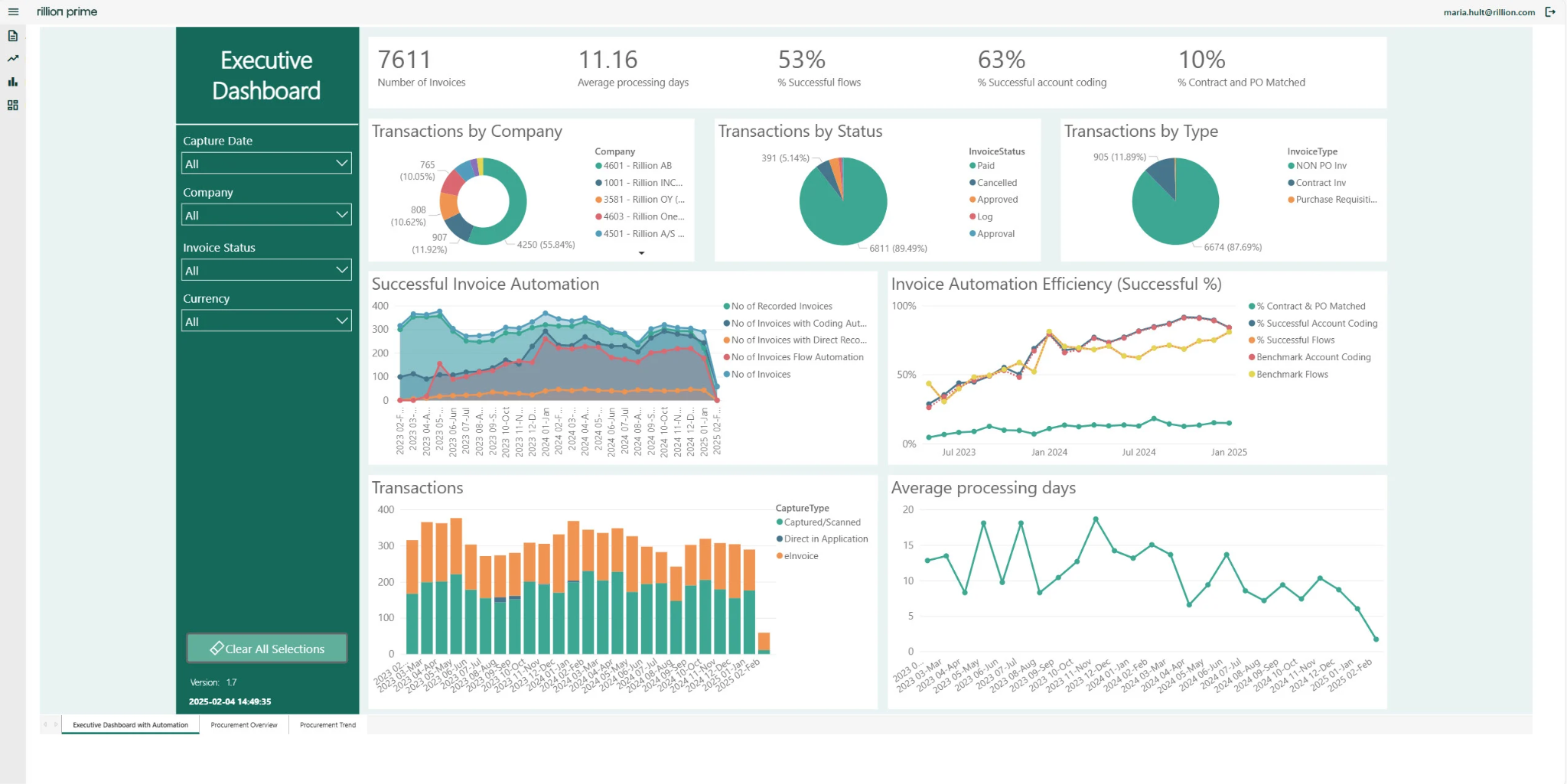
It automates the work your AP teams deal with every day. This includes capturing invoice data, suggesting coding, matching POs, routing approvals, and syncing records to the ERP.
Then it connects those approved invoices to payment and reconciliation workflows.
How Accountor saves time with Rillion's AP automation platform
Give your AP team one connected workflow from invoice to payment
Rillion brings capture, matching, coding, approvals, payments, and reconciliation into one place, so 30,000 finance teams can move faster without losing control.