
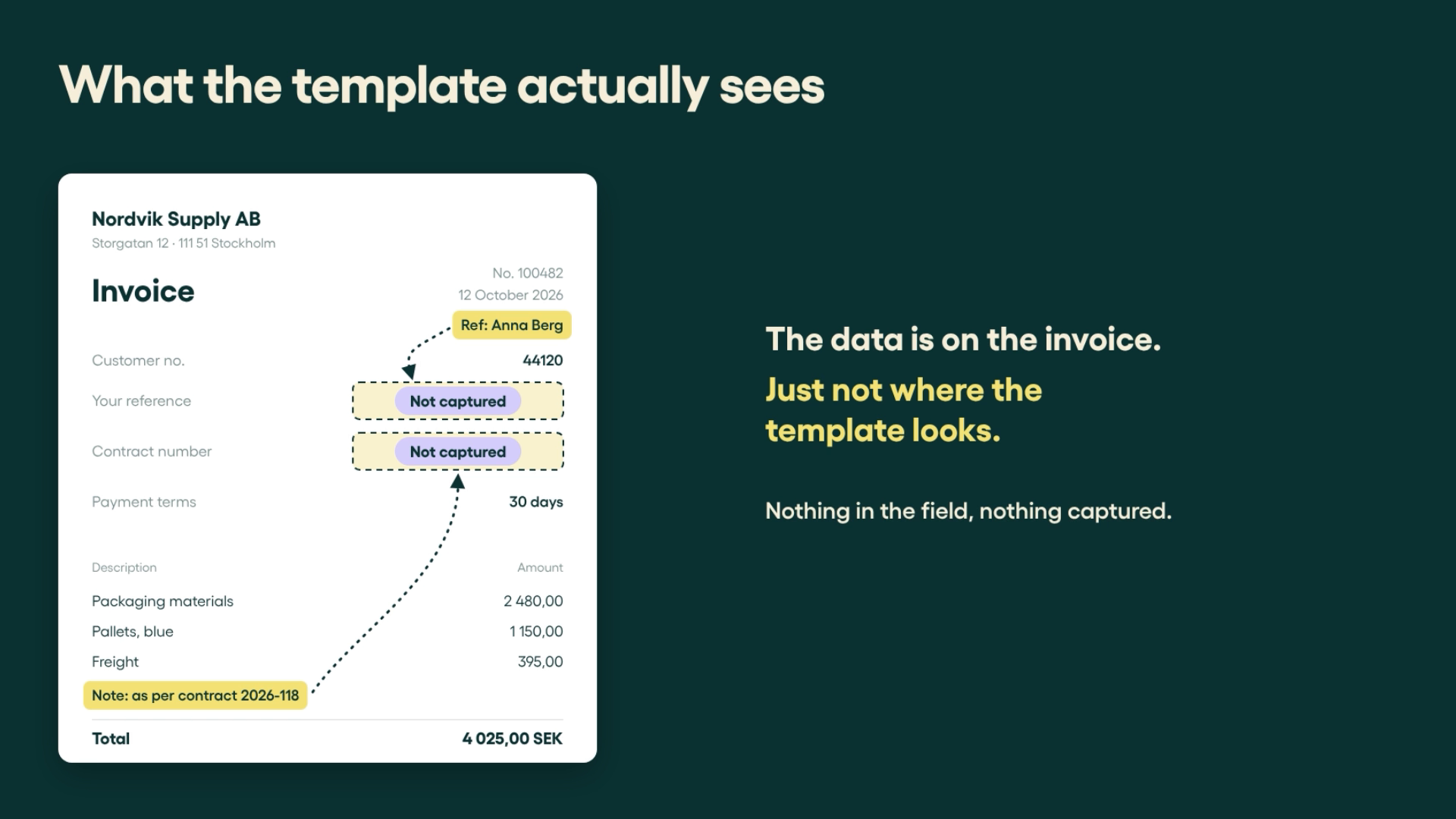
The reference is right there on the invoice. But because the supplier put it in a note instead of the reference field, your invoice capture system misses it.
Now someone has to find it manually or ask the supplier to put the reference in the right field before the invoice can move forward.
It's a familiar problem when suppliers use different invoice layouts or put important information in unexpected places.
In this Feature Spotlight, Maria Hult, Presales Specialist at Rillion, shows how Rillion Capture uses AI to find references and other important details wherever they appear on an invoice.
See how Rillion Capture finds invoice references
As Maria explains in the video:
Why invoice references get missed
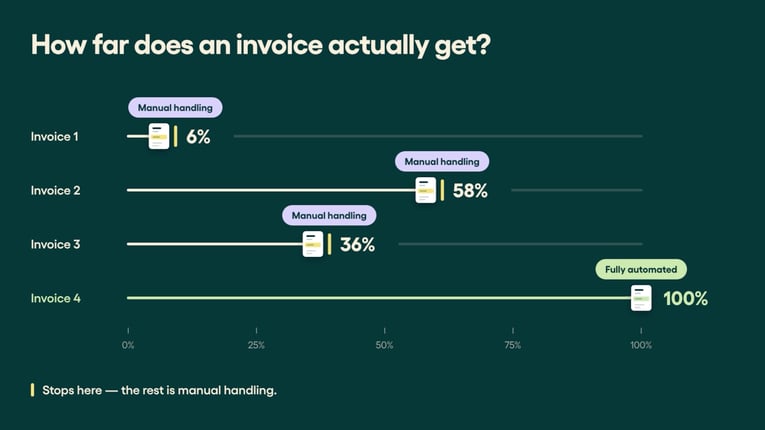
Imagine four invoices arriving on the same morning. One moves through the workflow without a problem. The other three need manual attention.
Here’s why:
- Invoice 1: The approver's name, Anna Berg, is written in a note at the top rather than in the reference field. Without the reference, the system can't identify the right approver.
- Invoice 2: A vehicle registration number is included in the line description, but isn't captured for coding. Someone needs to find it before the cost can be assigned to the right vehicle.
- Invoice 3: The contract number appears in a note at the bottom of the invoice instead of in the contract field. Because it isn't captured, the invoice can't be linked to the agreement.
All three invoices contain the information needed. The problem is that the capture system isn't looking in the right place.
Find invoice references wherever suppliers put them
You could ask every supplier to put references in the same place. But getting everyone to follow the same format isn't always realistic.
Traditional template-based invoice capture relies on predefined fields and positions. When a supplier puts a reference somewhere unexpected, the system may miss it.
Rillion Capture works differently. It uses AI to understand the invoice as a whole, identifying references in headers, line descriptions, notes and other parts of the document, even when suppliers use different layouts.
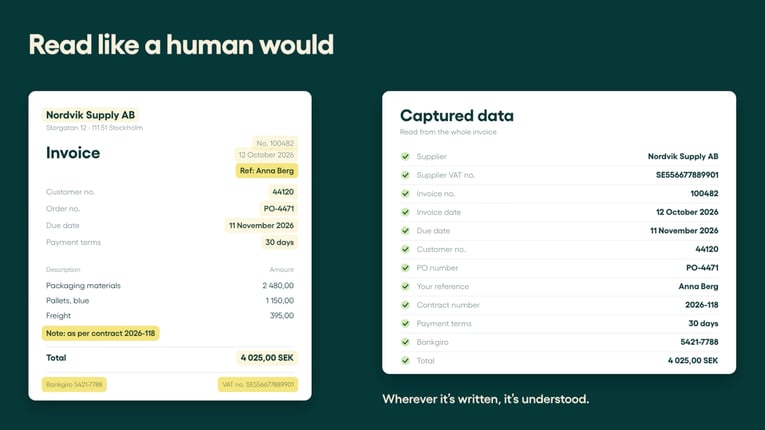
That means you can capture the information your AP process needs without asking suppliers to change how they create their invoices.
Tell Rillion Capture what reference to look for
Not every business uses the same references. You might need an employee's name to route an invoice, a registration number to code vehicle expenses or a contract number to match an invoice to an agreement.
With customizable instructions, you can tell Rillion Capture what information you need and how to recognize it.
For example, if you need a vehicle identification number (VIN), you can describe its format, where it usually appears and how it differs from a registration number.
In the video, the instruction looks like this:
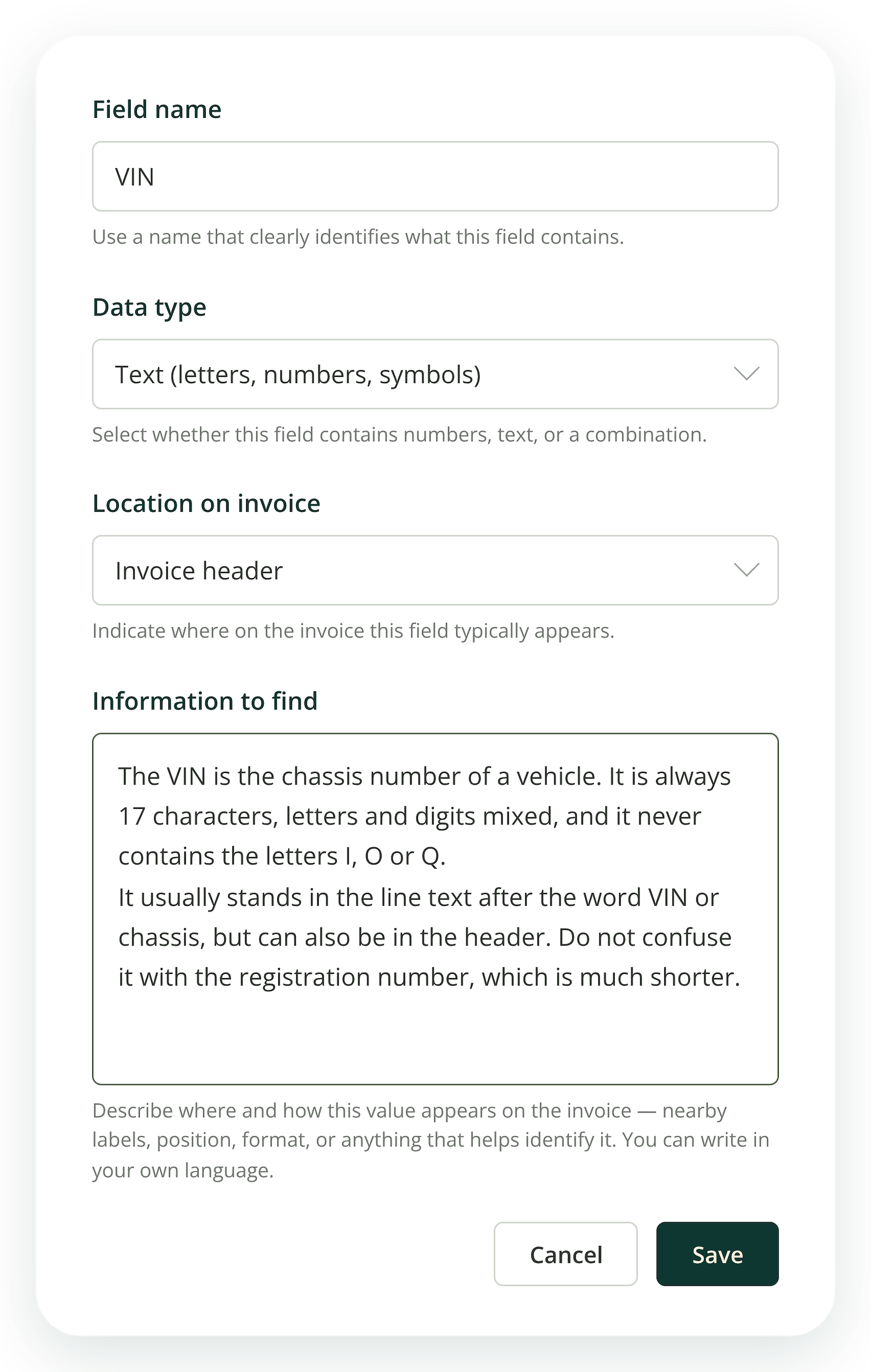
The instruction tells Capture what to look for, where to find it and what not to confuse it with. The last sentence often matters most since invoices are full of numbers that look alike, and telling Capture what to leave alone keeps the result clean.
You can use the same approach for other references, such as container IDs, contract numbers or company-specific fields. No templates or technical skills required.
Read also: When one extra character stops a perfect PO match
Set different reference rules for different companies
You can write instructions in your own language and configure them for different companies.
For example, Swedish and UK vehicle registration numbers follow different formats. In this case, you can easily set instructions per country or even supplier if you prefer.
In the video, Maria demonstrates this with an instruction written in Swedish.
The same flexibility also helps when suppliers use more complex invoice formats, such as when multiple product variants appear on a single invoice line.
Fewer missing references, fewer manual checks
Remember the three invoices that needed manual attention?
With the right information captured, they can move forward. The approver's name can be used for routing, the registration number for coding and the contract number for matching.
And because Rillion Capture can apply the same instructions to future invoices, you don't have to keep looking for the same information manually.
Your suppliers don't need to change their invoice formats. Rillion Capture adapts to them.