

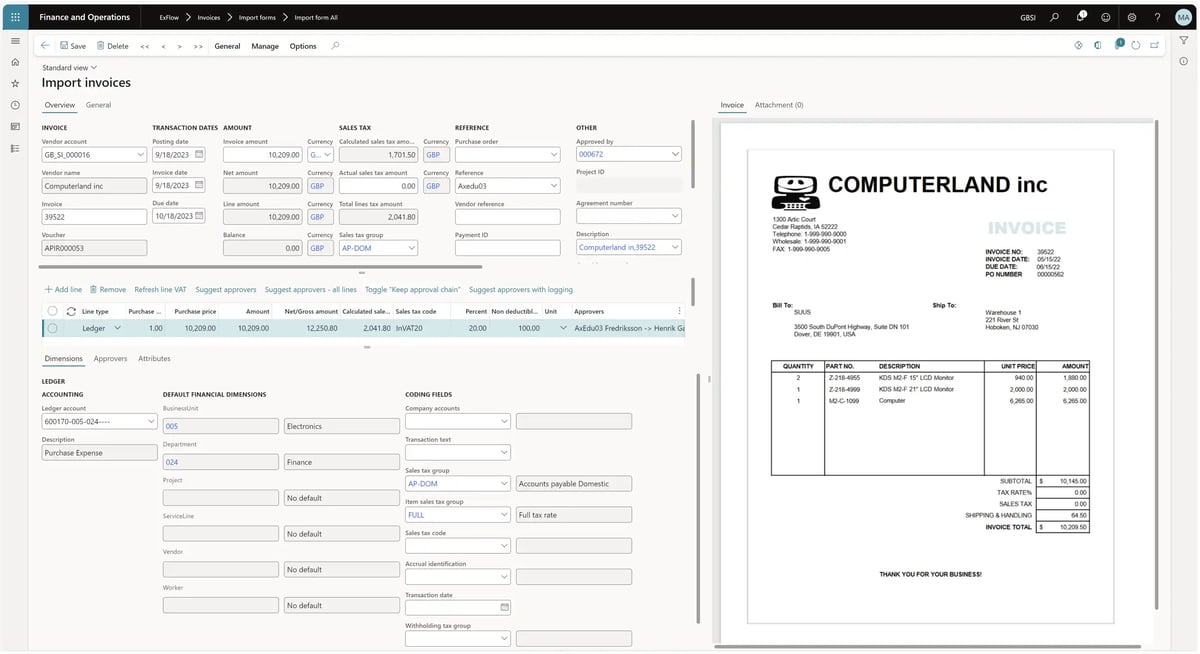
For finance times using Microsoft Dynamics, ExFlow offers a good way to automate invoice processing without adding another system.
Invoice capture, three-way matching, approval routing, and posting can all happen inside Dynamics 365 or Business Central. For a company running one stable Microsoft environment, that is a practical setup.
But that tight coupling can also be a constraint. ExFlow doesn’t support multi-ERP environments nor payment execution, making approvals and disbursements two separate processes.
If ExFlow doesn’t feel like a fit for your team but you need to automate AP and streamline processes, here are the 10 best ExFlow alternatives to consider:
Compare Exflow alternatives
Here’s a quick look at the best ExFlow alternatives, who they fit, and what makes them stand out:
| Platform | Why it’s a good ExFlow alternative | Best for | Stand-out feature |
| Rillion |
Covers the same core AP workflows as ExFlow, but adds advanced AI automation, multi-ERP support, and multi-entity controls in one platform.
|
Mid-market teams with multiple entities, complex workflows, or changing ERP needs. | AI-native invoice capture |
| Medius |
Moves AP beyond Dynamics with AI-led coding, payment automation, supplier support, fraud controls, and support for multiple ERP environments. |
Teams managing high exception volumes, supplier inquiries, and payment risk
|
Medius Copilot |
| Stampli |
Gives AP teams a dedicated workspace to resolve invoice questions, approvals, coding, and exceptions without relying on email or ERP screens alone. |
Teams held back by slow approvals and too much invoice back-and-forth. | Stampli Procurement |
| Basware |
Adds global supplier connectivity, e-invoicing compliance, multi-ERP control, and AP risk management beyond ExFlow’s Dynamics-focused setup. |
Global organizations with multi-country AP operations. |
Basware Network |
| Coupa |
Helps companies control spend before invoices arrive by connecting purchase requests, POs, approvals, invoices, and payments in one process.
|
Companies with poor PO compliance or uncontrolled spend before invoices arrive. |
Coupa InvoiceSmash AI |
| MineralTree |
Extends invoice automation into payment authorization, execution, reconciliation, and cash-control workflows. |
Teams that need tighter control over payments and cash outflow |
TotalPay |
| Yooz |
Gives finance a flexible AP layer that works across Dynamics and more than 250 ERP and accounting systems.
|
Teams with varied approval paths, entities, and ERP environments | YoozStamp |
| Tipalti |
Combines AP automation with global supplier onboarding, tax compliance, cross-border payments, and reconciliation. |
Multi-entity companies paying suppliers across countries. |
Tipalti Supplier Hub |
| AvidXchange |
Provides more specialized AP and payment workflows for industries with property-, project-, or document-heavy invoice processes. |
North American businesses with industry-specific AP needs. | AvidPay Network |
| BILL |
Brings AP, payments, cards, expenses, procurement, and AR into one simpler finance workspace outside the ERP. |
U.S.-based small and mid-market teams consolidating finance tools. | BILL Accounts Receivable |
1. Rillion
Flexible, AI-powered AP automation across 50+ ERPs
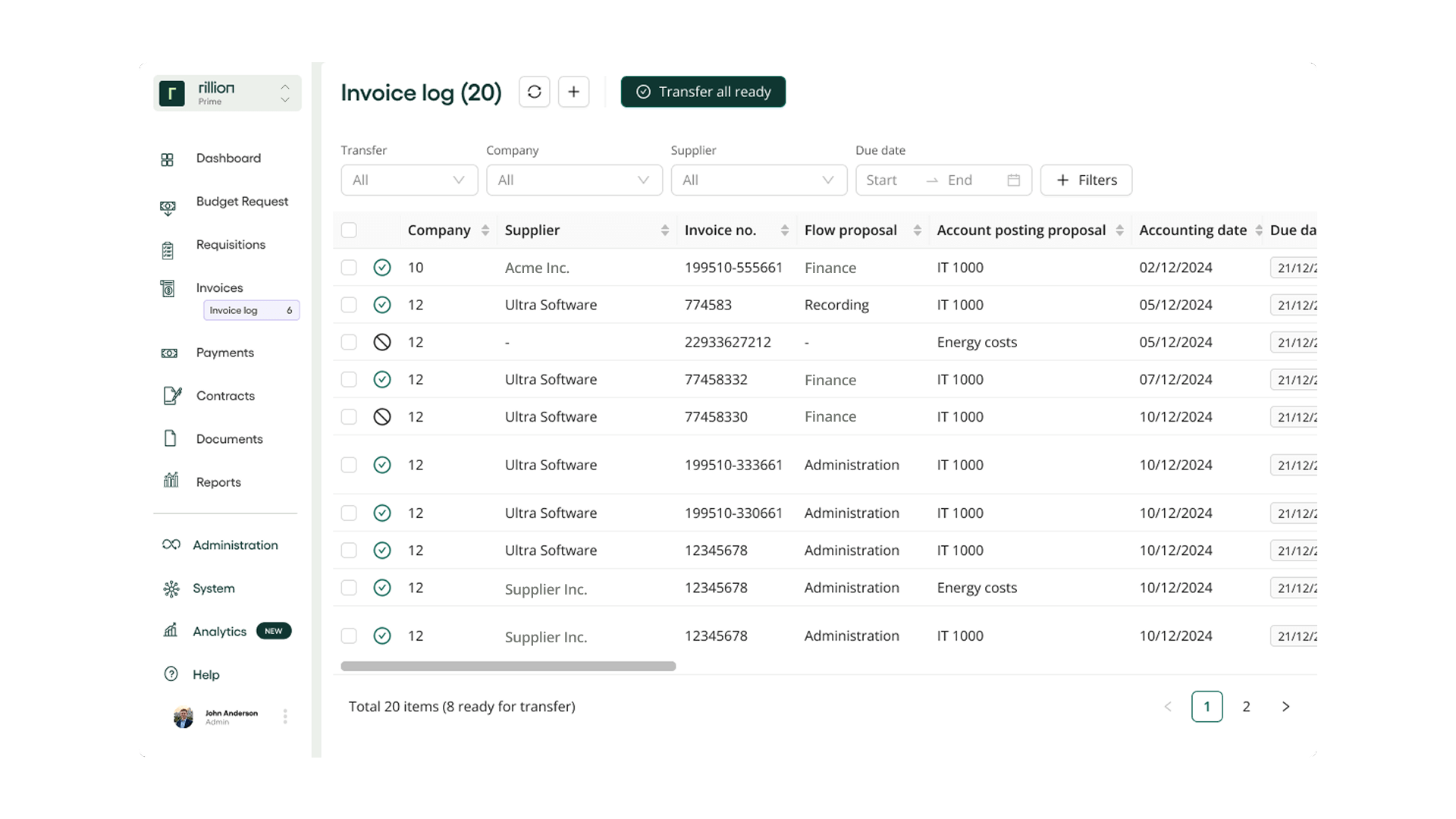 Rillion is an AI-powered AP automation platform that manages the full invoice lifecycle, from capture through payment.
It automatically captures invoices from email, EDI, scanned documents, file uploads, and digital formats, then extracts the supplier, invoice, tax, line-item, and reference data AP needs to process them.
And with Rillion Capture, teams do not need to build and maintain invoice-specific OCR templates for every supplier. The result is faster invoice intake, less manual data entry, and cleaner information flowing into matching, approval, and payment workflows.
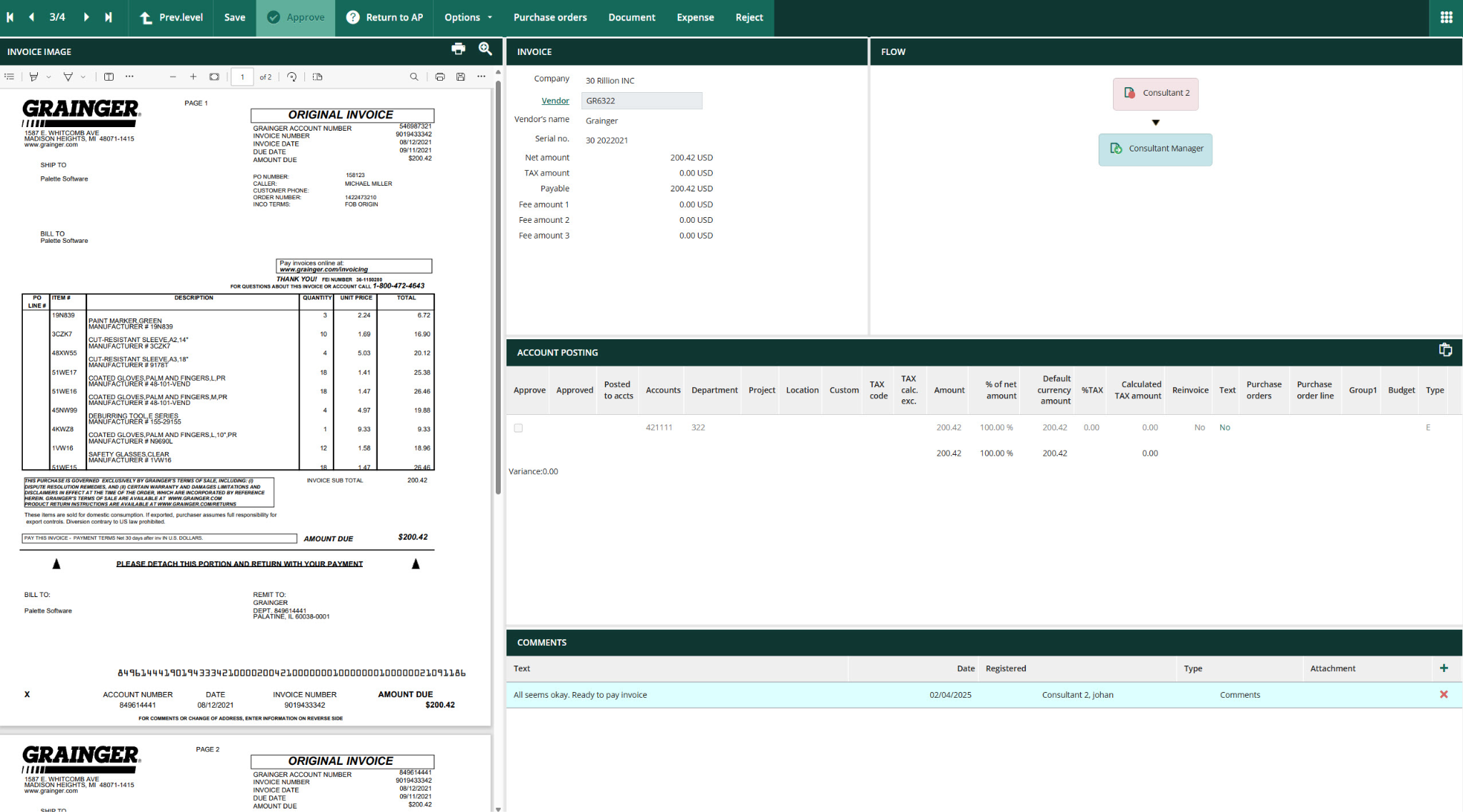
Rillion then handles coding, PO matching, approvals, payments, and reconciliation. It can match invoices against purchase orders and goods receipts, flag discrepancies, and send exceptions to the right person.
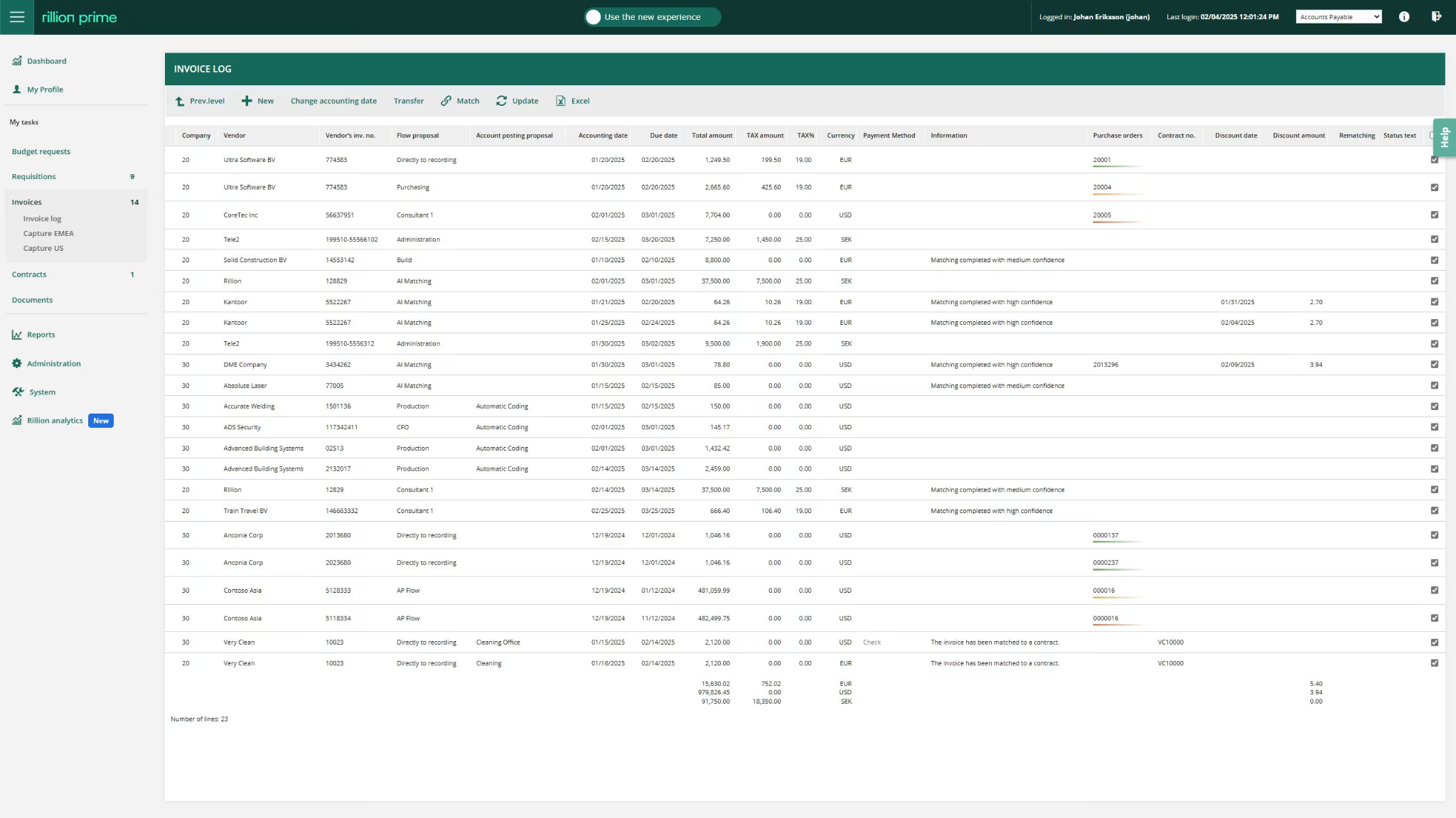
For non-PO invoices, Rillion AI suggests GL codes, cost centers, and approval paths based on previous invoice activity. Teams can also set rules by vendor, amount, department, location, or entity.
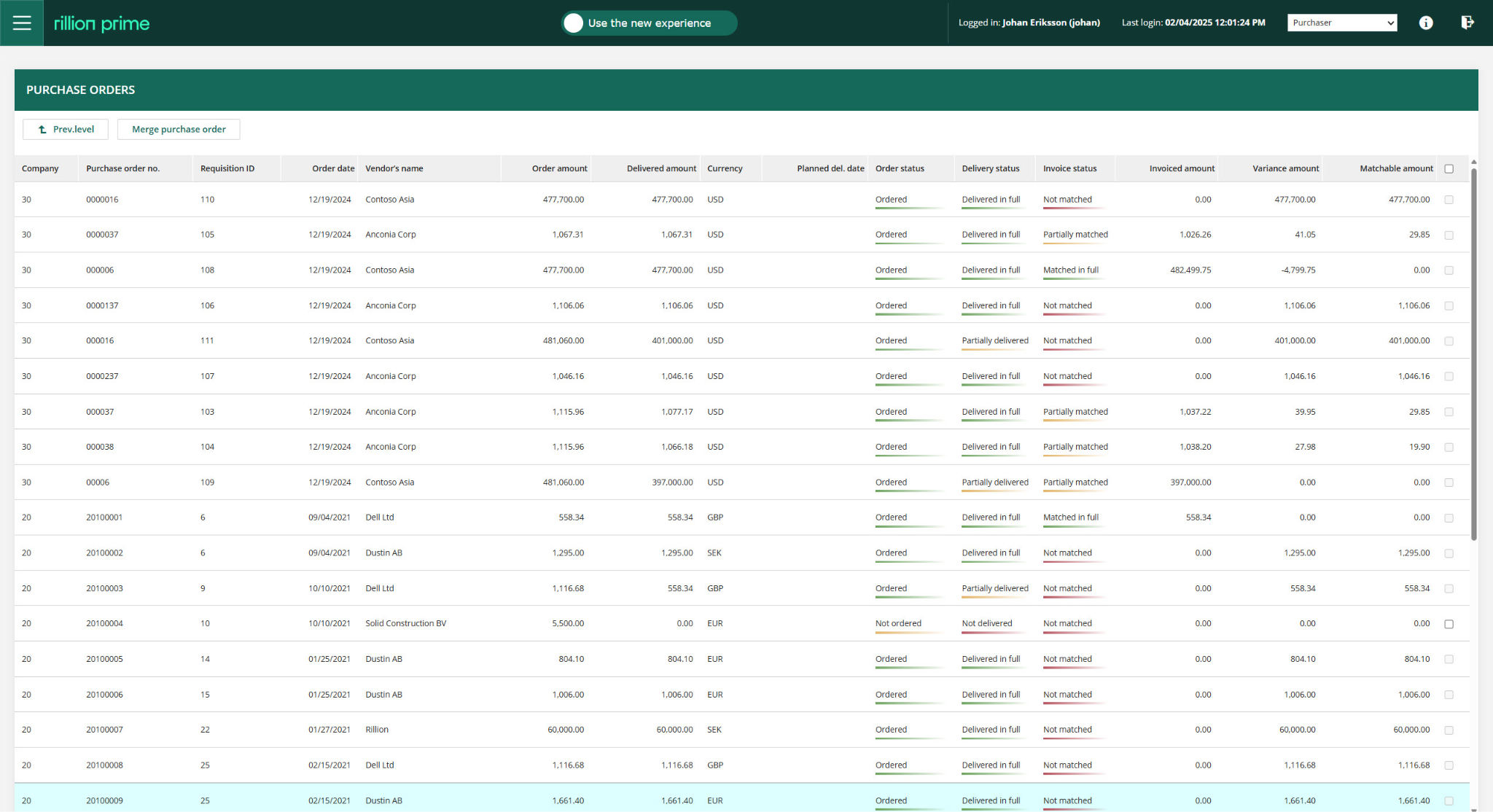
And if you’re looking at flexible integrations, Rillion connects with ERPs such as Microsoft Dynamics, SAP, Oracle NetSuite, and Sage. It supports AP workflows across multiple entities, locations, currencies, and subsidiaries.
See how Rillion works in this interactive demo →
Key features of Rillion include:
-
Custom matching tolerances: You can define acceptable quantity, price, and amount variances before an invoice is treated as an exception.
-
Multi-entity management: Your AP team has one place to process invoices, approvals, and payments across entities while maintaining the workflows and controls each entity needs.
-
Automated payment reconciliation: Reconciles payment transactions automatically, reducing the manual work required to close the loop after payment runs.
-
Multi-ERP connectivity: Rillion connects to multiple ERPs, helping finance avoid running separate AP processes when different entities use different finance systems.
-
Recurring invoice automation: Automates repeat invoices against stored contract data and helps teams track renewals, renegotiations, and cancellations.
-
Touchless 3-way PO matching: Matches invoices against purchase orders and goods receipts, then flags only the exceptions that need someone to step in.
-
Rillion Pay (payment automation): Handles vendor payments through virtual cards, ACH, enhanced ACH, eChecks, wire transfers, and checks.
-
AI coding proposals: Rillion analyzes how your team has processed similar invoices before, and suggests GL accounts, cost centers, project codes, and other coding values.
-
Smart approval workflows: Routes invoices using approval rules, spending limits, and predicted approvers.
Here’s how to automate your AP process with AI and analytics
Why Rillion is a good ExFlow alternative
Rillion is a good ExFlow alternative for finance teams that want stronger AI automation and a simpler experience for the people processing and approving invoices.
It captures invoice data, suggests coding, routes approvals, and helps match invoices against POs and receipts. That reduces the manual work around data entry, routine checks, and invoice exceptions, so AP teams can move invoices through the process faster.
Rillion is also a better fit for businesses operating across several entities or ERP systems. Finance can centralize AP while keeping the workflows, approval rules, and controls each company needs.
For remote teams and growing group structures, Rillion combines automation, ease of use, and hands-on implementation support in one platform.
How AMF Fastigheter took control of growing invoice volumes
What to be aware of
Rillion is not an ERP-native add-on in the same sense as ExFlow. It is a separate AP platform that integrates with the ERP environment (about 50+ ERP solutions).
That is an advantage when you need flexibility beyond Microsoft Dynamics.
However, for a single-entity company with one stable D365 environment and no need for native AI automation or multi-ERP support, ExFlow may feel more familiar and simpler to keep inside the existing stack.
Who is Rillion built for?
Rillion is for finance leaders who want to:
-
Cut invoice-processing and approval time by up to 85% with AI-driven automation
-
Centralize AP across multiple entities while maintaining the workflows, controls, and reporting each entity needs
-
Reduce payment errors and fraud risk by connecting approvals, vendor payments, and reconciliation in one controlled workflow
-
Eliminate manual double entry through integrations with Microsoft Dynamics, SAP, NetSuite, Sage, and 50+ other ERP systems
-
Give AP teams one intuitive place to capture, code, match, approve, pay, and resolve invoice exceptions
Then Rillion is for you. It removes the limitation ExFlow places by giving you more room to grow beyond invoice approvals inside Dynamics.
Standout feature: AI-native Invoice Capture
Rillion's AI reads invoices the way an experienced AP clerk would, not as a static template-matching tool.
It uses advanced LLM to extract invoice data with 95% accuracy from the first invoice, without supplier-specific setup or training periods, and validates it against your master data.
For supplier-specific exceptions, you can add custom rules that tell the AI how to interpret particular invoice data, such as removing extra characters from a PO number before matching.
This means new suppliers, changing layouts, and recurring exceptions can be handled without building and maintaining templates, reducing manual corrections and giving your AP team accurate data ready for coding, matching, and approval.
2. Medius
AI-led invoice-to-pay automation for complex AP teams
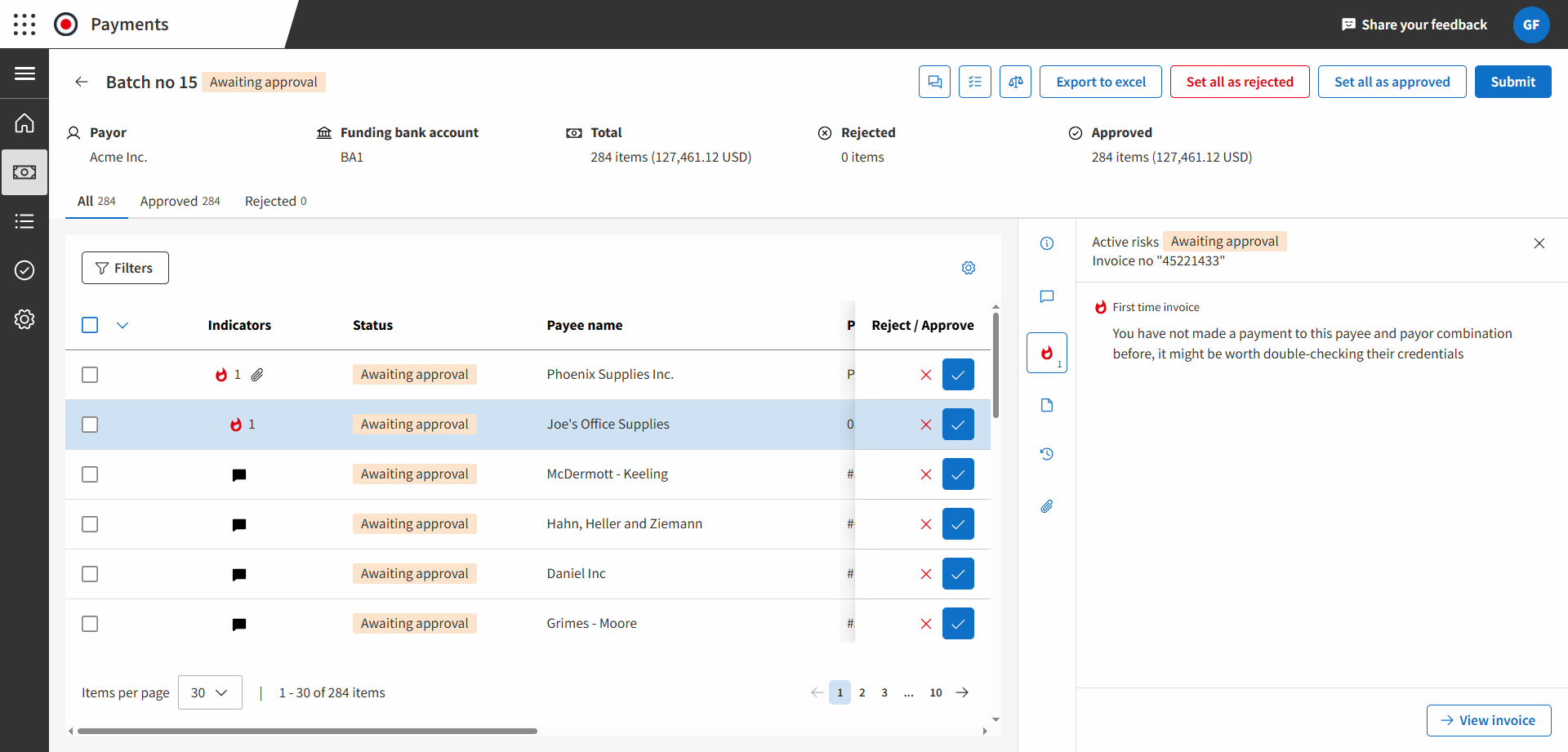
Medius is an AP automation platform for finance teams that want to standardize AP processes across one or several ERP systems.
Like ExFlow, it covers the core invoice workflow like capture, coding, PO matching, approval routing, posting, and audit controls.
But Medius is designed as a separate invoice-to-pay platform rather than an add-on built inside a single ERP. That gives finance more flexibility when it operates across Microsoft Dynamics, SAP, Oracle, NetSuite, Infor, or another mixed ERP environment.
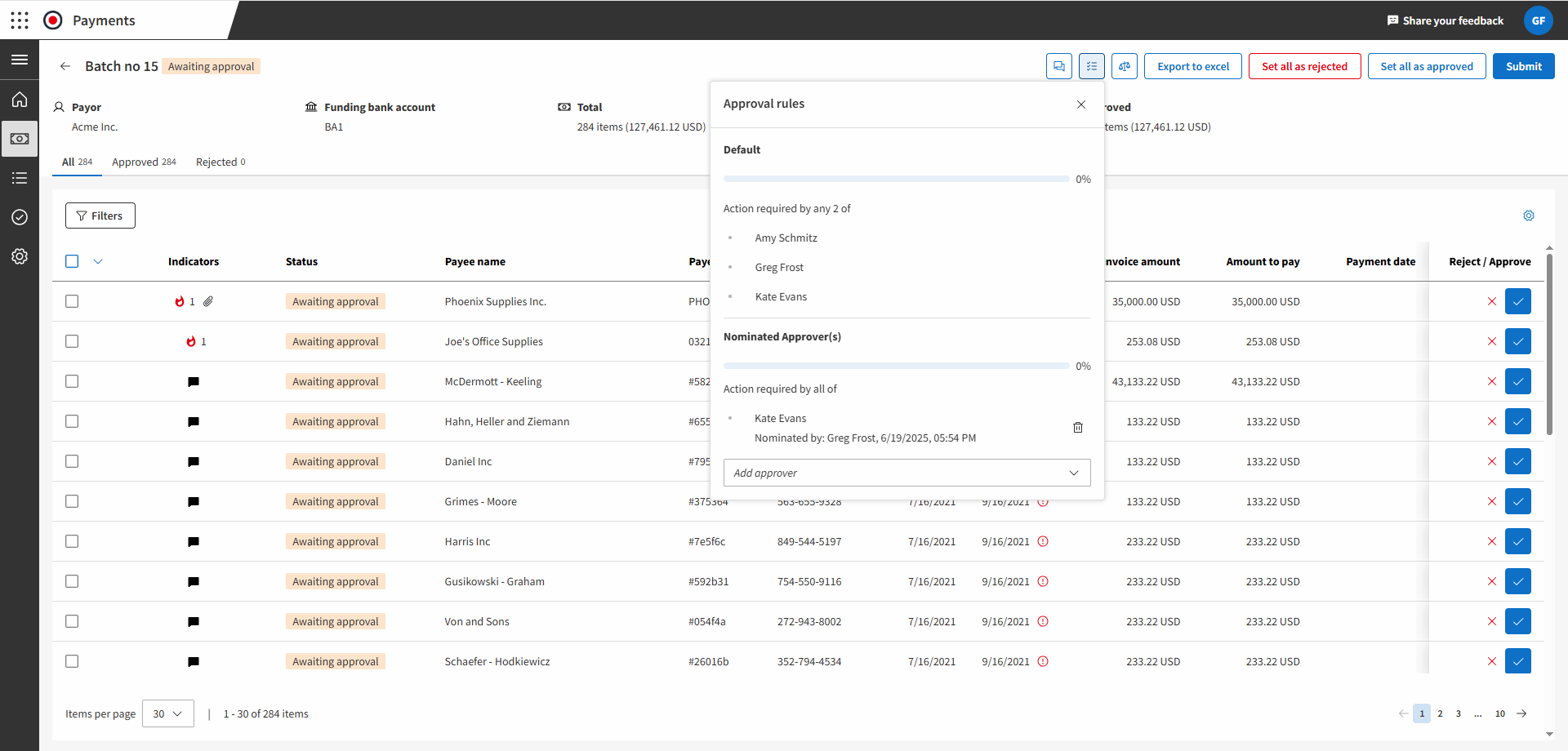
For example, Medius supports two-way and three-way matching for PO invoices. And For non-PO invoices, it provides ‘SmartFlow’ to suggest coding, tax values, and approvers based on past invoice decisions.
Key features of Medius include:
-
Medius payments: Executes supplier payments from within the AP workflow, with direct bank execution, payment tracking, built-in reconciliation, and multi-currency support.
-
Medius fraud & risk detection: Medius can flag duplicate invoices, unusual supplier changes, suspicious payment details, and other anomalies before it releases payment.
-
Medius supplier conversations: Responds to supplier questions about invoice status, payment timing, and invoice requirements through email. AP teams can review responses, automate routine replies, and escalate suspicious or unusual messages.
-
Expensya by Medius: Handles employee expense reporting, receipt capture, categorization, reimbursement workflows, and expense visibility.
-
Medius connect: Provides managed ERP connectors, REST APIs, file-based integration options, and iPaaS connectivity for synchronizing Medius with ERP and back-office systems.
Why Medius is a good ExFlow alternative
Medius offers the flexibility ExFlow limits to Microsoft-only solutions. It can improve coding, matching, and exception handling over time instead of relying only on fixed workflow rules.
Medius also adds fraud monitoring, supplier communication, payment automation, and support for multiple ERP systems.
This makes it a considerable option for companies that use more than one ERP or need AP automation beyond the Dynamics environment.
What to be aware of
Some users find Medius Supplier Onboarding and the Supplier Portal difficult to use, especially outside the US.
For example, they struggle to find and complete onboarding forms, leading to delays in supplier setup, ERP records, purchase orders, and invoice processing.
For teams that rely on suppliers to onboard themselves, it is worth testing the portal experience before rollout.
Standout feature: Medius Copliot
This is Medius’s agentic AI assistant for invoice approvers, built directly into the AP approval workflow.
An approver can ask plain-language questions about the invoice in front of them, such as the amount, due date, line items, supplier history, previous invoices, or the steps required to approve or reject it.
Copilot pulls the relevant information into the approval context, so the user does not need to search through records or contact the AP team for routine answers.
It can also translate foreign-language invoices for global teams, helping approvers understand what they are reviewing before making a decision.
3. Stampli
Collaborative AP automation built around every invoice
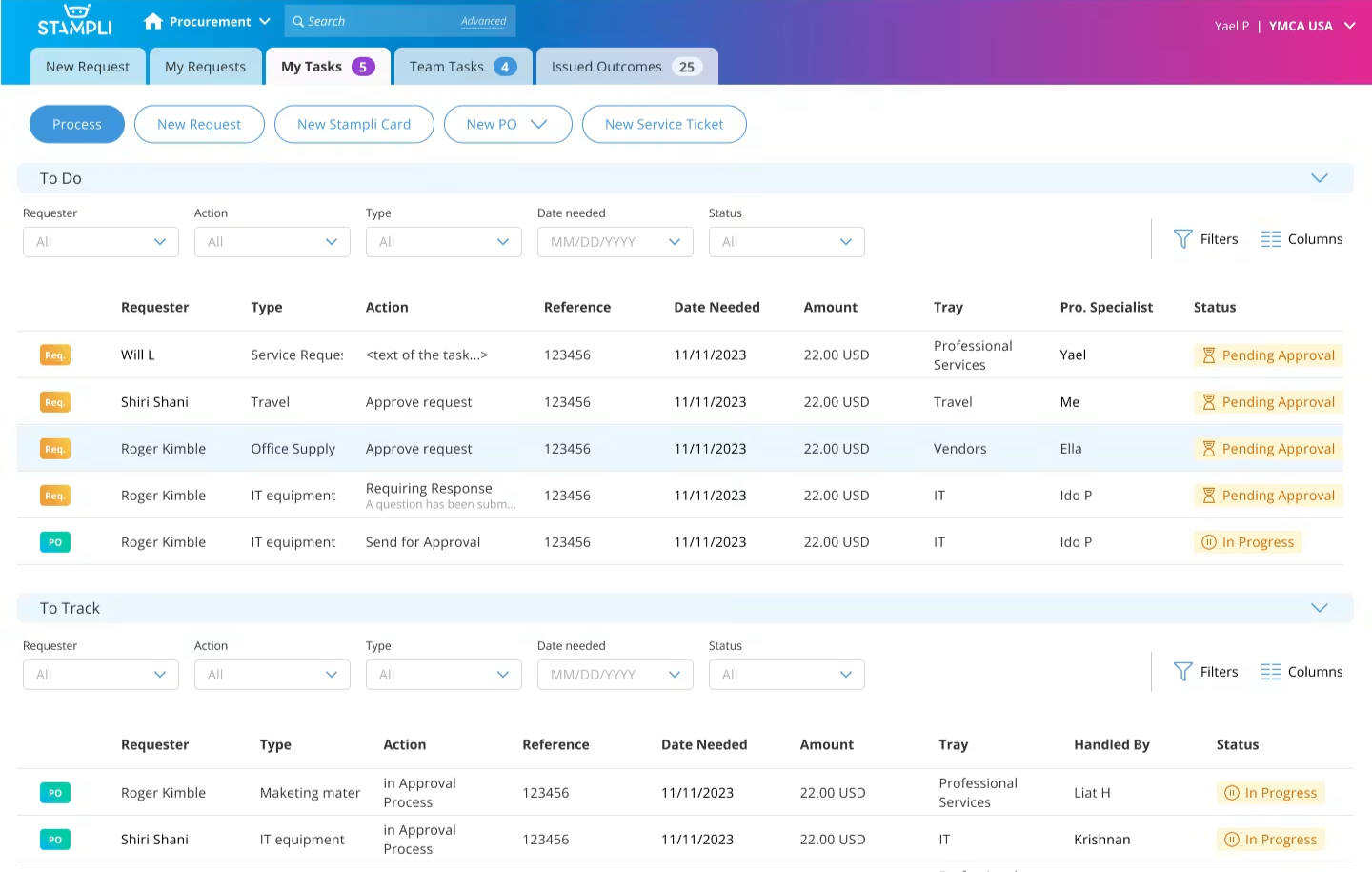
Stampli is an AI-powered procure-to-pay platform focused around the day-to-day work AP teams do after an invoice arrives.
Stampli moves the invoice out of scattered email threads and turns it into a shared workspace. Here, AP, approvers, buyers, and finance leaders can see the invoice, supporting documents, history, coding, comments, and approval status in one place.
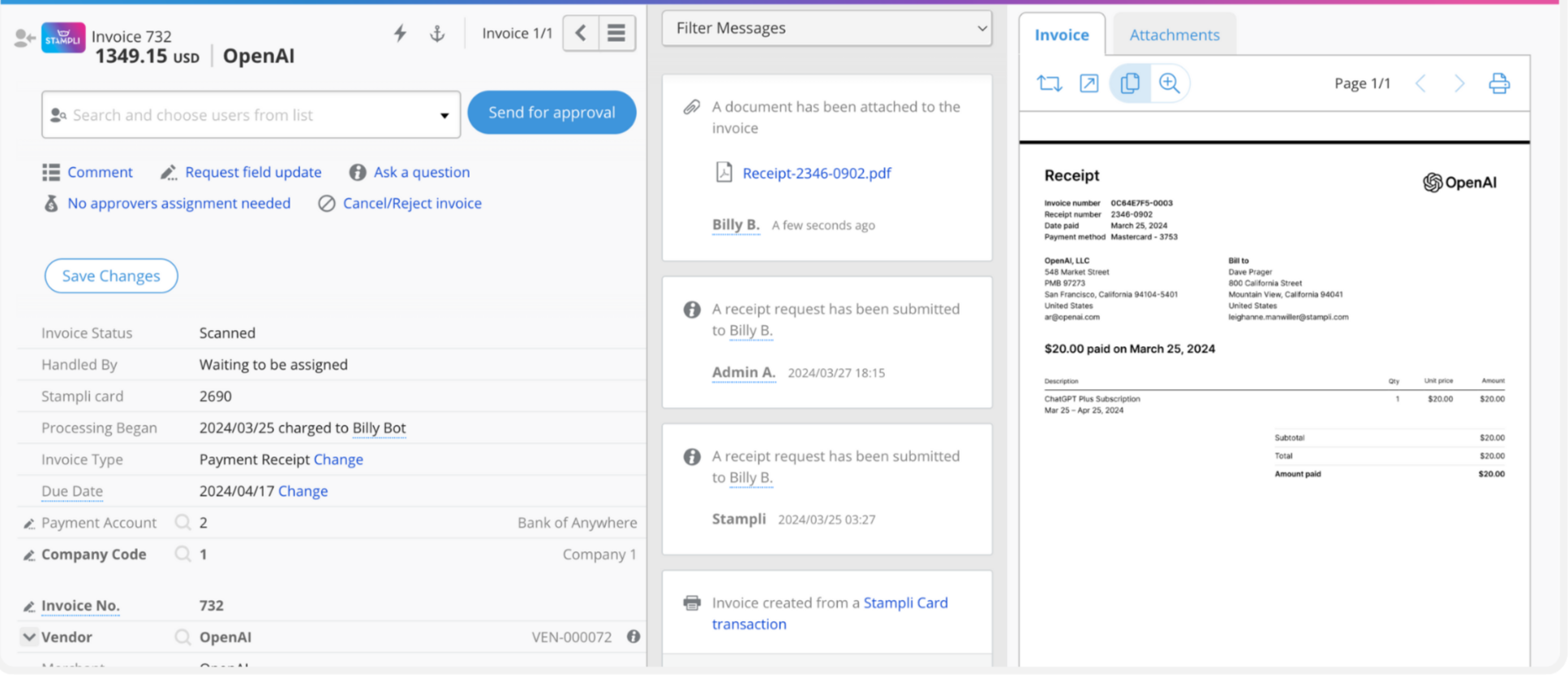
In addition, Stampli supports more than 70 ERP systems and works with existing entities, approval rules, accounting processes, and charts of accounts.
It’s a tool you’d want when the main AP problem is the back-and-forth around each exception.
Key features of Stampli include:
-
Trays: Creates team-based work queues that automatically route invoices, approvals, exceptions, and other tasks to the right people
-
Stampli Direct Pay: Executes supplier payments from the same platform, including domestic payments, international payments, and card payments.
-
Stampli Procurement: Gives employees a structured way to submit purchase requests and moves those requests through approval, fulfilment, PO creation, and AP.
-
Billy: Stampli’s AI employee that learns from your invoice history, coding patterns, approval behavior, and business rules to automate AP and procure-to-pay work.
-
Complete audit trail: Preserves every action, change, question, comment, and approval in an immutable invoice record.
Why Stampli is a good ExFlow alternative
Compared to ExFlow, Stampli sits on top of the ERP, and gives AP a dedicated workspace for processing and resolving invoices.
The ERP remains the financial system of record, but the working experience happens in a platform designed for the people who have to review, approve, question, correct, and pay invoices every day.
Stampli gives an approver the invoice, PO information, coding, history, attachments, and conversation in one view. They can ask questions or provide an answer without sending AP back into email to chase the next person.
What to be aware of
It can be difficult to identify specific past invoices quickly. The invoice list does not show enough detail to distinguish similar records, so users need to open several invoices before finding the right one.
Standout feature: Stampli Procurement
This is the platform’s purchasing workflow for controlling spend before an invoice arrives.
Employees submit requests through an employee purchasing portal, describe what they need, and the request moves through the right approval path based on the company’s rules, budgets, entities, or departments.
This is based on Stampli’s “any outcome for any request” approach — i.e., an approved request does not have to become a standard purchase order every time.
It can create a PO in the ERP, stay as a simpler PO inside Stampli, turn into an internal service ticket, or issue a Stampli Card for the purchase.
4. Basware
Global invoice automation, supplier connectivity, and e-invoicing compliance
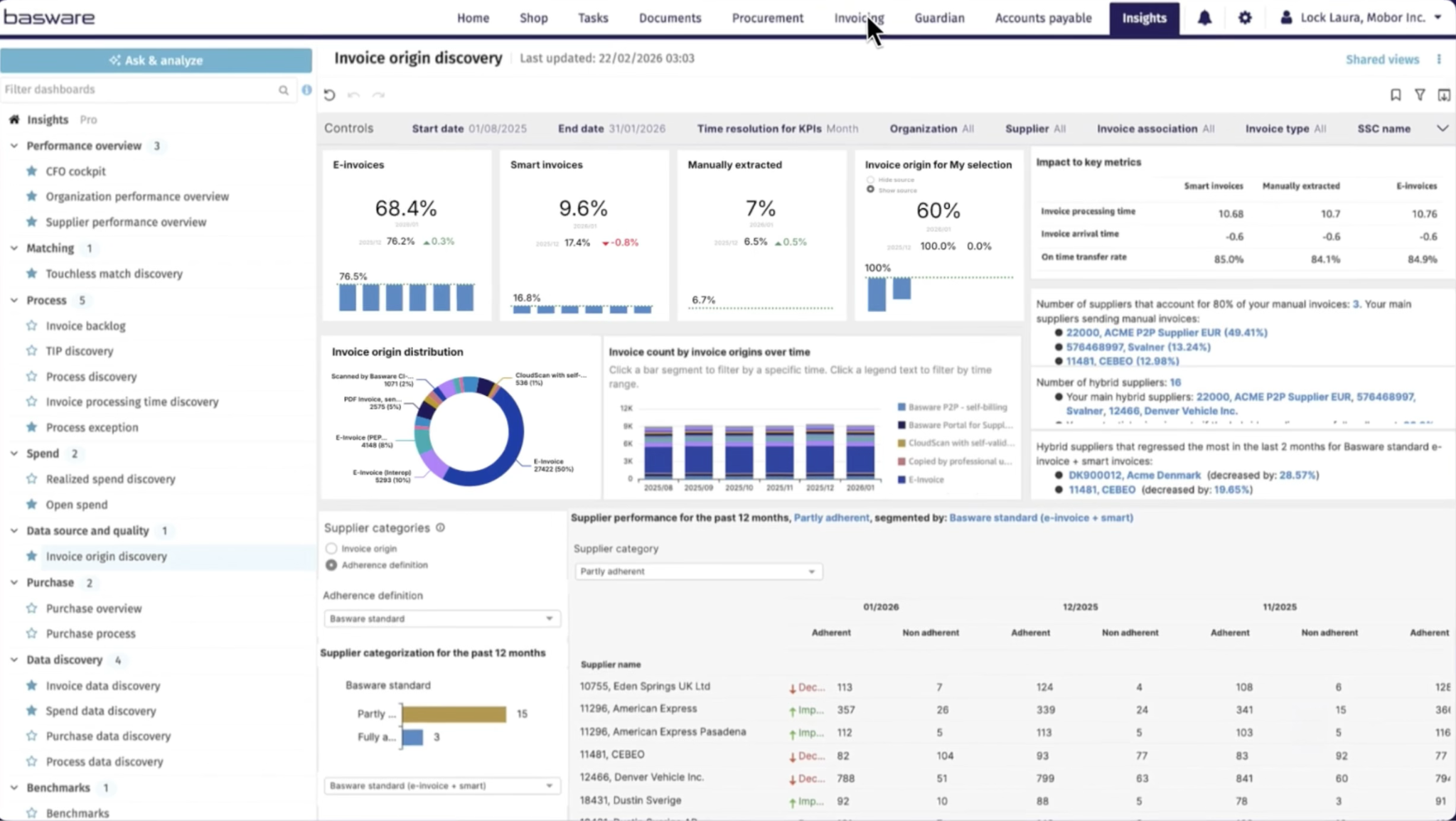
Basware is an invoice lifecycle management platform for finance teams operating across multiple countries, entities, and ERP systems.
For day-to-day AP work, Basware automates invoice capture, coding, routing, matching, and exception handling.
It’s also useful in complex cases. For example, when one invoice is linked to several POs, several invoices linked to one PO, extra freight or tax charges, or invoice lines that do not exactly match the PO.
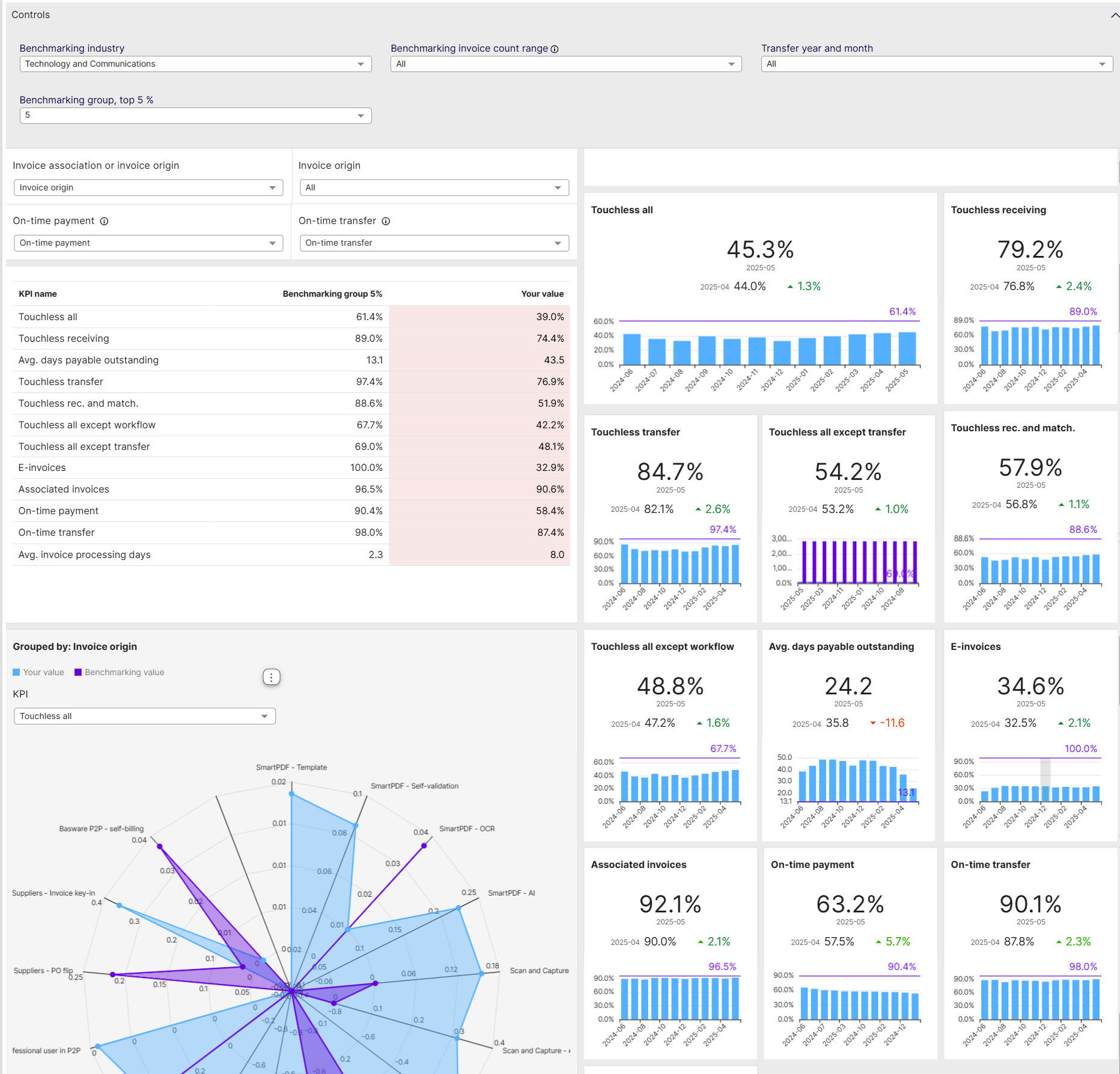
In addition, teams can set tolerance thresholds so small, acceptable variances continue through the workflow while genuine price, quantity, or receipt issues are routed for review.
Key features of Basware include:
-
SmartPDF: Converts emailed PDF invoices into structured electronic invoices, extracting invoice data without requiring suppliers to change how they submit invoices.
-
SmartCoding: Uses historical invoice and coding data to propose GL coding for non-PO invoices, including several coding options for the user to choose from.
-
SmartWorkflow: Predicts the right reviewer or approver based on invoice history and workflow patterns.
-
AP business agent: Gives invoice approvers contextual guidance on what needs action, why an invoice was routed to them, and what they should do next
-
AP data agent: Lets finance teams ask questions about AP data in natural language to identify bottlenecks, overdue approvals, supplier activity, and automation opportunities.
-
AP protect: Flags duplicate payments, overpayments, suspicious invoices, and vendor master-data risks before they create financial loss.
-
Spend plans: Automates recurring non-PO invoices by applying schedule, budget, or self-billing rules to repeat obligations such as rent, utilities, and subscriptions.
Why Basware is a good ExFlow alternative
Basware tackles a unique type of complexity, specifically around supplier connectivity and global compliance.
It gives finance the same core automation around invoice capture, matching, coding, approvals, workflow controls, and ERP synchronization.
But it adds a broader operating layer for supplier connectivity, e-invoicing compliance, shared-services processing, multi-ERP integration, statement reconciliation, and AP risk control.
What to be aware of
Basware is less intuitive than you’d expect. Simple tasks can require several steps, which slows down the entire AP process.
Also, in instances where you need to change things manually, such as updating bank details or reprocessing invoices, you get unclear error messages that make troubleshooting harder.
Standout feature: Basware Network
This is a global e-invoicing network that connects a company with its suppliers through one environment. With this, they can send purchase orders, receive invoices electronically, and manage supplier data.
Plus, since it’s an open e-invoicing network, suppliers do not need to use the same ERP or purchasing system to transact with the buyer.
Basware can accept invoices in different formats and delivery methods (Peppol, cXML, IDOC, and UBL), then standardize them before they reach AP for validation, matching, approval, and payment.
5. Coupa
Spend control from purchase request through payment
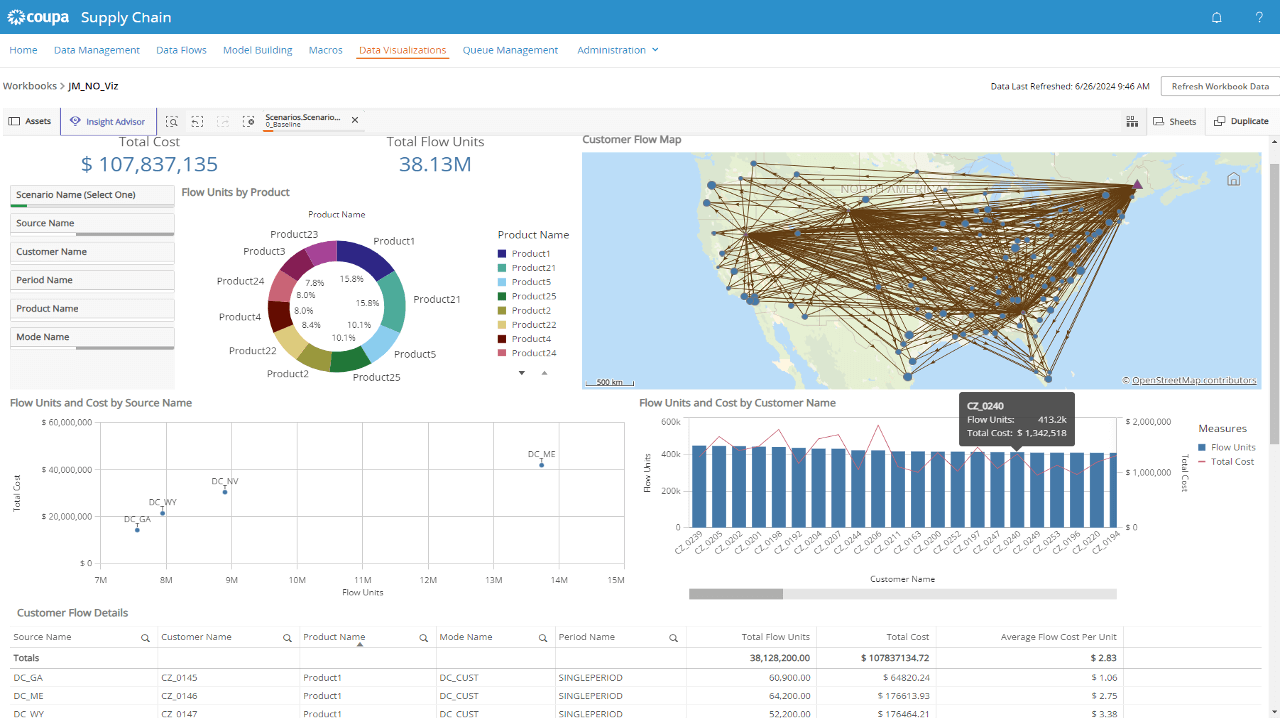
Coupa is a cloud spend-management platform with procure-to-pay capabilities. It covers purchasing, invoicing, approvals, payments, supplier management, expense, and spend analysis.
Compared to other AP-first tools we’ve covered, Coupa starts earlier in the purchasing process.
Employees can submit purchase requests, choose approved suppliers or catalog items, get approval, create purchase orders, receive goods or services, and process the invoice against that purchase.
This gives finance and procurement one process from purchase request through payment and reporting.
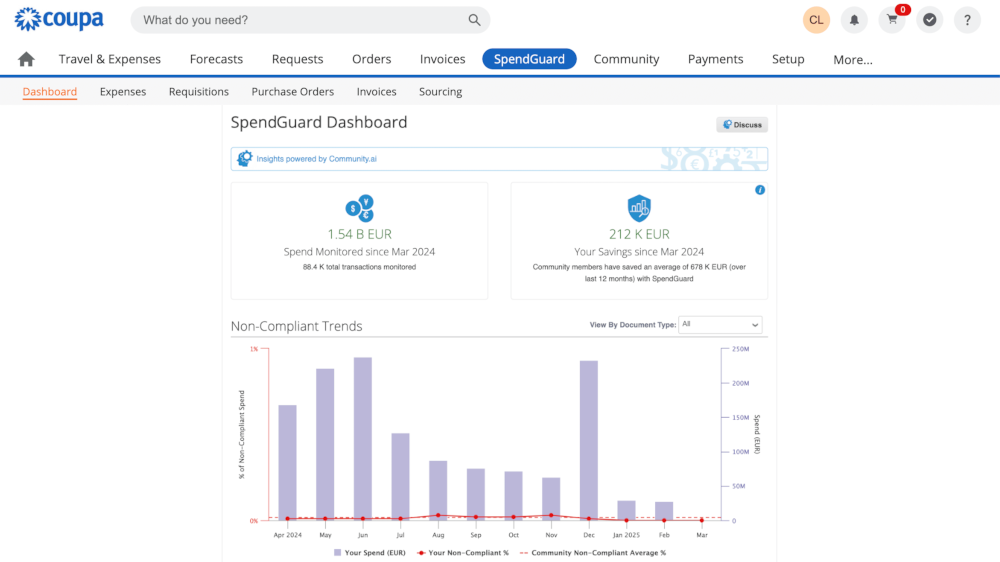
Coupa supports invoices sent through electronic integrations, cXML, the Coupa Supplier Portal, Supplier Actionable Notifications, email, and PDF uploads.
Suppliers can create invoices from purchase orders, while AP teams can process both PO and non-PO invoices through approval and validation workflows.
Key features of Coupa include:
-
SpendGuard: Detects potential fraud, suspicious invoices, errors, and risky transactions before payment.
-
Coupa Navi: Provides AI agents and in-product assistance for procurement, finance, suppliers, and supply-chain users.
-
Coupa Supplier Portal: Gives suppliers a self-service place to manage profiles, submit invoices, view transactions, receive remittance information, and respond to buyer requests.
-
Coupa procurement: Gives employees a guided way to request goods and services, so purchasing follows approved suppliers, categories, budgets, and policies before a commitment is made.
-
Coupa Pay: Connects approved invoices to payment workflows so finance can manage payment status, remittance, and supplier payment information closer to the AP process.
-
Coupa treasury: Gives treasury teams visibility into cash positions, forecasting, liquidity, and payment activity. It connects spend and payment data with broader cash-management decisions
Why Coupa is a good ExFlow alternative
Coupa focuses on how business can control spending from the point an employee decides to buy something through to supplier payment.
It gives employees a structured buying process, creates a clearer PO and approval trail, captures receipt information, and gives suppliers a dedicated way to submit invoices.
By the time an invoice reaches AP, more of the information needed to validate it should already be in place.
What to be aware of
Changing quantities or amounts on an existing purchase order triggers an error that invalidates the order. You’d need to create a new PO or take additional steps to correct it.
Standout feature: Coupa InvoiceSmash AI
This turns unstructured, non-PO PDF invoices into structured invoice data without requiring the supplier or AP team to do it manually.
Once a supplier uploads a PDF through the Coupa Supplier Portal, the AI extracts the invoice details needed to create a draft invoice.
It also includes the supplier, invoice number, dates, amounts, and line-level information where available. The supplier can then review or correct the extracted data before submitting it to the buyer.
6. MineralTree
Payment-led AP automation with stronger cash control
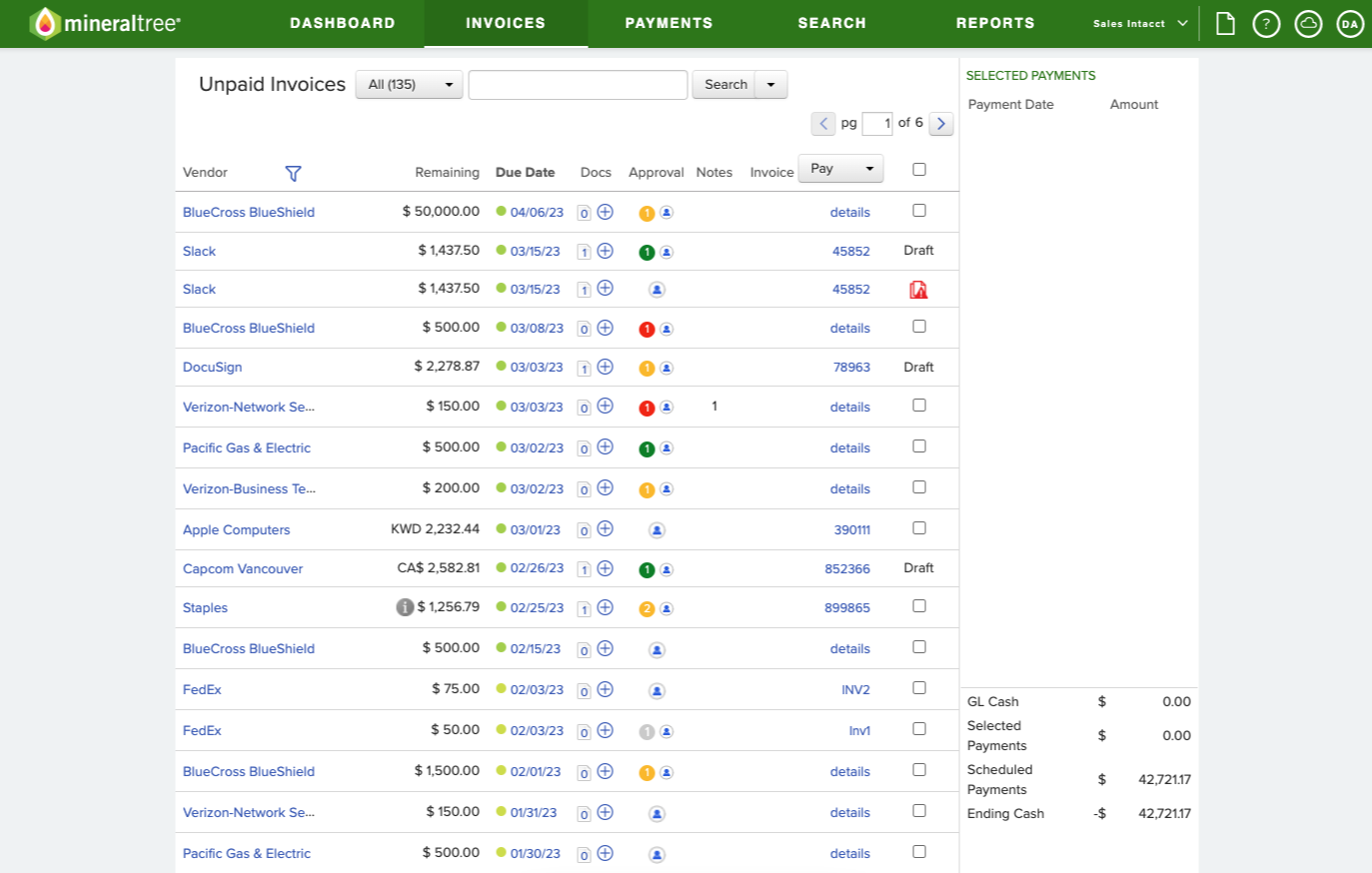
MineralTree is an AP automation platform that focuses on invoice capture, approvals, payment authorization, and payment execution.
Unlike ExFlow, MineralTree lets teams start with the part of AP they need most. Companies can begin with payments, invoice capture, or the full workflow, then add more features later.
For example, TotalAP covers the full invoice-to-pay process. TotalPay focuses on payment automation, while SilverPay supports virtual card payments and cash back rebates.
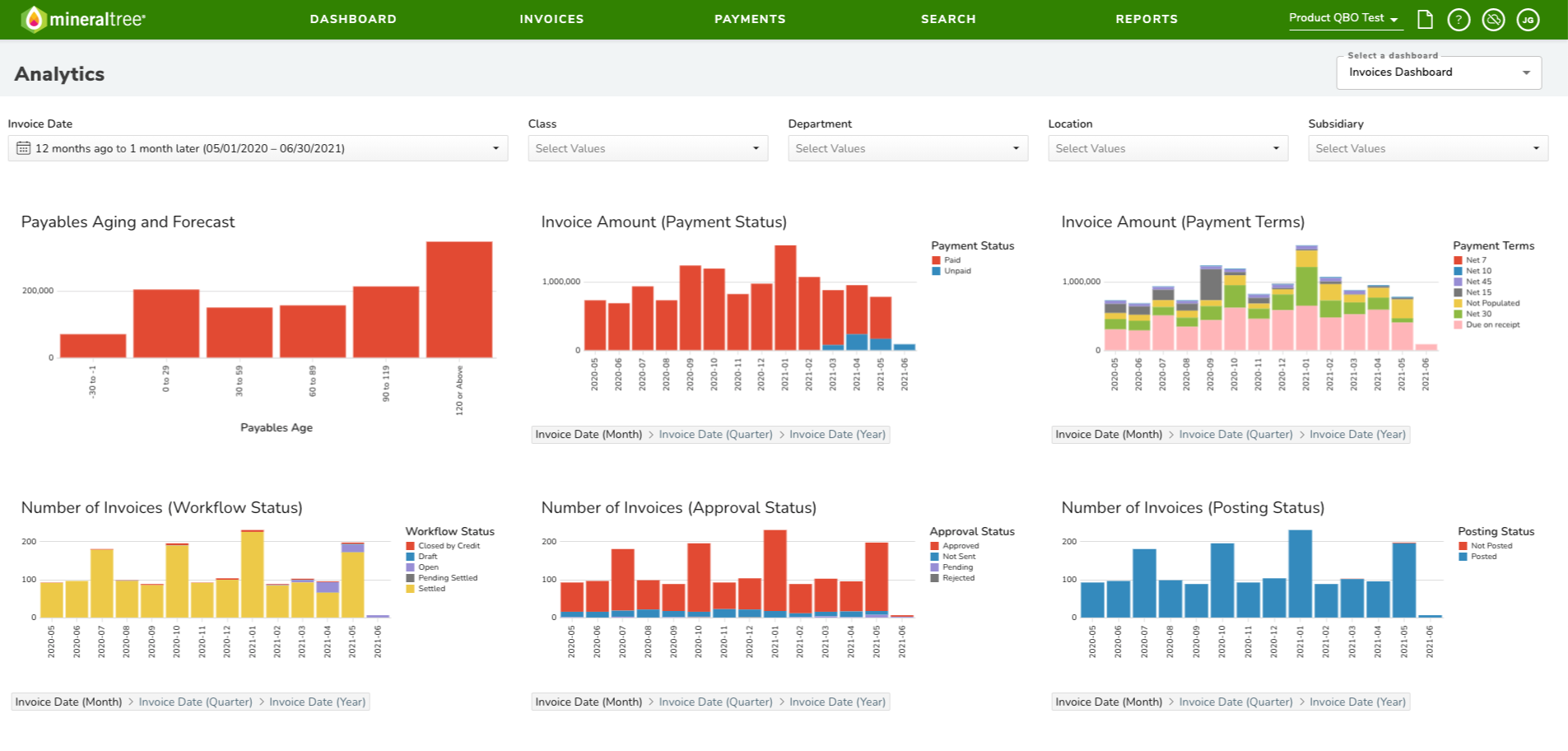
Furthermore, teams can use existing approval rules, role-based permissions, audit trails, and duplicate invoice checks to keep control over the process. After approval, AP can schedule and reconcile payments against the invoice record.
Also, Sage Intacct customers can use Vendor Payments to approve and pay bills directly from inside Sage Intacct.
Key features of MineralTree include:
-
Invoice auto-posting: Posts approved invoices automatically to the connected accounting system.
-
Global tiered approval rules: Sets approval thresholds based on invoice value, with up to four approval levels. Teams can require either one approver or every assigned approver at a given tier to approve before the invoice moves forward.
-
Inspyrus: This is MineralTree’s enterprise AP and payment automation platform for high-volume, multi-ERP, multinational environments. It is built for shared-services operations and global e-invoicing requirements.
-
Purchase order matching: Links invoice lines to purchase-order lines automatically or manually. MineralTree uses details such as quantity, unit cost, and descriptions to identify matches where supported by the ERP connection.
-
File connect: Supports secure file-based payment and reconciliation workflows for ERPs that do not use a direct API connection.
Why MineralTree is a good ExFlow alternative
MineralTree takes a more payment-led approach. It treats invoice processing as one part of a wider cash-control workflow that includes payment authorization, payment scheduling, supplier enrollment, payment execution, reconciliation, and reporting.
It gives finance a separate operating system for these payment activities while keeping invoice and payment data connected to the ERP.
What to be aware of
If you’re a small business with low invoice volumes or simple AP needs, then MineralTree may not be suitable for you.
Some users also complain of spending extra time on unusual or infrequent coding workflows. For example, when invoices fall outside normal coding rules, AP often needs to review and handle them manually.
You may also want to ask MineralTree directly whether their Business Central integration is Microsoft-certified through AppSource, since it doesn't appear in Microsoft's own marketplace listings.
Standout feature: TotalPay
This is MineralTree’s invoice-payment automation solution that optimizes payment workflow:
-
The AP team decides which suppliers to pay and when,
-
while TotalPay handles the work of making those payments.
It can choose the best available payment method for each supplier, including virtual card, ACH, or check. This helps teams reduce manual checks and increase electronic payments.
TotalPay also groups payment reconciliation into one payment run instead of requiring AP to reconcile each payment separately.
7. Yooz
Configurable AP automation for complex workflows and ERP environments
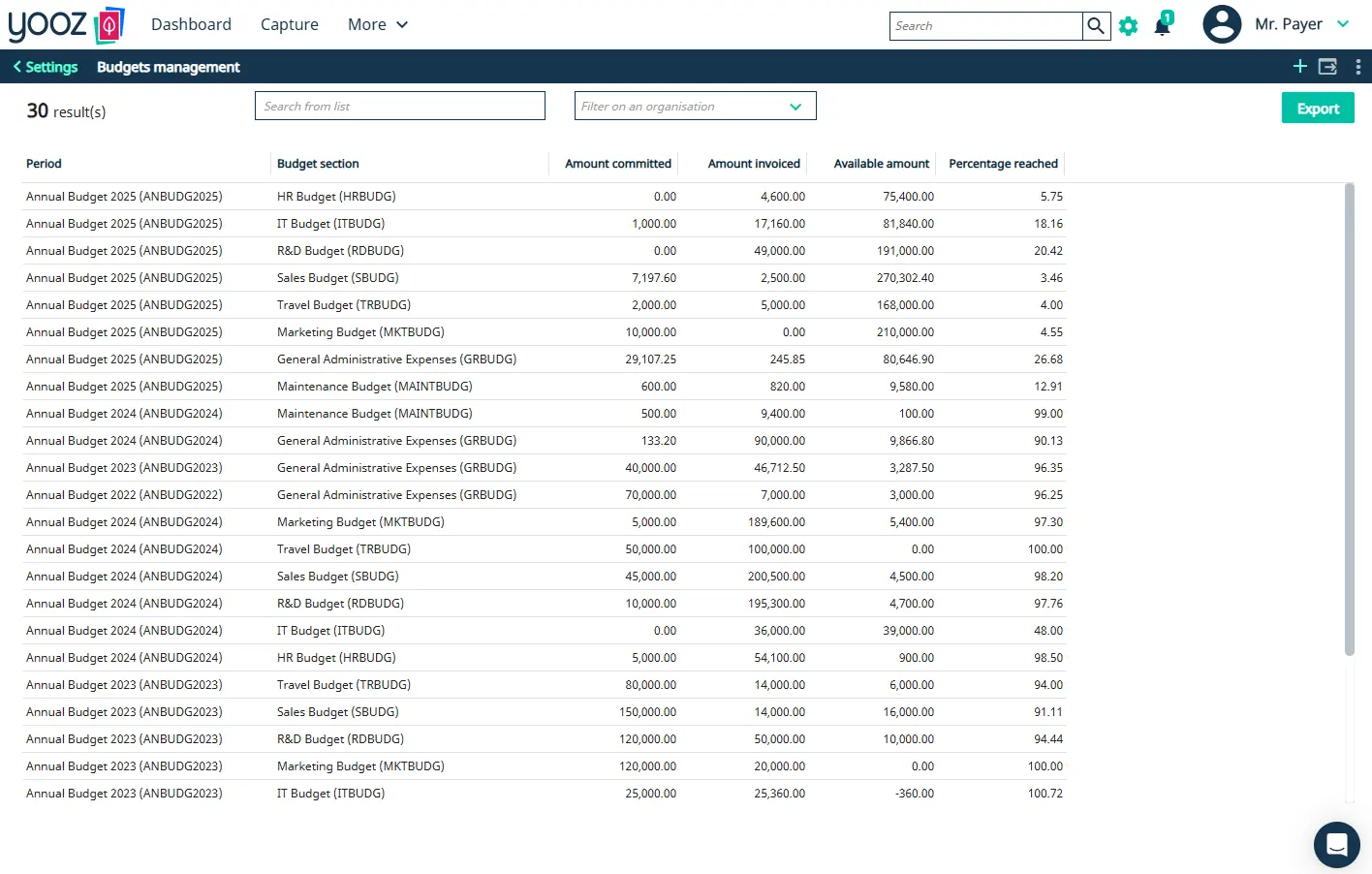
Yooz offers a simple e-invoicing and purchase-to-pay automation solution. It connects with more than 250 ERP and accounting systems, allowing teams to keep the ERP as the system of record while using Yooz for the operational AP workflow.
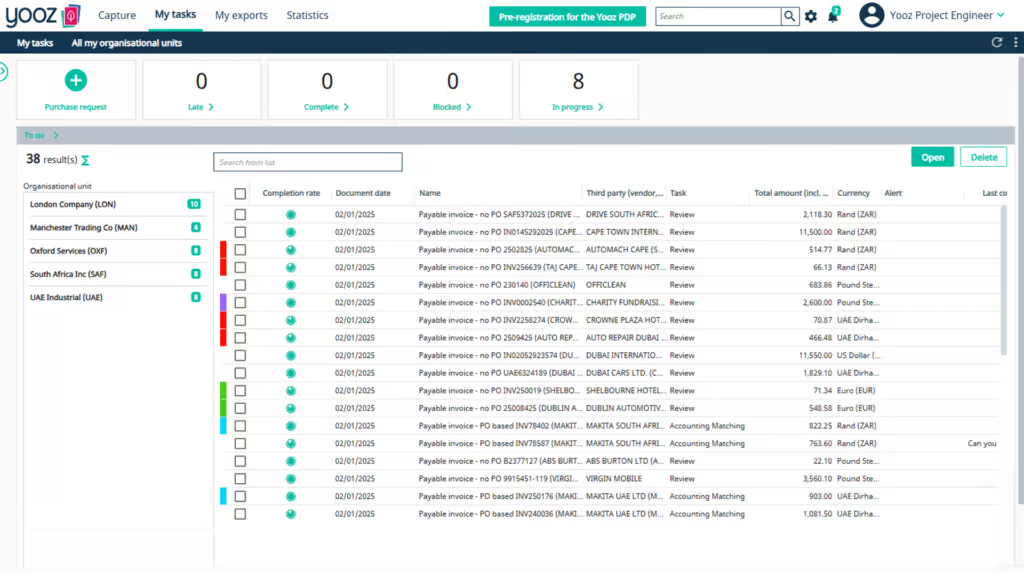
There’s the YoozSmartSplit, which separates invoices from mixed documents or batch files before processing. You can set approval rules by amount, supplier, entity, coding, or department, with an audit trail for changes and exceptions.
For payments, there’s YoozPay. You can schedule supplier payments, choose payment methods, run individual or batch payments, and send payment data back to the ERP.
Key features of Yooz include:
-
Line-level PO matching: Matches invoice lines with purchase orders and delivery receipts through two-way or three-way matching.
-
Dynamic routing and exception handling: Routes invoices using configurable rules and machine learning, while automating reminders, escalations, and exception handling.
-
Smart fraud detection: Flags potential fake documents, unusual invoice amounts, duplicate invoices, and supplier-detail changes before payment is released.
-
Self-learning GL coding: Suggests GL accounts, tax treatments, dimensions, and allocations based on prior invoice history and the rules finance has defined.
-
No-touch workflows: Allows compliant invoices to move through defined matching, coding, and approval rules without requiring someone to handle every transaction manually.
Why Yooz is a good ExFlow alternative
Yooz gives finance a separate AP system that connects to Dynamics, but is not limited to Dynamics. This enables finance to configure workflows around the process each entity, ERP, supplier type, or business unit needs.
What to be aware of
Yooz can take time to set up, especially for teams with complex workflows or many custom rules. Also, the reporting does not offer enough flexibility for teams that need highly customized views.
Standout feature: YoozStamp
This Yooz’s invoice-scanning technology for teams that still receive paper invoices or scan large batches of documents.
A user places a YoozStamp, a specific dated marker, on the first page of each invoice before scanning.
Yooz detects that marker and automatically separates one large scanned batch into individual invoice files, so the AP team does not need to sort and scan every invoice separately beforehand.
The stamp also creates a physical record that the invoice has already been scanned, which helps prevent the same paper document from being processed twice.
8. Tipalti
Global AP, supplier onboarding, and payments for multi-entity finance teams
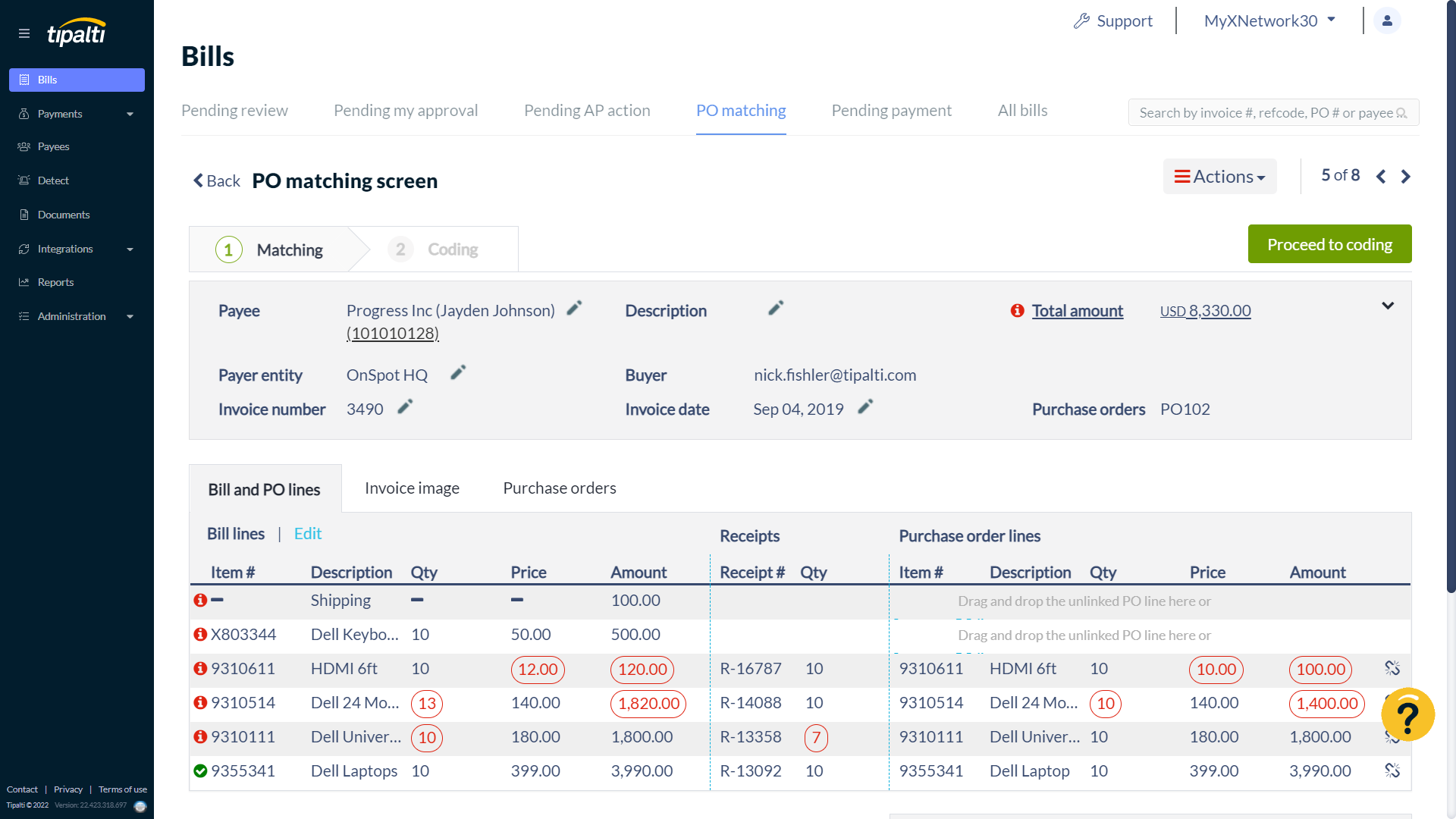
Tipalti is a finance automation platform for companies that manage AP across multiple entities, currencies, countries, and supplier types.
Its supplier portal lets vendors submit and update payment and tax details. Tipalti can also collect W-8 and W-9 forms, support 1099 and 1042-S reporting, and screen payments for compliance risks.
Once an invoice is approved, Tipalti moves it through payment, remittance, and reconciliation across entities and countries.
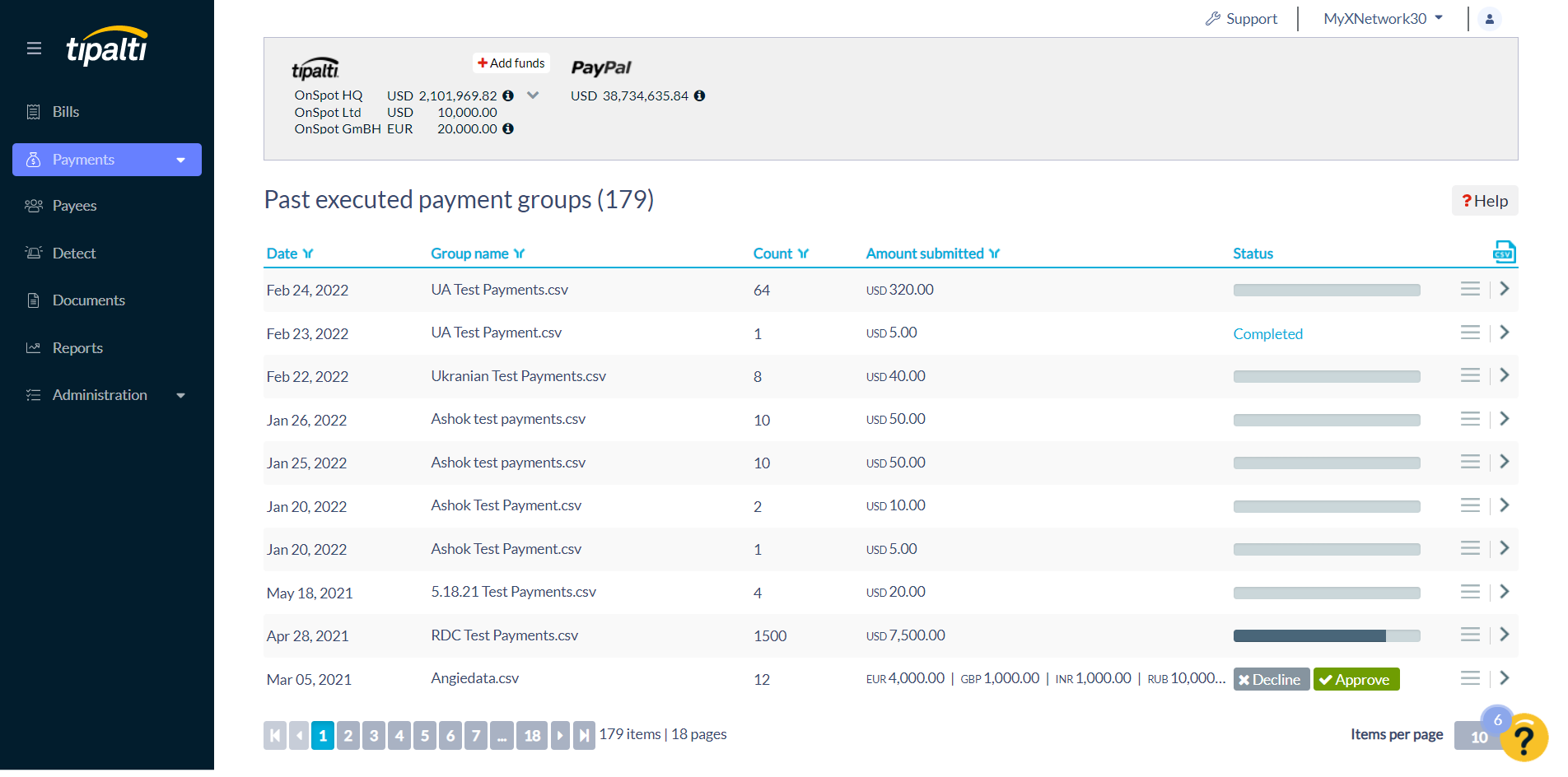
Tipalti supports payments in more than 200 countries and territories, across 120 currencies and more than 50 payment methods.
Key features of Tipalti include:
-
Tipalti Card: Provides physical and virtual cards for employee spend, recurring purchases, and vendor invoice payments, with controls and reconciliation inside Tipalti.
-
Tipalti Detect: Screens payees for suspicious patterns, flags related or duplicate accounts, and lets payers block or suspend risky payees before payment.
-
AI smart scan: Reads invoice headers and line items, including complex tables and varying invoice layouts, then populates the relevant fields for review and processing.
-
Tipalti procurement: Handles intake, purchase requests, approvals, PO creation, supplier data collection, and payment within an intake-to-pay workflow.
-
Bill approvers agent: Learns from past activity to help route invoices to the right approvers and reduce manual workflow administration.
Why Tipalti is a good ExFlow alternative
Tipalti is built for a wider finance problem. It connects supplier onboarding, invoice processing, approvals, and tax compliance in one platform.
For instance, a supplier may need to submit banking information in one currency, provide local tax details, choose a payment method, and receive a payment through a local rail.
While ExFlow can automate the invoice workflow inside Dynamics, Tipalti manages the supplier and payment complexity around that workflow as well.
Plus, Tipalti gives companies more flexibility when their ERP environment changes.
What to be aware of
Payments made outside Tipalti do not sync back automatically from the ERP. This can cause Tipalti’s aging report to differ from the actual AP aging unless AP manually applies those payments.
Standout feature: Tipalti Supplier Hub
This is a self-service portal that gives suppliers one place to complete onboarding, provide tax and payment details, submit invoices, and track their payment status.
For example, suppliers can update their payment details, choose supported payment methods, view invoice and payment history, and receive status updates without having to contact the finance team.
Tipalti also uses the Hub to collect and validate supplier tax information and support onboarding across currencies, countries, and languages.
9. AvidXchange
Industry-focused AP automation and supplier payments for North American teams
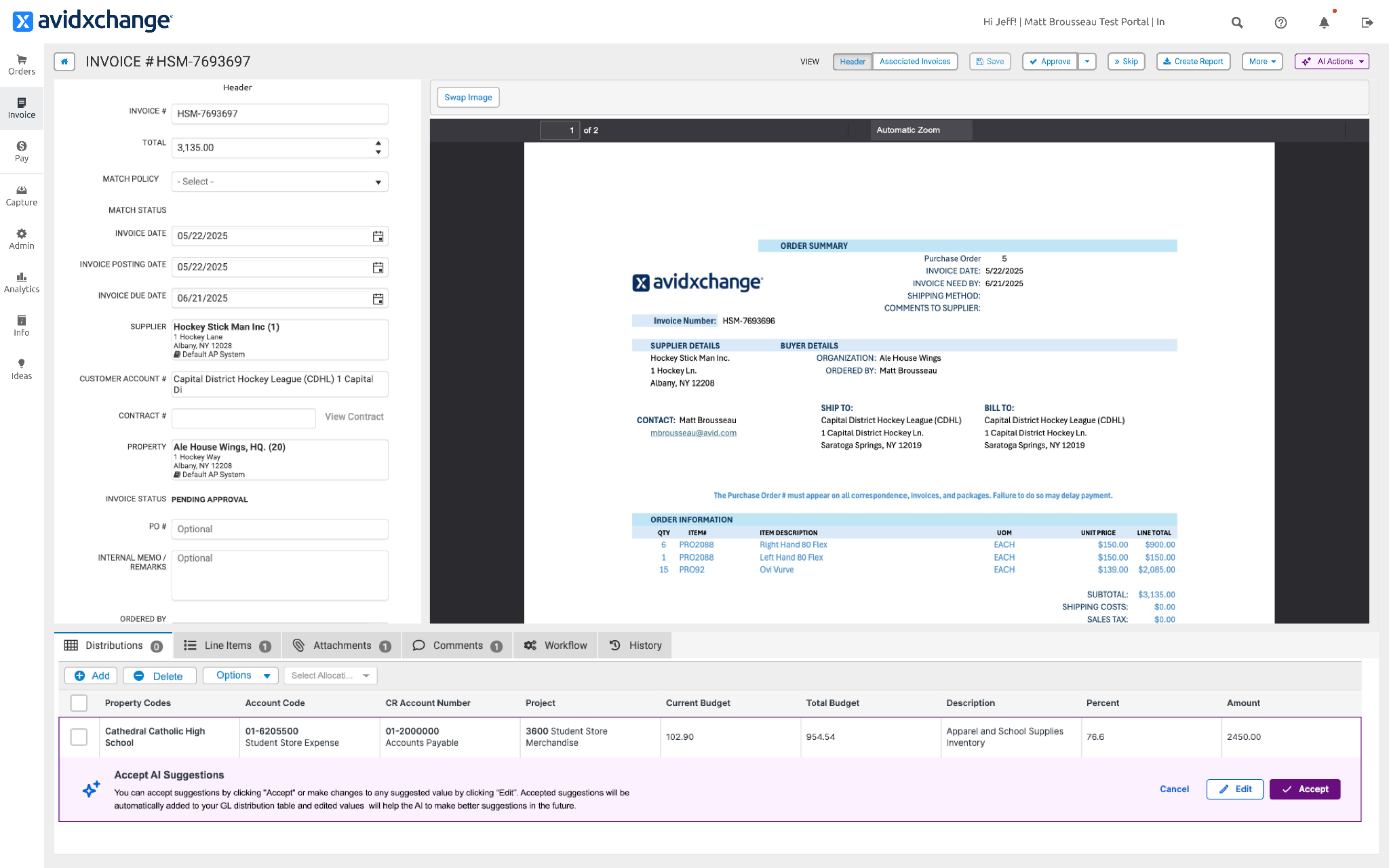
AvidXchange is an AP favorite for North American middle-market companies. The platform uses AI-enhanced extraction to pull invoice data into the workflow, then matches, validates, and routes it based on the company’s existing AP processes.
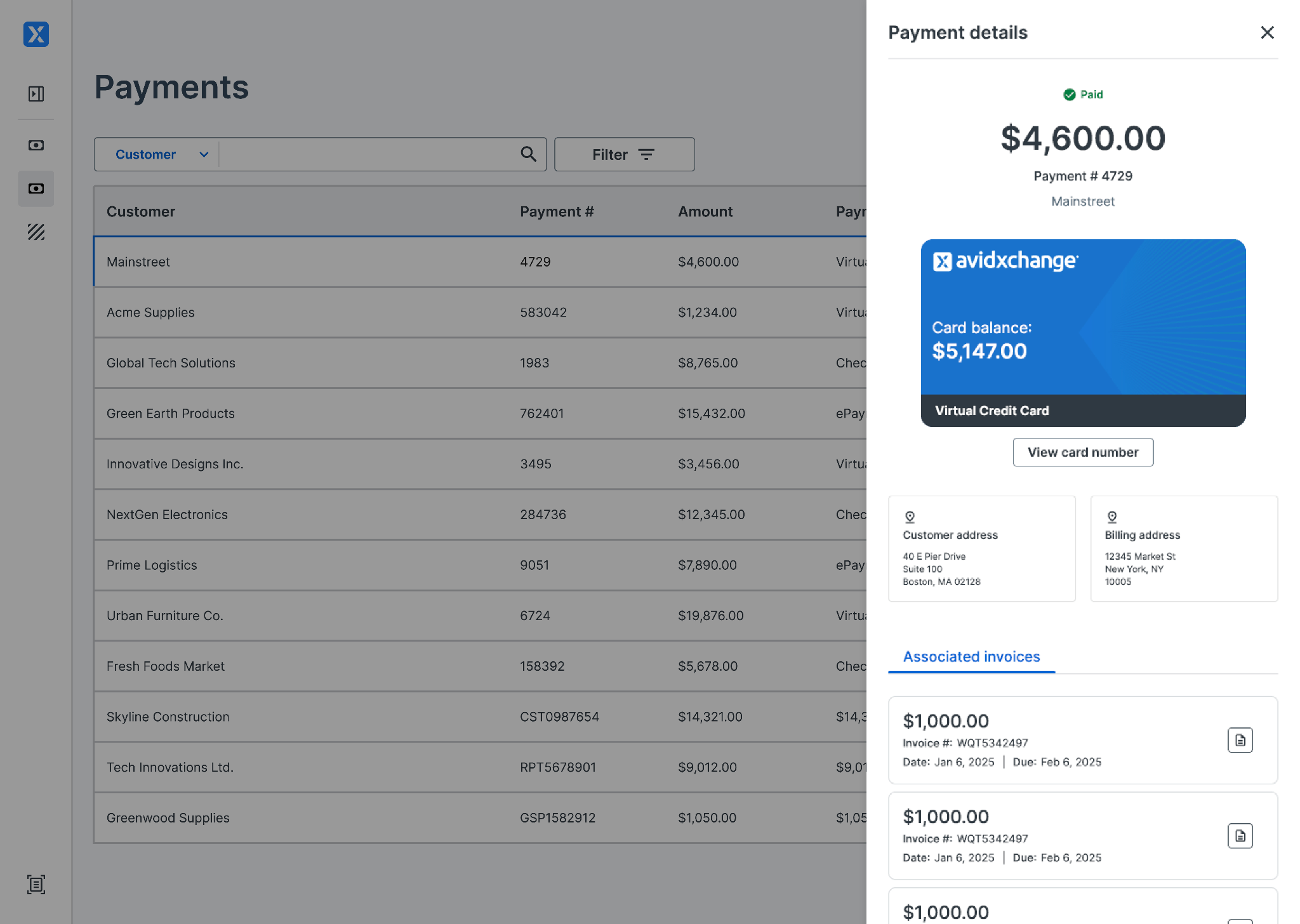
There’s also role-based access and audit trails, which helps finance teams separate invoice review, approval, payment authorization, and payment execution without losing visibility into the full record.
The AvidPay Network further supports the process by connecting buyers with a large supplier network. And with it is the Supplier Hub that gives suppliers visibility into invoice and payment status without requiring AP to answer every status request manually.
Key features of AvidXchange include:
-
Payment controls: Adds approval checkpoints and electronic-payment controls before funds are released
-
AvidBuy: Manages purchase requests, PO creation, approvals, and matching.
-
AvidInvoice: Captures invoices, stores supporting documents, routes them through approval workflows, and gives AP a central place to track status and exceptions.
-
AvidPay: Moves approved invoices into electronic payment workflows. This helps finance reduce check volume and manage payment status without relying on separate bank-portal processes.
-
Microsoft integrations: Supports Microsoft environments including Dynamics 365 Business Central and Dynamics GP through API integrations, with file-based options for some other Dynamics products and versions.
-
TimberScan: Provides construction-focused invoice and purchase-to-pay workflows for companies that need better control around project, subcontractor, and document-intensive AP processes.
Why AvidXchange is a good ExFlow alternative
AvidXchange’s industry depth is one of its biggest advantages. It has built more specialized workflows for industries where invoices need to be tied to properties, units, projects, purchase orders, construction documentation, or recurring operational expenses.
For example, a property manager may need approvals based on the building, location, owner, or unit involved. AvidXchange is designed around this type of operating reality rather than treating every AP process as a standard office-finance workflow.
That makes it a stronger alternative to ExFlow for companies whose AP complexity comes from their industry structure.
What to be aware of
NetSuite integration through AvidSync can take work to manage, especially when syncing vendor records.
Also, when an invoice is rejected, it is difficult to review the original email or submission history.
Standout feature: AvidPay Network
This helps AP teams move suppliers away from manual checks without having to onboard and manage every payment relationship themselves.
Once a payment is approved, AvidXchange handles the delivery process through the network and gives suppliers payment options such as virtual card, AvidPay Direct, or check.
The buyer still decides who gets paid and when, but AvidXchange manages much of the work that follows, including supplier payment setup, delivery, and payment-related support.
10. BILL
All-in-one AP, payments, spend management, and accounts receivable
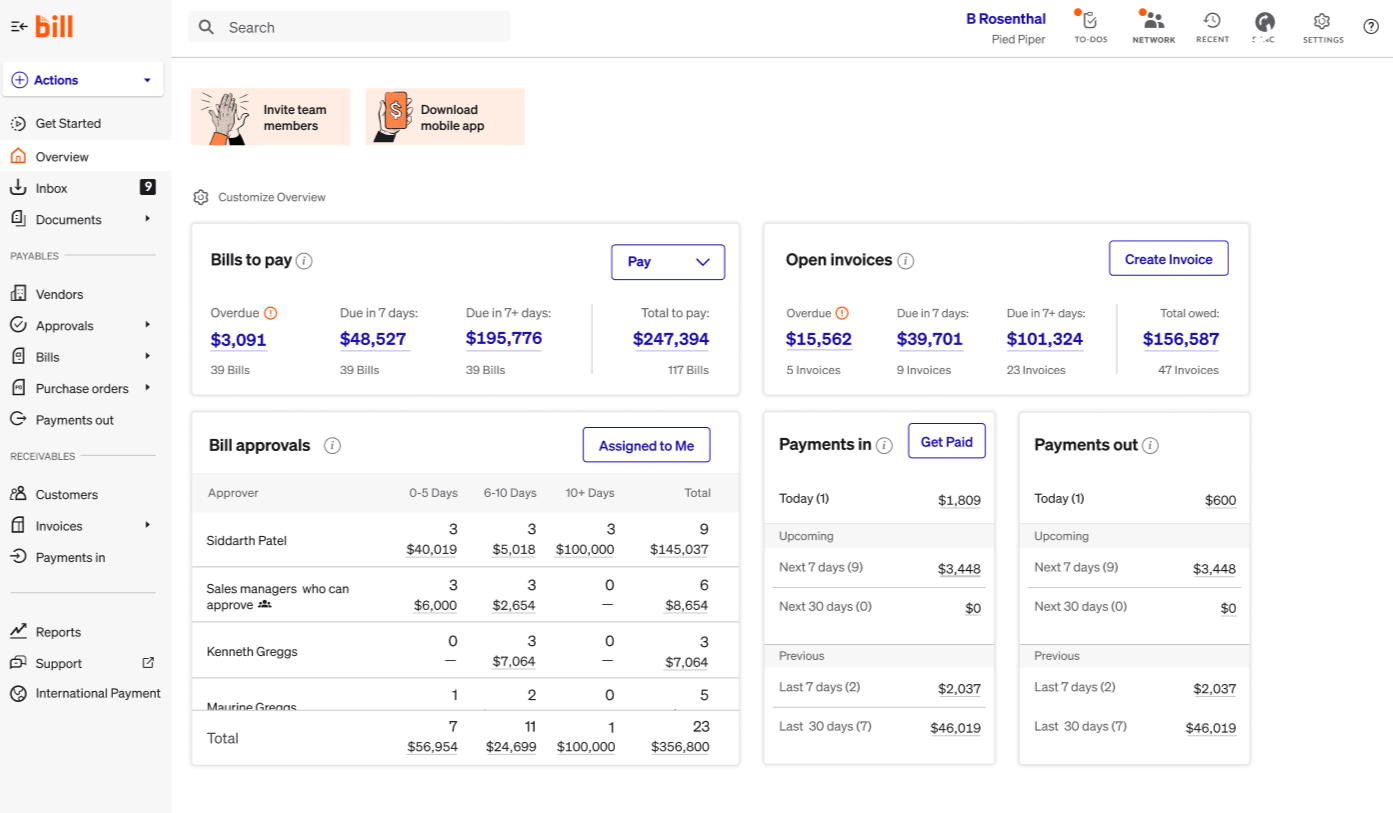
BILL is for small and mid-market businesses that want to simplify the everyday work around payables and employee spend.
To process invoices, BILL uses the BILL AI to capture key invoice fields, code multi-line bills, and reduce manual data entry before the bill reaches the approval stage.
Users can configure these approval workflows around their company’s rules, roles, limits, and approval steps.
For example, if an invoice is approved, they can pay suppliers through ACH, virtual card, credit card, paper check, or international wire transfer, with payment data syncing back to the general ledger.
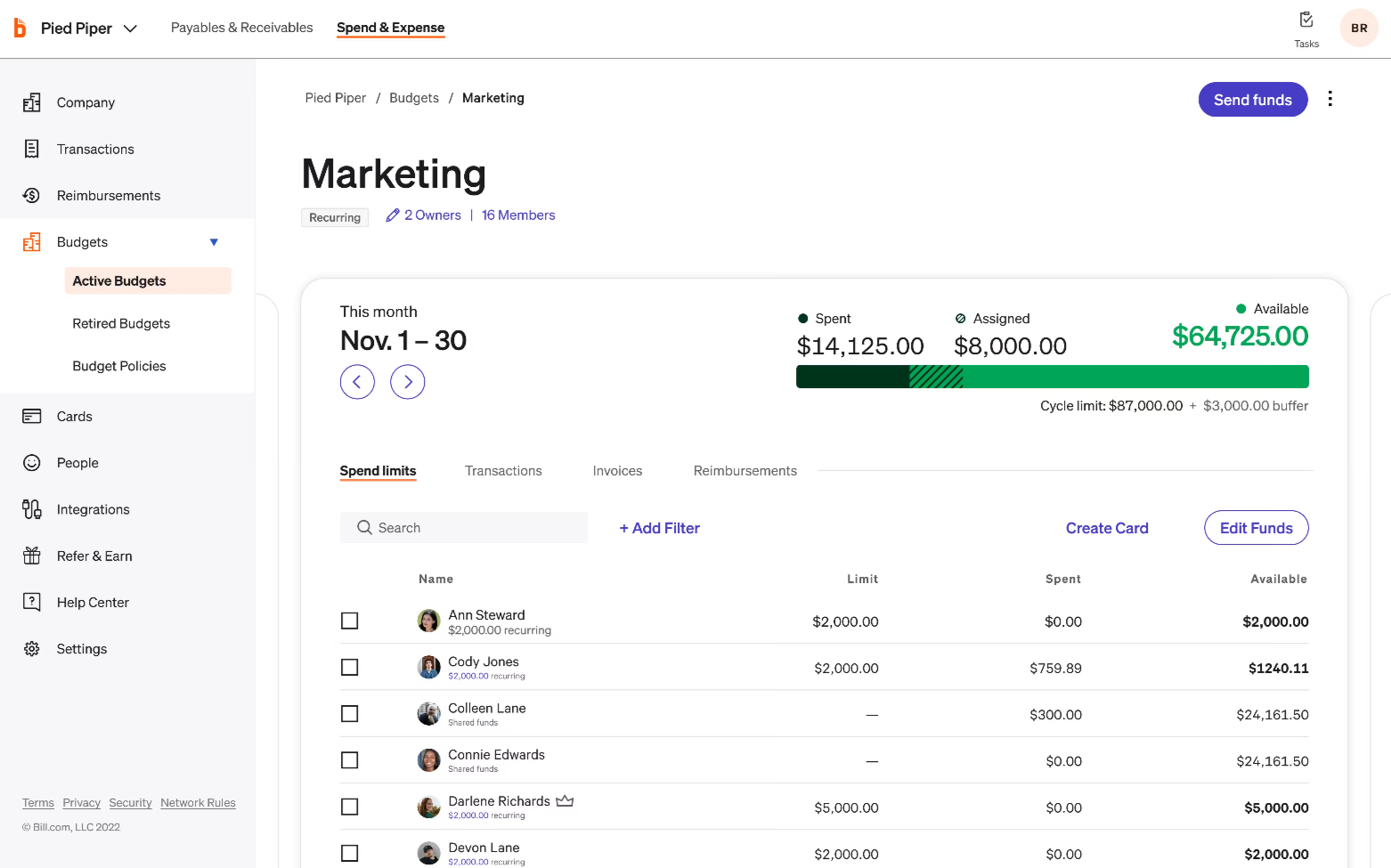
BILL also offers a Spend & Expense feature to cover company cards, expense controls, budgets, reimbursement workflows, and transaction categorization.
Key features of BILL include:
-
BILL Divvy card: Gives employees access to controlled company-card spend, with limits, rules, and visibility defined by finance.
-
BILL W-9 Agent: Emails vendors to request W-9s, collects the completed forms, and pre-validates the information before it is added to the vendor record.
-
BILL procurement: Manages purchase requests, approval workflows, purchase orders, tolerance rules, and two-way matching.
-
BILL network: Connects businesses with vendors for digital payments, allowing payers to send ACH or virtual-card payments without manually collecting or entering sensitive bank details.
-
BILL international payments: Supports international wire payments to vendors in more than 130 countries from the same approval and payment workflow used for domestic payables.
-
BILL accounts payable: Automates invoice capture, bill creation, approval routing, payment processing, and accounting sync in one AP workflow.
-
BILL multi-entity: Centralizes bill review, approval, and payment across multiple entities or locations.
Why BILL is a good ExFlow alternative
ExFlow’s strength is that invoice capture, matching, approvals, and posting remain close to the ERP environment finance already uses.
BILL understands that approach but simplifies the entire process. It gives finance a separate workspace for AP and payments, then extends that same environment into employee cards, expenses, reimbursements, budgets, and procurement.
A team may use Dynamics for accounting, a bank portal for payments, another system for cards and expenses, and spreadsheets for budget controls.
BILL gives those teams a way to consolidate more of the daily finance workflow.
What to be aware of
There are examples of inaccuracy with the AI features and the need to manually review more often, especially at year-end reviews.
Standout feature: BILL Account Receivables
This is BILL’s connected way to create invoices, send them, collect payment, and track what is still outstanding.
AP or finance teams can see the progress of an invoice, and in case of an overdue, there’s the ‘Auto Reminder’ to follow up.
For repeat customers, BILL also supports Auto Charge and Auto Pay, which can take payment collection off the monthly to-do list once the customer has agreed to the arrangement.
This is useful for smaller and mid-sized businesses that want AR collections to run alongside payables in the same platform.
Build a more scalable AP operation with Rillion
The 10 platforms in this guide solve different versions of the problem that may have pushed you to look beyond ExFlow.
For example:
-
Medius is good if touchless processing rate is your primary metric.
-
Basware has the features to help you navigate global e-invoicing compliance.
-
Stampli retains a top spot for teams needing invoice communication and approval coordination.
-
If you’re managing supplier payments, Tipalti’s access to 196 countries is your best bet.
-
And for smaller teams needing AP and AR in one unified platform, BILL makes a strong case.
But for mid-market finance teams that have outgrown ExFlow’s Dynamics-native scope and need the full AP workflow, Rillion is the logical fit.
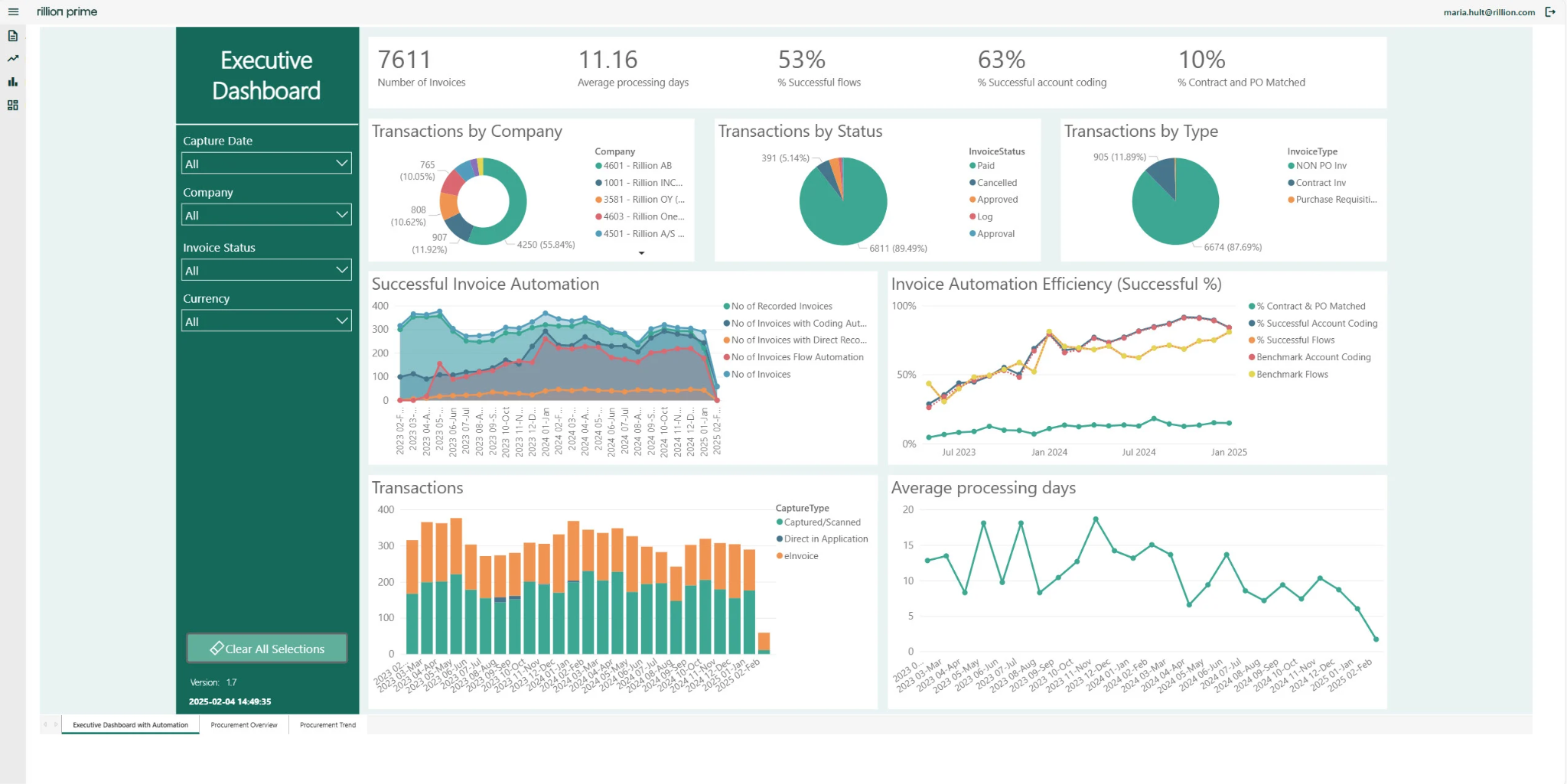
While it integrates with Dynamics 365 Business Central and FO in real time, it still gives finance more flexibility when another ERP enters the environment.
It handles contract matching alongside PO matching. And it doesn’t require the ERP strategy to stay fixed for the platform to keep working.
The invoice capture is AI-native too. Rillion extracts invoice data from PDFs, scans, and emails at roughly 95% accuracy from the first invoice, then suggests the right GL code based on how you've coded similar invoices before. The model keeps learning from your coding and routing history, so accuracy and the time your team gets back only improves the longer you use it.
How Björn Axén retains full control over their invoices
Move beyond approval routing alone
Use Rillion to connect invoice capture, matching, approvals, payments, reconciliation, and reporting in a single AP workflow.